6
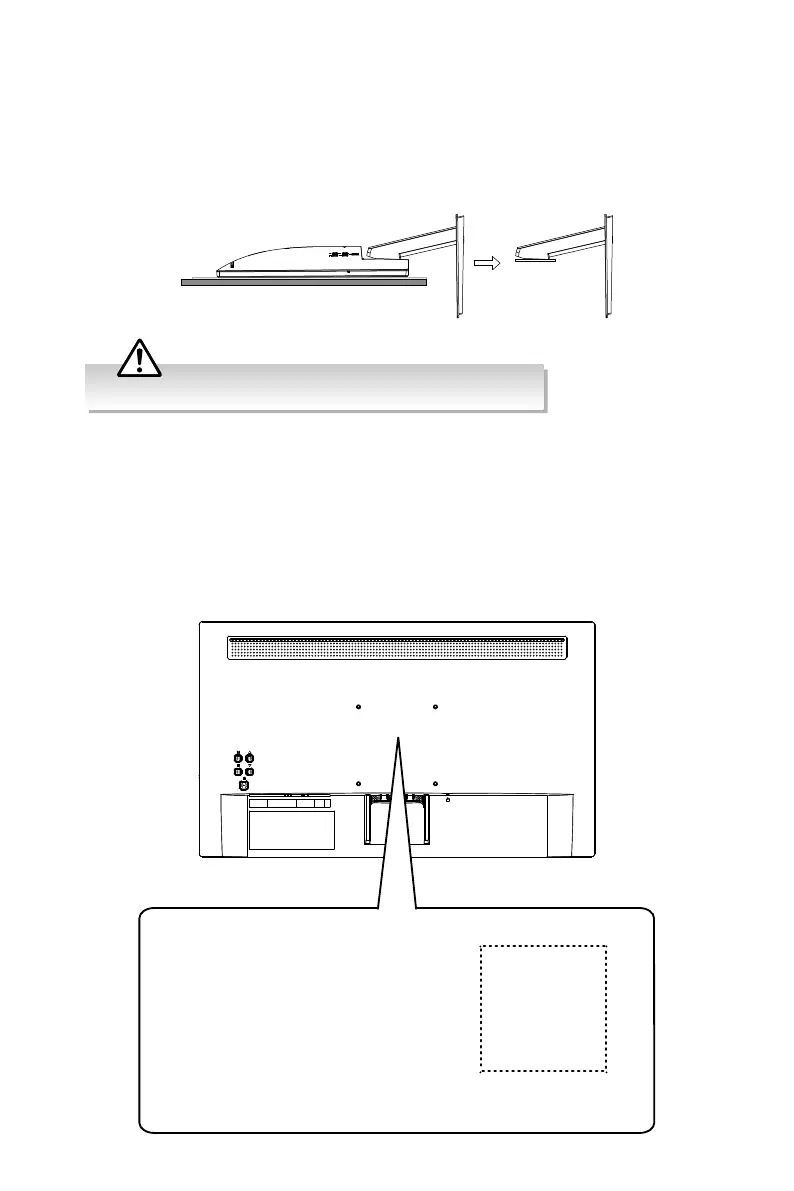
Remove the stand assembly before mounting the monitor onto the wall.
Mounting the Monitor
This monitor is designed to be wall-mounted with a standard mounting kit (sold
separately) designed for at-panel monitors. Mount this monitor according to the
instructions included in the mounting kit. Due to space restrictions, we recommend that
you make all connections before mounting on to the wall.
100 mm
100 mm
Four mounting holes
(size M4-8mm screw)
Monitor Weight (Without Stand):
LT-24CM69BE: 2.38 kg
Detaching the Stand Base
To remove the stand assembly, lay the monitor on a at surface with a cushioned
material between the monitor and the surface, to prevent damage. Slide to remove the
stand assembly.


 To Next Page