13
Maintenance
Cleaning the Unit
Hints and Tips
The following table contains various hints and tips to get the best performance from
your monitor. If you require additional assistance:
• For UK, please call our UK Call Centre on 0344 561 1234.
• For Ireland, please call our Ireland Call Center on 1 890 818 575.
Problem Solution
No image on screen • Check if the power button has been switched on.
• Verify the brightness and contrast of the monitor is
within the normal setting.
• Check if the power indicator is turns on. If so, this
indicates that the monitor is not recieving the input
signal.
• If the signal indicator is a notebook or laptop, make
sure that the signal has been switched to screen mode.
• Make sure that the computer is turned on and is not
sleeping.
• Make sure that the correct input is selected.
Out of Focus • Check if the image signal cable is inserted properly.
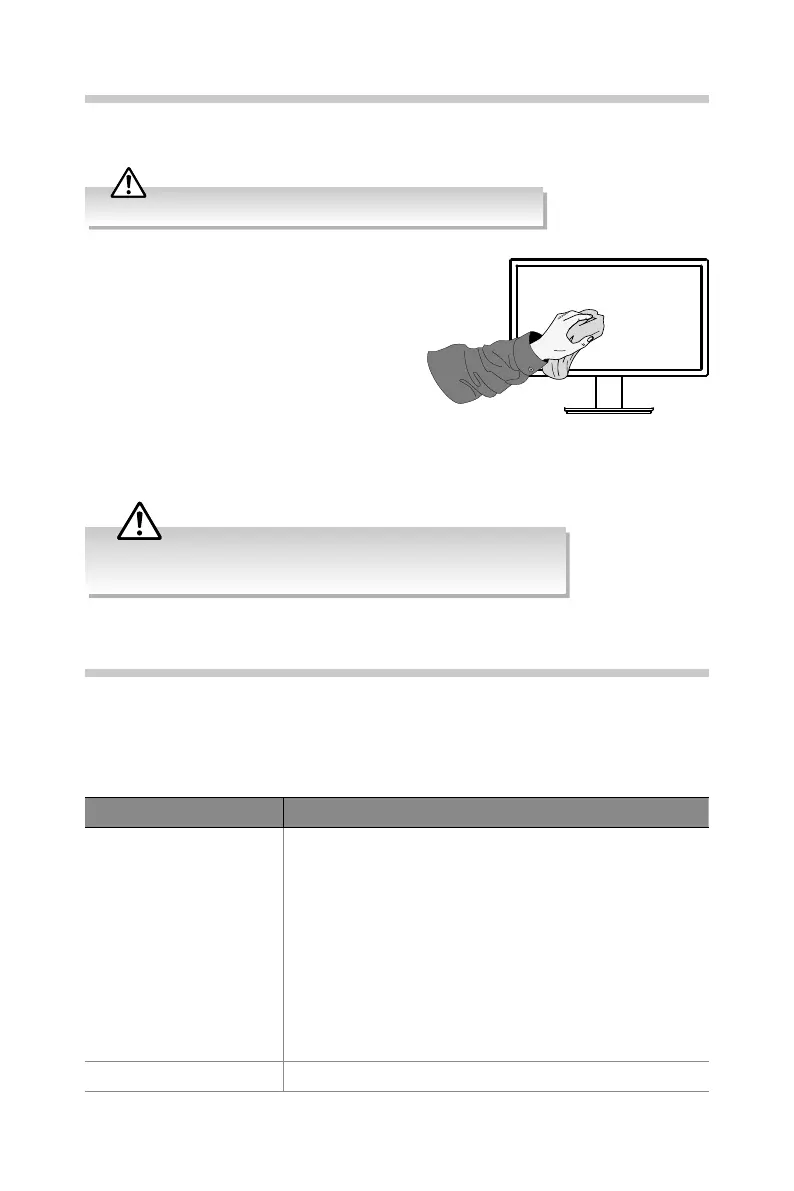
Ensure the unit is fully unplugged from the mains socket before cleaning.
• Use a soft dry cloth to wipe away the
dust from the screen and surfaces.
• If the surfaces are extremely dirty, clean
the monitor with a cloth which has
been dipped in a slightly soapy water.
Wring the cloth until it is almost dry,
then use it to wipe the monitor.
• Ensure there is no excess water on the
screen. Allow any water or dampness to
evaporate before switching the monitor
on.
Never use alcohol, benzine, paint-thinner, cleaning uid or other chemicals.
Do not use compressed air to remove dust.


 To Next Page