USE SETTING TROUBLE?
14
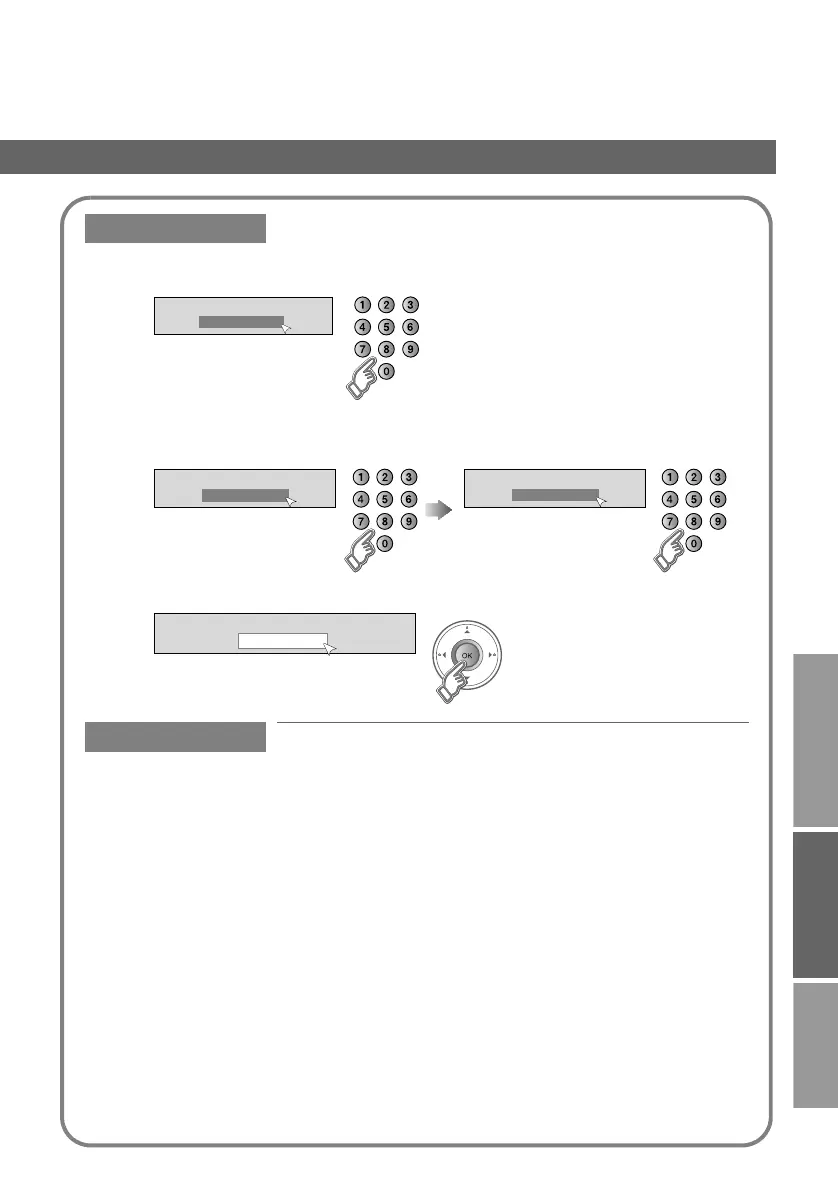
Enter PIN code
Change PIN code
1
Input the current code
2
Input a new code twice
3
Favourite Mode
Enable your favourite channels (On / Off)
z If you cannot select “On”, register channels in “Favourites” first g “Favourites” (P. 12)
z When you set “Favourite Mode” to “On”, you cannot change from TV to Radio if no radio channel is
registered to the favourite channels.
This function is locked.
Please enter PIN code
z Default is “0000”.
z If you forget the code, input “0081”.
Enter new PIN code
Confirmation
PIN code changed
OK
LT-42DP8BJ_Digital.book Page 14 Wednesday, July 4, 2007 2:47 PM



 To Next Page