(No.MB519)1-19
3.2 CD traverse mechanism section
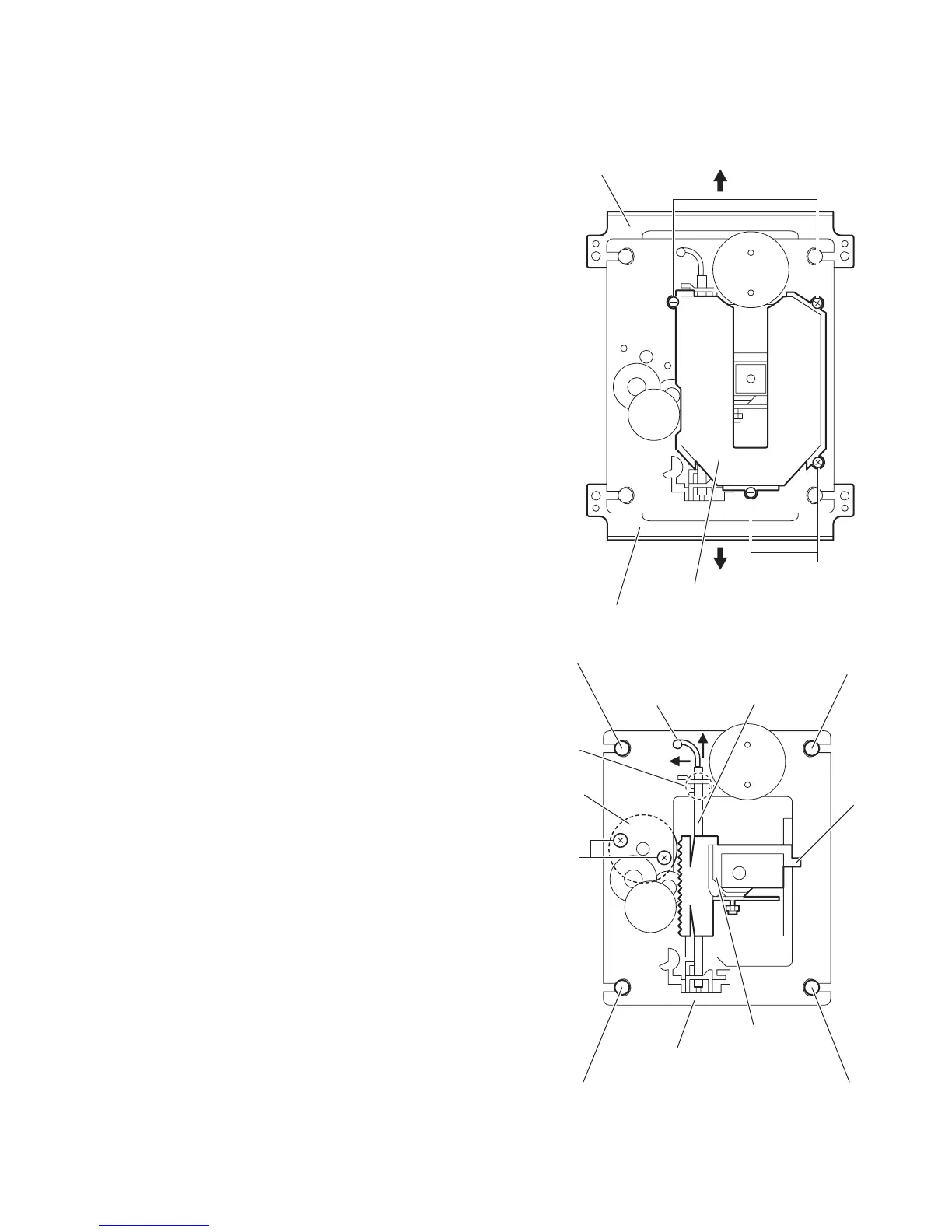
• Remove the CD traverse mechanism assembly. (See "3.1.12 Removing the CD traverse mechanism assembly".)
3.2.1 Removing the CD pick
(See Figs.1 and 2)
(1) Remove the CD mechanism holders in the direction of the
arrow. (See Fig.1.)
(2) Remove the four screws A attaching the pick cover. (See
Fig.1.)
(3) Remove the insulators (brown and orange) from the CD
mechanism base assembly. (See Fig.2.)
(4) Remove the CD shaft from the CD mechanism base as-
sembly in the direction of the arrow 2 while moving the
shaft stopper in the direction of the arrow 1. (See Fig.2.)
(5) Remove the CD pick from the CD mechanism base assem-
bly.
3.2.2 Installing the CD pick
(See Figs.1 and 2)
(1) While installing the section a of the CD pick to the CD
mechanism base assembly, set the CD shaft to the section
b. (See Fig.2.)
(2) Install the insulators (brown and orange) to the CD mecha-
nism base assembly. (See Fig.2.)
(3) Attach the pick cover and CD mechanism holders. (See
Fig.1.)
Fig.1
Fig.2
A
A
Pick cover
CD mechanism holder
CD mechanism holder
Shaft stopper
CD shaft
2
1
b
a
Insulator (Brown)
Insulator (Brown)
Insulator (Orange)
Insulator (Orange)
B
Feed motor
CD mechanism base assembly
CD pick


 To Next Page
 Loading...