English
Page 2
Switches, Buttons and Controls
Become familiar with the buttons and controls on the receiver before use.
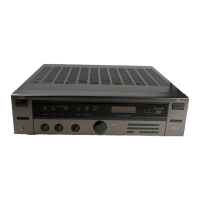
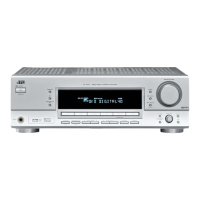
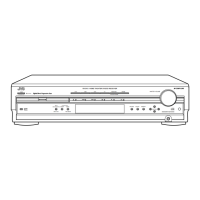
Front Panel
1 Remote sensor
2 Display (10)
3 MASTER VOLUME control (11)
4 MEMORY button (16)
5 TUNER/BAND button and lamp
(16, 17)
6 PRESET SEA button and lamp (18)
7 SOURCE button and lamp (10)
8 SURROUND button and lamp
(20, 23, 26)
9 ADJUST button and lamp (21, 23)
p SETTING button and lamp (13)
q STANDBY/ON button and
STANDBY lamp (10)
w POWER switch (9)
e PHONES jack (12)
r SPEAKERS 1/2 buttons (11)
t Control % / fi / @ / # buttons
y ONE TOUCH OPERATION button
and lamp (15)
Remote Control
u TV/VIDEO button (29)
i CH (+/–) buttons (29)
o CD-DISC button (28)
; AUDIO CONTROL button
(19, 21, 25, 26)
a Source buttons (CD, TAPE, FM/
AM, VCR, VIDEO, PHONO)
(10, 28, 29)
s VOLUME (+/–) buttons (11)
d (Standby/On) buttons (TV,
VCR, AUDIO) (10, 29)
f 10 keys/Audio control buttons
(17, 19, 21, 25, 26, 28)
g SEA ON/OFF button (19)
h SURROUND ON/OFF button
(21, 25, 26)
j TV CONTROL buttons (TV,
VOLUME (+/–)) (29)
k ONE TOUCH OPERATION
button (15)
l Operating buttons for JVC audio/
video components (28, 29)
/ MUTE button (11)
Refer to the pages in parentheses for details.
TV
/VIDEO
CH
+
CH
–
456
123
TV VCR AUDIO
TEST DELAY
PRESET
SEA MODE
SURR MODE
CD 7/P 8 9
10 +10
TAPE
FM/AM
SEA
ON/OFF
SURROUND
ON/OFF
VCR TV
TV CONTROL
RM-SR430EU REMOTE CONTROL
–+
VIDEO
ONE TOUCH
OPERATION
VOLUME
–+
CENTER
–+
REAR
CD-DISC
AUDIO
CONTROL
/I
VOLUME
PHONO
–+
MUTE
2
1
3
5
6
7
8
9p
4
qw
RX-430V AUDIO/VIDEO CONTROL RECEIVER
STANDBY
STANDBY/ON
POWER
PHONES SPEAKERS
MASTER VOLUME
–+
TUNER/BAND PRESET SEA SOURCE SURROUND ADJUST
ONE TOUCH OPERATION
SETTING
MEMORY
12
_ON —OFF
_ON —OFF
ENHANCED COMPULINK CONTROL SYSTEM
ty
o
i
u
;
s
d
f
g
h
j
k
l
/
a
re
RX-430VBK(EF)_0022-001A_En 97.4.24, 1:55 PM2



 To Next Page