EasyManua.ls Logo

JVC TD-W717TN - Product Introduction; Key Features and Functions; Compu Link Control System; Automatic Operation Modes

JVC TD-W717TN
62 pages
Print Icon
To Next Page IconTo Next Page
To Previous Page IconTo Previous Page
Loading...
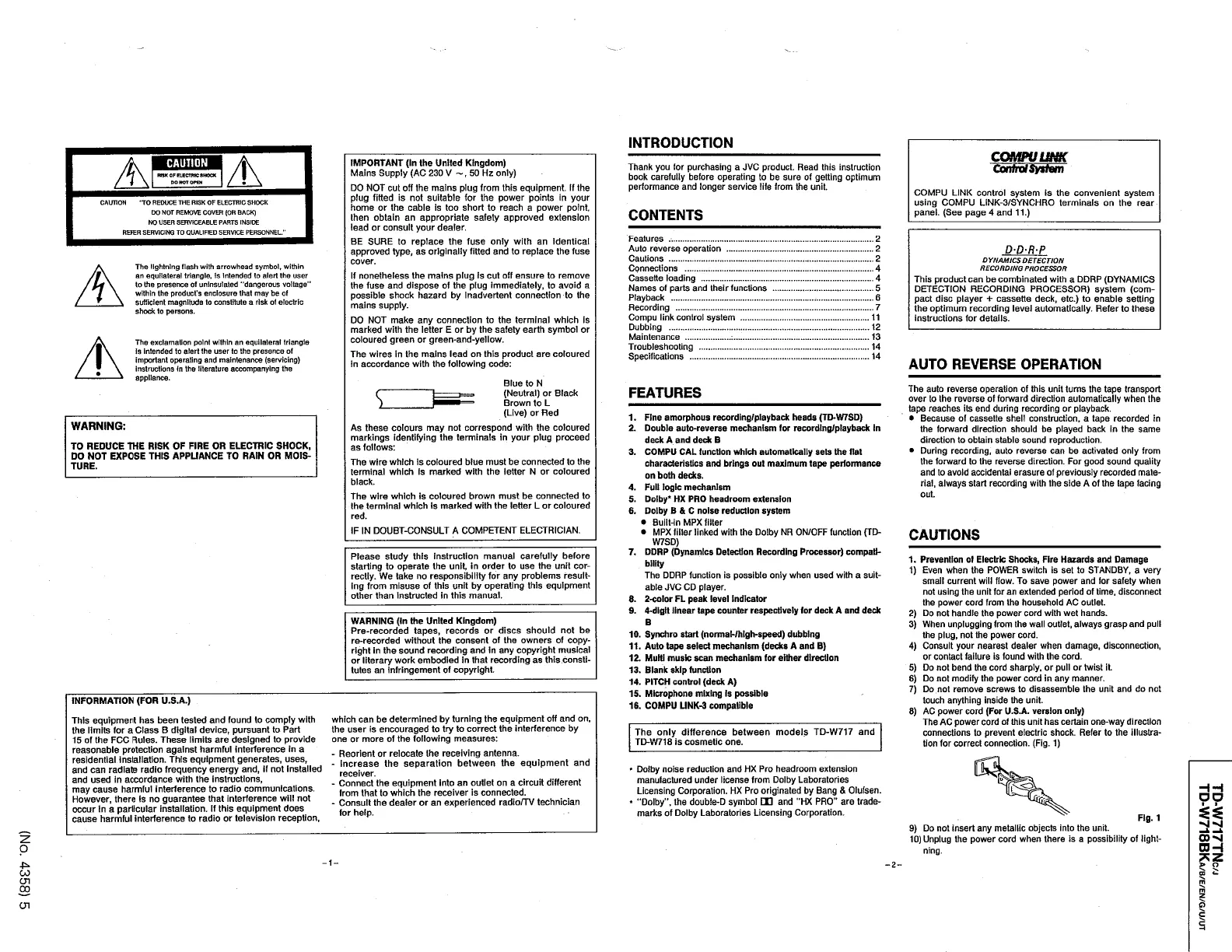
INTRODUCTION
COMPULINK
A
CAUTION
IMPORTANT
(
In
the
United
Kingdom
)
Mains
Supply
(
AC
230
V
50
Hz
only
)
DO
NOT
cut
off
the
mains
plug
from
this
equipment
.
If
the
plug
fitted
is
not
suitable
for
the
power
points
in
your
home
or
the
cable
is
too
short
to
reach
a
power
point
,
then
obtain
an
appropriate
safety
approved
extension
lead
or
consult
your
dealer
.
BE
SURE
to
replace
the
fuse
only
with
an
identical
approved
type
,
as
originally
fitted
and
to
replace
the
fuse
cover
.
If
nonetheless
the
mains
plug
is
cut
off
ensure
to
remove
the
fuse
and
dispose
of
the
plug
immediately
,
to
avoid
a
possible
shock
hazard
by
Inadvertent
connection
to
the
mains
supply
.
DO
NOT
make
any
connection
to
the
terminal
which
is
marked
with
the
letter
E
or
by
the
safety
earth
symbol
or
coloured
green
or
green
-
and
-
yellow
.
The
wires
In
the
mains
lead
on
this
product
are
coloured
in
accordance
with
the
following
code
:
Thank
you
for
purchasing
a
JVC
product
.
Read
this
instruction
book
carefully
before
operating
to
be
sure
of
getting
optimum
performance
and
longer
service
life
from
the
unit
.
Control
System
BWX
OF
ELECTRIC
SHOCK
DO
HOT
OPEH
COMPU
LINK
control
system
is
the
convenient
system
using
COMPU
LINK
-
3
/
SVNCHRO
terminals
on
the
rear
panel
.
(
See
page
4
and
11
.
)
CAUTION
'
TO
REDUCE
THE
RISK
OF
ELECTRIC
SHOCK
DO
NOT
REMOVE
COVER
(
OR
BACK
)
NO
USER
SERVICEABLE
PARTS
INSIDE
REFER
SERVICING
TO
QUAUFED
SERVICE
PERSONNEL
"
CONTENTS
Features
Auto
reverse
operation
Cautions
Connections
Cassette
loading
Names
of
parts
and
their
functions
Playback
Recording
Compu
link
control
system
Dubbing
Maintenance
:
Troubleshooting
Specifications
2
2
D
-
D
-
R
-
P
2
D
YNAM
ICS
DETECTION
RECORDING
PROCESSOR
This
product
can
be
combinated
with
a
DDRP
(
DYNAMICS
DETECTION
RECORDING
PROCESSOR
)
system
(
com
-
pact
disc
player
+
cassette
deck
,
etc
.
)
to
enable
setting
the
optimum
recording
level
automatically
.
Refer
to
these
instructions
for
details
.
The
lightning
flash
with
arrowhead
symbol
,
within
an
equilateral
triangle
,
Is
Intended
to
alert
the
user
to
Ihe
presence
of
uninsulated
"
dangerous
voltage
"
within
the
product
'
s
enclosure
that
may
be
of
sufficient
magnitude
to
constitute
a
risk
of
electric
shock
to
persons
.
4
.
4
5
6
7
11
12
13
The
exclamation
point
within
an
equilateral
triangle
is
intended
to
alert
the
user
to
the
presence
of
important
operating
and
maintenance
(
servicing
)
instructions
In
the
literature
accompanying
the
appliance
.
14
14
AUTO
REVERSE
OPERATION
Blue
to
N
(
Neutral
)
or
Black
Brown
to
L
(
Live
)
or
Red
As
these
colours
may
not
correspond
with
the
coloured
markings
identifying
the
terminals
in
your
plug
proceed
as
follows
:
The
wire
which
is
coloured
blue
must
be
connected
to
the
terminal
which
Is
marked
with
the
letter
N
or
coloured
black
.
The
auto
reverse
operation
of
this
unit
turns
the
tape
transport
over
to
the
reverse
of
forward
direction
automatically
when
the
tape
reaches
its
end
during
recording
or
playback
.
Because
of
cassette
shell
construction
,
a
tape
recorded
in
the
forward
direction
should
be
played
back
in
the
same
direction
to
obtain
stable
sound
reproduction
.
During
recording
,
auto
reverse
can
be
activated
only
from
the
forward
to
the
reverse
direction
.
For
good
sound
quality
and
to
avoid
accidental
erasure
of
previously
recorded
mate
-
rial
,
always
start
recording
with
the
side
A
of
the
tape
facing
FEATURES
s
.
1
.
Fine
amorphous
recording
/
playback
heads
(
TD
-
W
7
SD
)
2
.
Double
auto
-
reverse
mechanism
for
recording
/
playback
in
deck
A
and
deck
B
3
.
COMPU
CAL
function
which
automatically
sets
the
flat
characteristics
and
brings
out
maximum
tape
performance
on
both
decks
.
4
.
Fuli
logic
mechanism
5
.
Dolby
*
HX
PRO
headroom
extension
6
.
Dolby
B
&
C
noise
reduction
system
Built
-
in
MPX
filter
MPX
filler
linked
with
the
Dolby
NR
ON
/
OFF
function
(
TD
-
W
7
SD
)
7
.
DDRP
(
Dynamics
Detection
Recording
Processor
)
compati
-
bility
The
DDRP
function
is
possible
only
when
used
with
a
suit
-
able
JVC
CD
player
.
8
.
2
-
color
FL
peak
level
indicator
9
.
4
-
digit
linear
tape
counter
respectively
for
deck
A
and
deck
WARNING
;
TO
REDUCE
THE
RISK
OF
FIRE
OR
ELECTRIC
SHOCK
,
DO
NOT
EXPOSE
THIS
APPLIANCE
TO
RAIN
OR
MOIS
-
TURE
.
out
.
The
wire
which
is
coloured
brown
must
be
connected
to
the
terminal
which
Is
marked
with
the
letter
L
or
coloured
red
.
IF
IN
DOUBT
-
CONSULT
A
COMPETENT
ELECTRICIAN
.
CAUTIONS
Please
study
this
instruction
manual
carefully
before
starting
to
operate
the
unit
,
in
order
to
use
the
unit
cor
-
rectly
.
We
take
no
responsibility
for
any
problems
result
-
ing
from
misuse
of
this
unit
by
operating
this
equipment
other
than
instructed
in
this
manual
.
1
.
Prevention
of
Electric
Shocks
,
Fire
Hazards
and
Damage
1
)
Even
when
the
POWER
switch
is
set
to
STANDBY
,
a
very
small
current
will
flow
.
To
save
power
and
for
safety
when
not
using
the
unit
for
an
extended
period
of
time
,
disconnect
the
power
cord
from
the
household
AC
outlet
.
2
)
Do
not
handle
the
power
cord
with
wet
hands
.
3
)
When
unplugging
from
the
wall
outlet
,
always
grasp
and
pull
the
plug
,
not
the
power
cord
.
4
)
Consult
your
nearest
dealer
when
damage
,
disconnection
,
or
contact
failure
is
found
with
the
cord
.
5
)
Do
not
bend
the
cord
sharply
,
or
pull
or
twist
it
6
)
Do
not
modify
the
power
cord
in
any
manner
.
7
)
Do
not
remove
screws
to
disassemble
the
unit
and
do
not
touch
anything
inside
the
unit
.
8
)
AC
power
cord
(
For
U
.
S
.
A
.
version
only
)
The
AC
power
cord
of
this
unit
has
certain
one
-
way
direction
connections
to
prevent
electric
shock
.
Refer
to
the
illustra
-
tion
for
correct
connection
.
(
Fig
.
1
)
WARNING
(
In
the
United
Kingdom
)
Pre
-
recorded
tapes
,
records
or
discs
should
not
be
re
-
recorded
without
the
consent
of
the
owners
of
copy
-
right
in
the
sound
recording
and
in
any
copyright
musical
or
literary
work
embodied
in
that
recording
as
this
consti
-
tutes
an
infringement
of
copyright
.
B
10
.
Synchro
start
(
normal
-
/
high
-
speed
)
dubbing
11
.
Auto
tape
select
mechanism
(
decks
A
and
B
)
12
.
Multi
music
scan
mechanism
for
either
direction
13
.
Blank
skip
function
14
.
PITCH
control
(
deck
A
)
15
.
Microphone
mixing
is
possible
16
.
COMPU
UNK
-
3
compatible
INFORMATION
(
FOR
U
.
S
.
A
.
)
This
equipment
has
been
tested
and
found
to
comply
with
which
can
be
determined
by
turning
the
equipment
off
and
on
,
the
user
is
encouraged
to
try
to
correct
the
interference
by
one
or
more
of
the
following
measures
:
-
Reorient
or
relocate
the
receiving
antenna
.
-
Increase
the
separation
between
the
equipment
and
receiver
.
-
Connect
the
equipment
into
an
outlet
on
a
circuit
different
from
that
to
which
the
receiver
is
connected
.
-
Consult
the
dealer
or
an
experienced
radio
/
TV
technician
for
help
.
the
limits
for
a
Class
B
digital
device
,
pursuant
to
Part
15
of
the
FCC
Rules
.
These
limits
are
designed
to
provide
reasonable
protection
against
harmful
interference
in
a
residential
installation
.
This
equipment
generates
,
uses
,
and
can
radiate
radio
frequency
energy
and
,
if
not
installed
and
used
in
accordance
with
the
instructions
,
may
cause
harmful
interference
to
radio
communications
.
However
,
there
is
no
guarantee
that
interference
will
not
occur
in
a
particular
installation
.
If
this
equipment
does
cause
harmful
interference
to
radio
or
television
reception
.
The
only
difference
between
models
TD
-
W
717
and
TD
-
W
718
is
cosmetic
one
.
*
Dolby
noise
reduction
and
HX
Pro
headroom
extension
manufactured
under
license
from
Dolby
Laboratories
Licensing
Corporation
.
HX
Pro
originated
by
Bang
&
Olufsen
.
*
'
Dolby
'
,
the
doubie
-
D
symbol
EB
and
"
HX
PRO
"
are
trade
-
marks
of
Dolby
Laboratories
Licensing
Corporation
.
HH
DO
i
Fig
.
1
>
I
-
M
9
)
Do
not
insert
any
metallic
objects
into
the
unit
.
10
)
Unplug
the
power
cord
when
there
is
a
possibility
of
light
-
00
-
si
OH
2
o
ning
.
-
1
-
2
-
>
o
in
^
CO
cn
m
CO
m
z
O
cn
5

Table of Contents

Related product manuals