- 7 -
Placement and Mounting
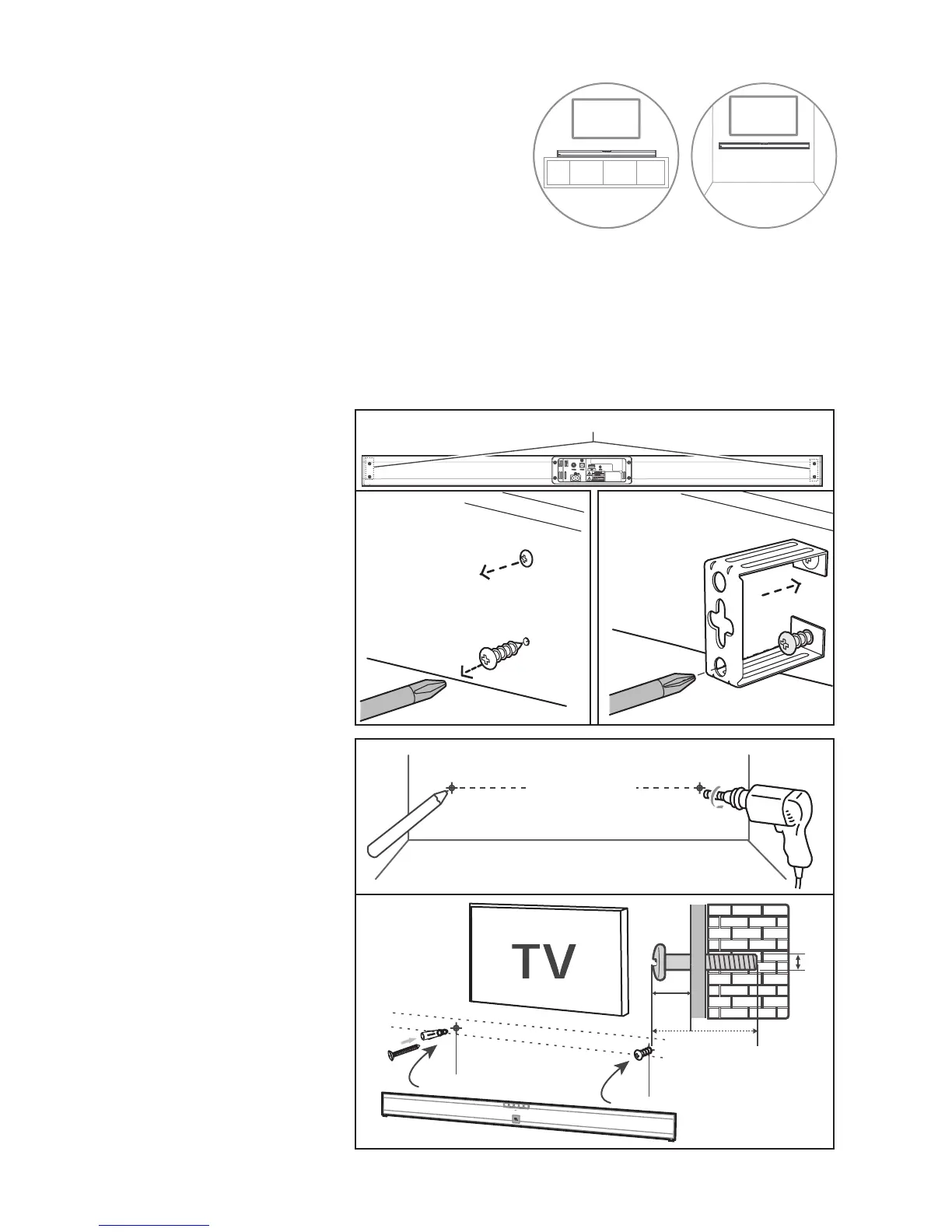
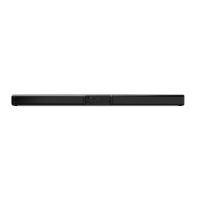
• Normal Placement (place Soundbar on
leveled surface in front of TV)
Wall Mounting (if using option-B)
Note:
- Installation must be carried out by qualified personnel only. Incorrect assembly can result in severe personal
injury and property damage (if you intend to install this product yourself, you must check for installations
such as electrical wiring and plumbing that may be buried inside the wall). It is the installer’s responsibility to
verify that the wall will safely support the total load of the unit and wall brackets.
- Additional tools (not included) are required for the installation.
- Do not overtighten screws.
- Keep this instruction manual for future reference.
- Use an electronic stud finder to check the wall type before drilling and mounting.
1. Remove the screws from
the main unit.
2. Attach the wall brackets
to the main unit with the
screws removed from the
main unit.
3. Drill 2 parallel holes (Ø
3-8 mm each according to
wall type) in the wall. The
distance between the holes
should be 920 mm.
- Firmly fix 1 dowel into each
hole in the wall if necessary.
4. Leave a 5 mm gap between
the wall and the screw’s
head. Lift the unit with the
attached wall brackets over
the heads of the screws and
slot into place.


 To Next Page