E-35
Manual Adjustment of White Balance
When automatic adjustment of the white balance results in a “reddish screen”, etc., adjust the
white balance manually.
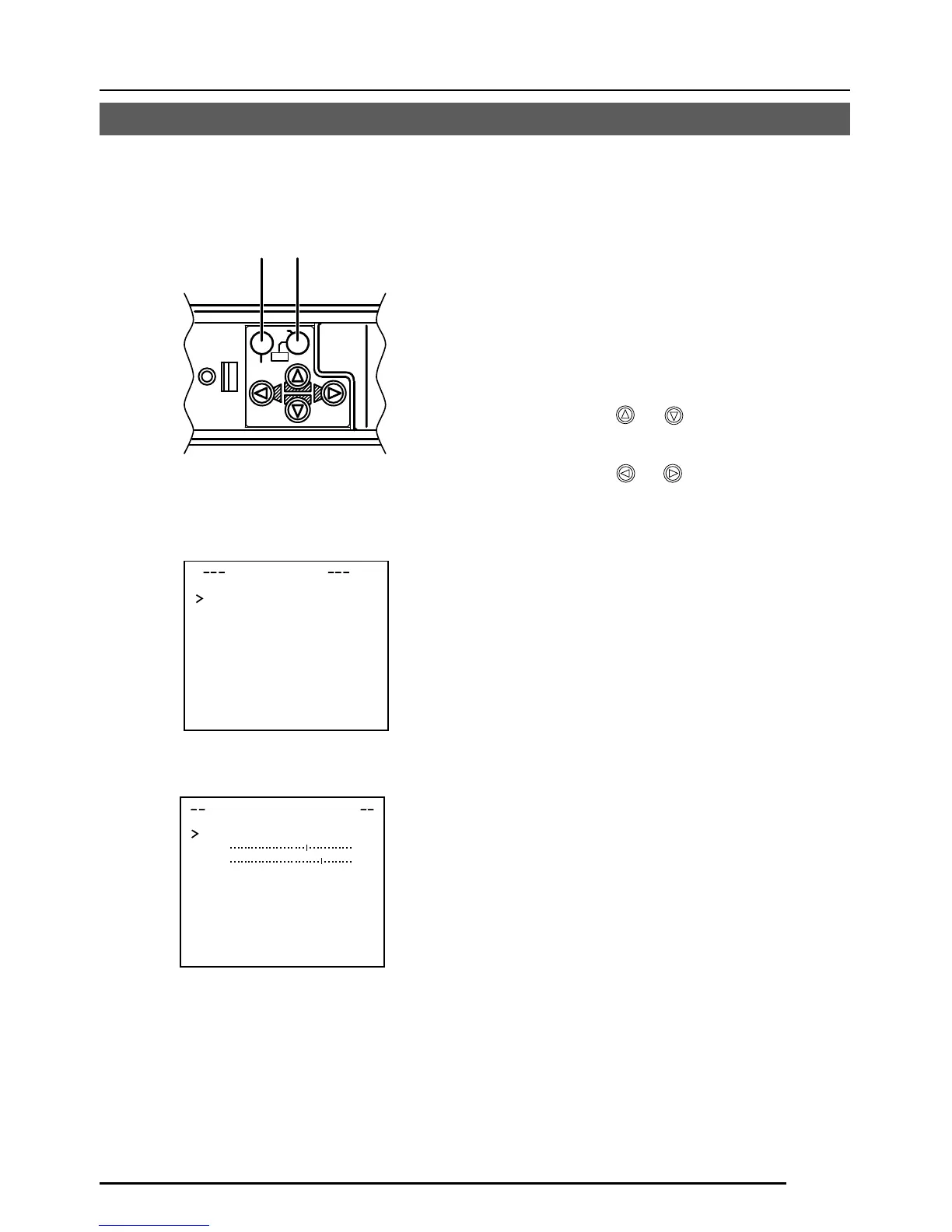
1.
Set the WHITE BALANCE item on the
VIDEO ADJUST screen to AWC and
press the SET button.
* The WHITE BALANCE adjustment
screen appears on the monitor.
2.
Select the hue to be adjusted. (R/B or
Mg/G)
Press the
or button.
3.
Adjust the hue.
Press the
or button.
* The “ ı ” indicator moves in accordance
with the setting. When a setting is
changed, the “+” mark appears at the
original position.
4.
Concluding manual white balance ad-
justment.
Pushing the MENU button returns the
screen to VIDEO ADJUST.
DEVI O ADJUST
WH T E BA L E AWCNC
A
I
CO OUR L E NORMALEL
V
L
EN ANCE LE NORMALEL
V
H
PE
E
STAL LE NORMALEL
V
D
AU
O
BLAC K OF FTL
C
T
WH I TE BAL
A
NCE CON
T
ROL
AWC SE T . .
RB
::
MG
::
g
VIDEO ADJUST screen
WHITE BALANCE
CONTROL screen
CAMERA
SETUP
SET
MENU
AWC
SET buttonMENU button



 To Next Page