9
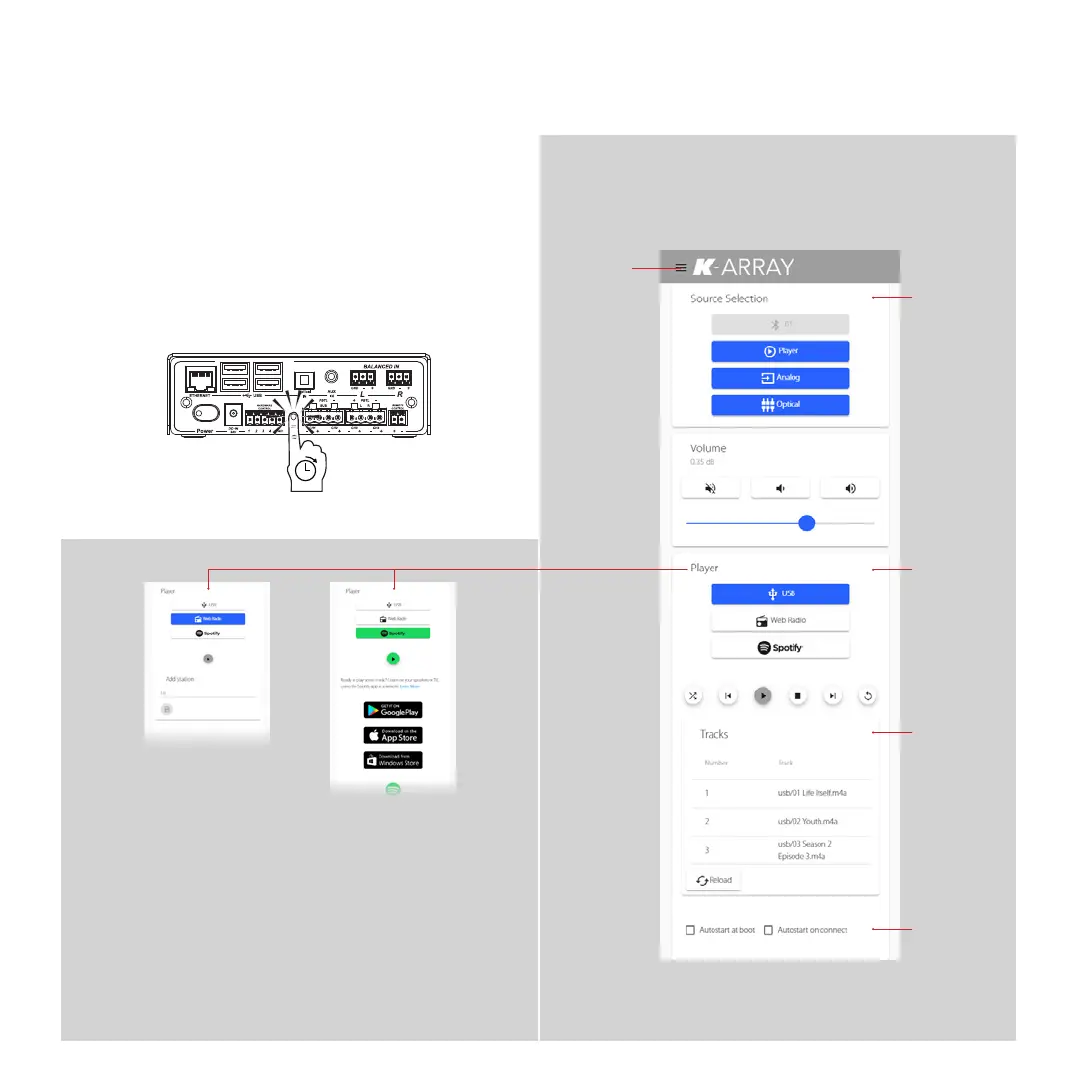
Main Menu
Audio Sources
Blue buttons
highlight active
inputs
Audio controls
change
according to the
player selected
Player Controls
USB Track List
Startup options
Azimut Control InterfaceReset Network Parameters
With the system on, hold down the Network Reset button
on the rear panel for 10 seconds to revert the network
parameters to the default factory settings.
The Network Addressing mode reverts to DHCP and the
default Wi-Fi IP address and password are restored.
10 seconds
Kommander -KA02
User Guide



 To Next Page