18 of 28
Start Settings
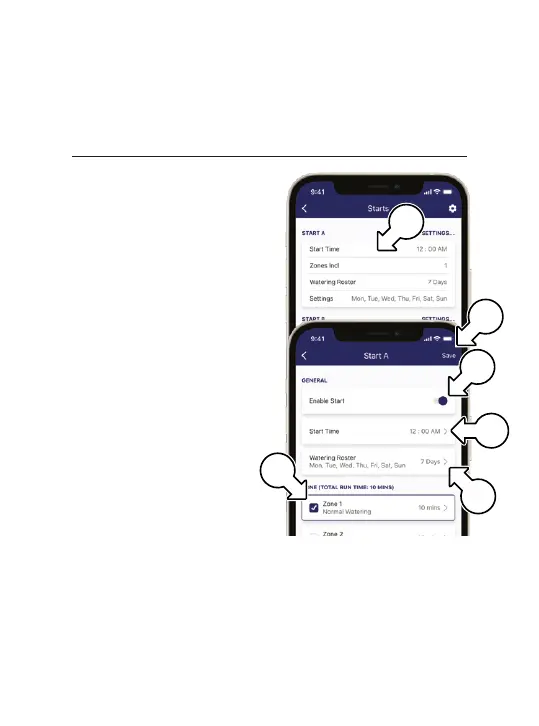
® Within the KRX6
interface, tap STARTS
in the main footer menu
® Tap the desired START (g)
for the following settings:
• ENABLE (h)
• Set a START TIME (i)
• WATERING ROSTER (j)
• Activate a ZONE using
the check box (k)
• Set RUN TIME by
tapping a ZONE
® If STARTS are queued for
the same time, they will run
sequentially from START A
® STARTS will be skipped
if they are run manually
during the queue process
® Be sure to tap SAVE(l)
after finalising your
START settings
Controls
k
i
j
l
g
h



 To Next Page