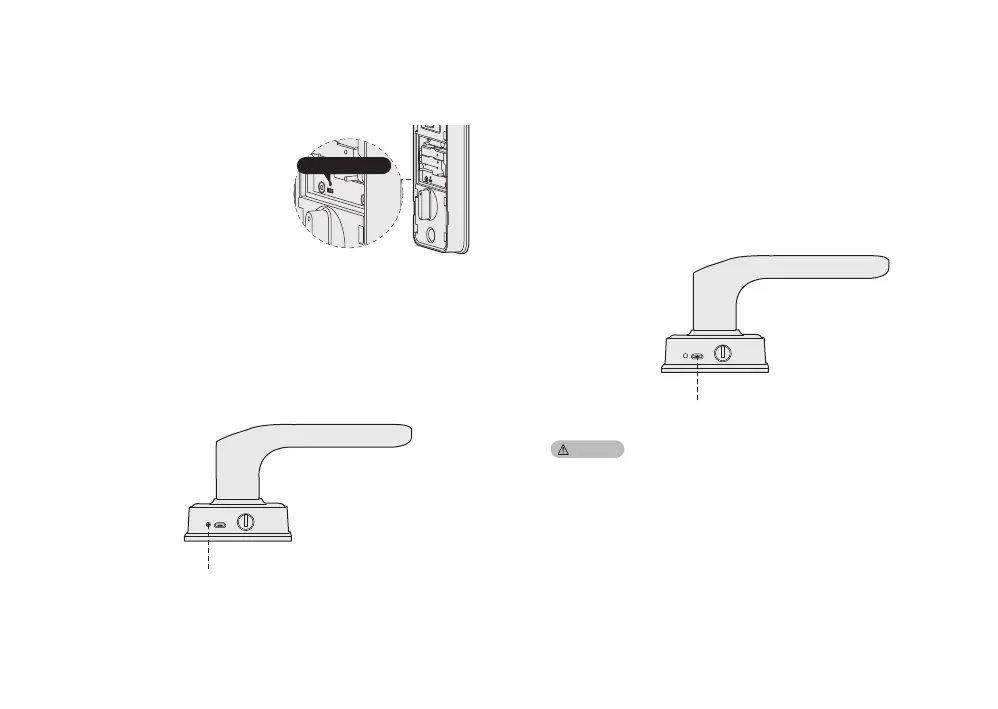
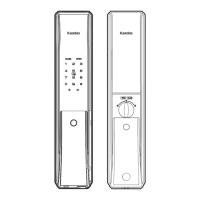
Reset button
5 Other Features
Restore to factory setting
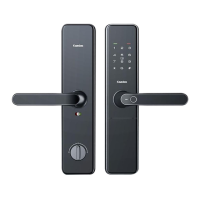
Reboot
Double click [RES] button to make
the lock restore to factory
setting. Voice prompt
“Restored to factory
settings. Change
master PIN code.”After that,
all user information and settings
will be cleared.
Press the reboot button to restart the lock, when the
system is unresponsive. No user data is deleted.
Reboot button
When battery voltage is lower than 4.8V, voice prompts
“Low battery, please replace all batteries" at each
unlocking. Please replace all batteries immediately,
and do not mix old batteries and new batteries together
in replacement.
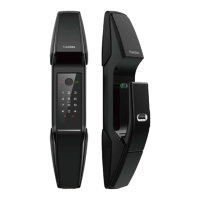
When the battery voltage is too low to open the lock
from outside, you can use 5V power bank to charge
the door lock via Micro USB port. After the door is
unlocked, please replace all batteries immediately.
When the lock system crash down, you can restart
system by pressing the reboot button.
Emergency power supply
Emergency power USB port
Caution:


 To Next Page