WWW.KAARTA.COM 38
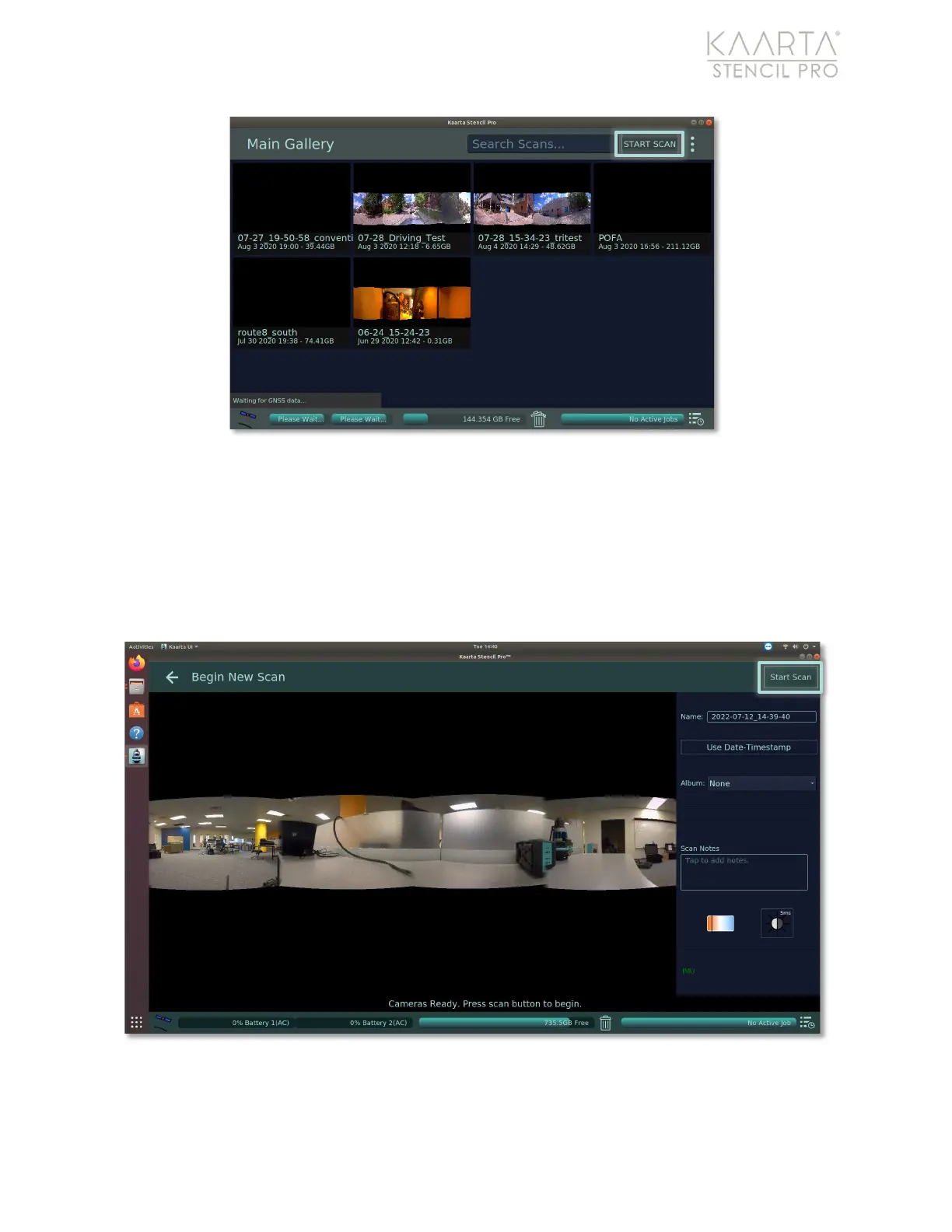
Figure 22: Start Scan button location in Main Gallery.
If scanning through the UI, the Begin New Scan screen displays (Figure 23). The Begin New
Scan screen gives you an option of naming the scan, adding the scan to an album, add
scan notes, or change exposure settings, as needed. (These options are not available if
scanning thru the scanner only). The scan’s cover photo (the initial photo taken at start-
up) is shown. The status of Stencil Pro’s IMU is shown in the lower right-hand corner of
the Begin New Scan screen, in either red font (not ready) or green font (enabled).
Figure 23: Begin New Scan screen.



 To Next Page