WWW.KAARTA.COM 49
File Management
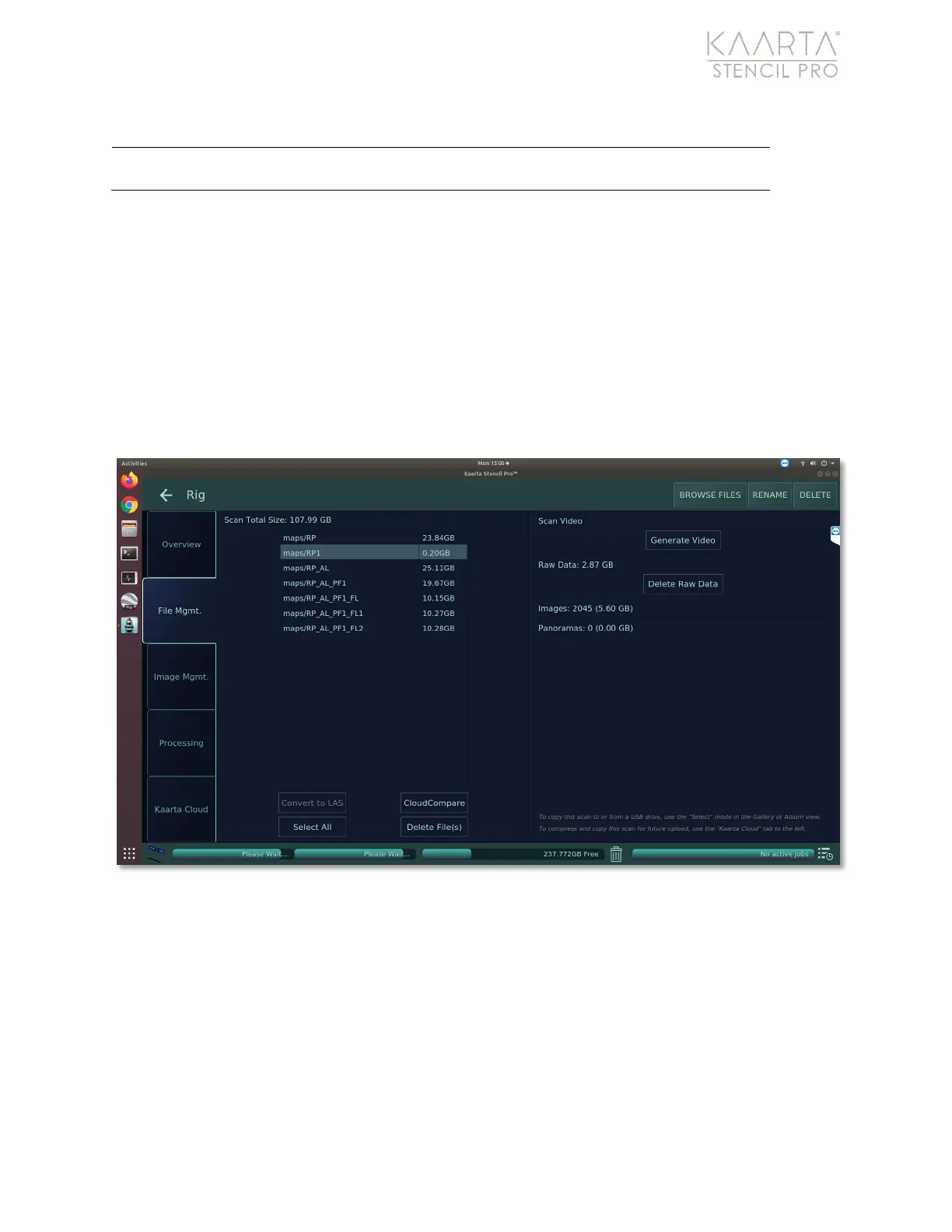
The File Management tab displays all the raw data and processed files associated with the
scan (Figure 33). One or multiple files can be selected and either converted to an .las file
or opened in CloudCompare, an open source pointcloud viewing and editing tool. In
CloudCompare you can view the full resolution data, turn on shaders or cross section
views to see details better, or correct the data.
For more information about useful tools within CloudCompare, please see Kaarta’s Using
CloudCompare manual, which can be found on your Stencil Pro documentation drive.
Figure 33: File Management tab of Scan Details.
Displays the cover photo taken at the start of your scan. This
becomes the image for the scan in the Main Gallery view.



 To Next Page