
 Need help?
Do you have a question about the Kaba 4000 and is the answer not in the manual?
Details physical and mechanical attributes: durability, certifications, and materials.
Details programmable functions: security levels, user codes, and operational modes.
Instructions for unlocking with PIN codes and understanding lock feedback indicators.
Information on battery status warnings and the procedure for replacing batteries.
Explanation of the tamper shutdown feature, its causes, and feedback.
Procedure for using mechanical key override in emergencies or with dead batteries.
Explanation of security levels (Master, Manager, User) and their features/privileges.
Description of lock modes: Normal, Programming, Passage, and Tamper Shutdown.
Initial steps after installation: programming Master code and initial access.
Key security recommendations: changing default codes and code management.
Chart of command codes, arguments, descriptions, and availability for lock programming.
Methods for disabling user access codes and understanding 'Disable Users' vs 'Lockout'.
Procedures for ending tamper shutdown via codes or override key.
Steps to reset PINs/parameters for forgotten Master code or reconfiguration.
Procedure for testing the lock's keypad functionality using diagnostic commands.
Template for recording lock details: serial, location, codes, and operational parameters.
Contact details and hours for obtaining technical assistance with the lock.
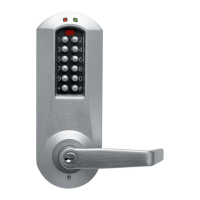
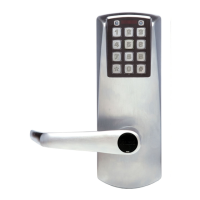
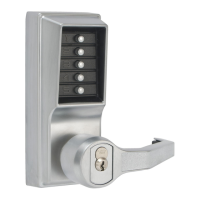
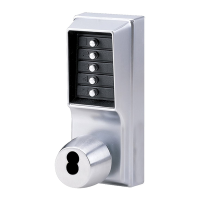
The KABA ILCO 4000 Programmable Electronic Pushbutton Lock is a standalone, battery-powered electronic lock designed for security and access control. It operates without any wiring, cabling, or computer connection, relying entirely on keypad input for programming and operation.
The primary function of the 4000 lock is to provide secure access to a room or area. Users enter a personalized access code (PIN) on the keypad, and if the code is valid, the lock grants access by engaging the clutch, allowing the handle to be turned. The lock provides visual (flashing green LED) and audible (short beep) feedback upon successful code entry.
The lock offers three security levels:
The lock operates in four modes:
Unlocking with a User PIN Code: To unlock, a user simply enters their programmed PIN code. Each key press is accompanied by a short green LED flash and a beep. If the code is valid, the green light flashes continuously, a 0.5-second high-tone beep sounds, and the clutch engages, allowing the handle to be turned to open the door. Incorrect entries result in different light and sound feedback (solid red, low tone buzz).
Passage Mode and Access Restrictions: Manager or Master level codes can activate Passage Mode, where no access code is required to open the door. They can also activate Lockout Mode, which temporarily locks out all access codes except those of privileged users. Specific codes or all codes can be temporarily deactivated for enhanced security, such as when a room contains valuables or evidence.
Privileged Users: Users designated as "privileged" can always access the lock, even if a lockout is in place or the optional deadbolt is engaged. They can also impose or remove Lockout Mode or Passage Mode by entering their access code (without turning the handle) and then a command code.
1-#-HH-#.2-#.0-#.Programmable Settings: The lock offers several programmable features:
Manual Programming Procedure:
Programming is done directly on the keypad. A programming session is initiated by pressing #, entering a Master or Manager authorization code, and then #. Commands are 3-digit codes followed by #, with additional parameters as needed. The * key can be used to clear an incorrect command before # is pressed. The lock provides LED and buzzer feedback for accepted or rejected commands.
Manual Diagnostics: A diagnostic function (command 930# with Master code) allows testing of the keypad by pressing each digit in sequence (1-2-3-4-5-6-7-8-9-*-0-#). If a key is not functioning, the lock will buzz and the red LED will light, terminating the diagnostic but keeping the lock in programming mode.
Low Batteries and Battery Replacement: The lock provides audible and visible warnings (alternating green and red flashes with buzzes) when batteries are low. Access is still granted until the batteries are completely discharged. Batteries are located inside the door and are standard AA alkaline batteries. To replace, remove two hex-head screws, replace the four AA batteries according to polarity, and reinstall the compartment. All PIN codes and settings remain unchanged after battery replacement, except Passage Mode, which reverts to normal locked mode.
Mechanical Key Override: In emergencies or if batteries are dead, a mechanical override key can be used. Insert the key and turn it 90 degrees, then turn the lever. It's crucial not to turn the key and lever simultaneously and to avoid forcing the key. The override key does not clear a tamper shutdown.
Clearing a Tamper Shutdown: A tamper shutdown can be cleared by entering a valid Master or Manager authorization code, which places the lock in programming mode and ends the shutdown. Alternatively, the shutdown period will expire naturally. Entering further invalid codes during a shutdown resets the timer.
Reset Button (Forgotten Master Code): If the Master authorization code is forgotten, or for a complete reset of all PIN codes and parameters (e.g., when moving the lock), a reset button is available. To access it, remove the inside lever and cover, loosen mounting screws, and remove the inside housing. Press the reset switch through the hole for 1 second. This resets the Master code to the factory default (12345678), requiring reprogramming of all codes and settings.
Code Record Log Sheet: A log sheet is provided in the manual to record Master, Manager, and User codes, as well as operational parameters. This is a critical security feature to prevent reprogramming in case of forgotten codes, especially the Master code. The sheet should be kept securely.
 General
| Number of Codes | Up to 100 user codes |
|---|---|
| User Capacity | Up to 100 users |
| Application | Commercial, Residential |
| Door Thickness | 1-3/4" to 2-1/4" |
| Backset | 2-3/4" |
| Material | Zinc alloy |
| Finishes | Bright Brass |
| Battery Type | 4 AA Batteries |
| Housing Material | Metal |
| Compliance | ANSI/BHMA Grade 2 |
| Handing | Reversible, fits all doors |


 To Next Page