5
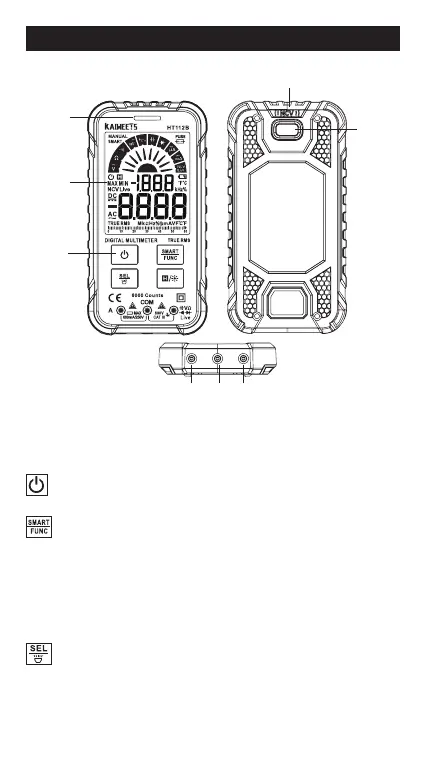
Overview
①
Indicator light
②
Display
③
Keys
:
Power key
Long press to turn on/o.
:
Smart/Manual Mode Key
●
After the meter is powered on, it defaults to a smart
function.
●
Press this key once to switch to manual function.
●
Press this key again to switch to other functions.
●
Press this key for more than 2 seconds to restore the smart
function.
:
Function selection / Flashlight key
●
When a position has multiple functions, press this key to
switch.
●
Press this key for more than 2 seconds to turn on or o the
ashlight.
METER PANEL
①
②
③
④ ⑤ ⑥
⑦
⑧



 To Next Page