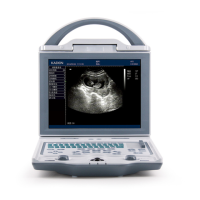
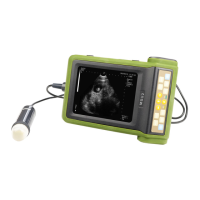
Full Digital Mechanical Sector Scanning Ultrasonic Diagnostic Instruments (Vet) User’s Manual V2.14
Chapter Eight Obstetric Measurement
8.1 Measurement and Calculation items
Obstetric tables of the system including: 1.BOVINE, 2.EQUINE, 3.OVINE, 4.CANINE, 5.FELINE,
6.GOAT, 7.LLAMA, 8. SWINE, which is reference for doctor.
8.2 Measurement of Gestational Age (GA) and Estimated Date of Confinement (EDC)
Follow the steps below:
1. In B mode, freeze desired image, press direction keys to choose “OB Measure” in the display
area; or in the B/B mode, freeze desired image, press direction keys to choose “OB” in the
display area;
2. Press key to display the obstetric measurement animals on the lower part of the screen,
“VETERI Select: 1.BOVINE, 2.EQUINE, 3.OVINE, 4.CANINE, 5.FELINE, 6.GOAT,
7.LLAMA, 8. SWINE”, press direction keys to select the measurement animal, press key
to confirm, measured parameters of this animal are showed on the lower part of the screen, (for
example, select goat that is, display the types of goat);
3. Press direction keys to select the measured parameters (for example select goat, this step is to
select the type of goat, press key again to display the measured parameters of goat), press key,
the cursor will show “+”;
4. Press direction keys to move the “+” mark to desired position, press key to set the “+” mark
position as the starting point of the measurement;
5. Press direction keys to move the“+” mark to the end point of the measurement. At the same time, a
lighted dotted line appears between the start and the end as the dashed locus of the measurement.
The measured value is automatically displayed at the built-in mark“+: ----mm” on the right side of
the screen; G.A and EDC value to be displayed in real time in the right area of the screen;
6. Press key to exchange the starting point and end point;
7. Press key to finish the first measurement;
8. Press key twice to quit measurement status for this animal;
9. Repeat steps 2 to 8 to complete a variety of animals measurements;
10. Press direction keys to choose “Clear” in display area and press key to clear all marks
and data;
11. Press key to unfreeze, clear all marks and data and quit the measurement status.
8.3 Obstetric report
In frozen status, press direction keys to move the cursor to the position “Report”. Press direction
keys to display obstetric report. Press key to exit obstetric report status.
8.4 Measurement items
1. Items measurable in B mode: distance, circumference, area, volume, gestational age (GA) and
estimated date of confinement (EDC).
2. Items measurable in B/B mode: distance, circumference, area, volume, gestational age (GA) and
estimated date of confinement (EDC).
3. Items measurable in B/M mode: distance or depth, slope, heart rate and cycle.
4. Items measurable in M mode: depth, slope, heart rate and cycle.
5. If the display becomes “----”, it indicates an invalid measurement value.


 To Next Page