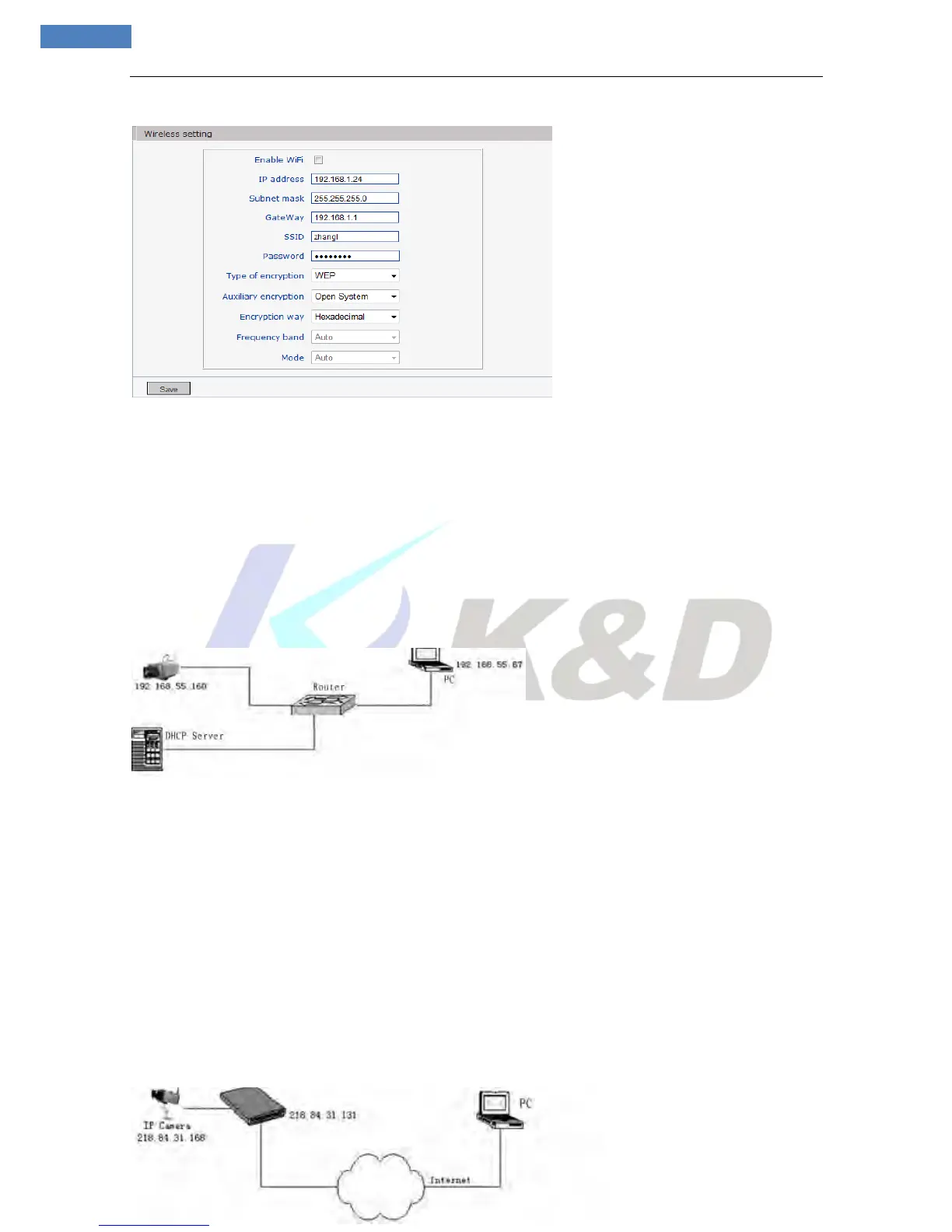
Setup steps:
Step 1: Log in IP camera via the IE browser (the default IP is 192.168.55.160).
Step 2: Switch to the page [network settings], fill in the device IP address assigned by network
administrator in to [Basic Parameters], e.g. 192.168.55.160;
Step 3: Fill in subnet mask, default value is 255.255.255.0;
Step 4: Fill in gateway address, default value is 255.255.255.0;
Click [Save] to save the parameters. Start the device; enter its IP address into IE browser to visit it.
Dynamic IP
Dynamic IP means that IP camera obtains IP address from DHCP server. See below picture for the network
topology:
Log in IP camera via IE, turn to [Network Settings] and check [Enable DHCP].
After setting all parameters, click “Save” and restart to make the parameters valid.
2. Internets
You have three ways to connect IP camera to Internet:
Fixed IP mode;
Broadband and router sharing Internet access mode (dynamic obtainment of extranet IP address mode) like
ADSL and so on;
PPPoE dial-up access.
After IP camera is connected to Internet, remote Internet users can visit it directly via domain name or IP
address.
Fixed IP mode
See below picture for the network topology:



 To Next Page