After closing the Download Information window, click , you can continue to view the information about
download.
5 Set System Parameters
5.1 Local Config
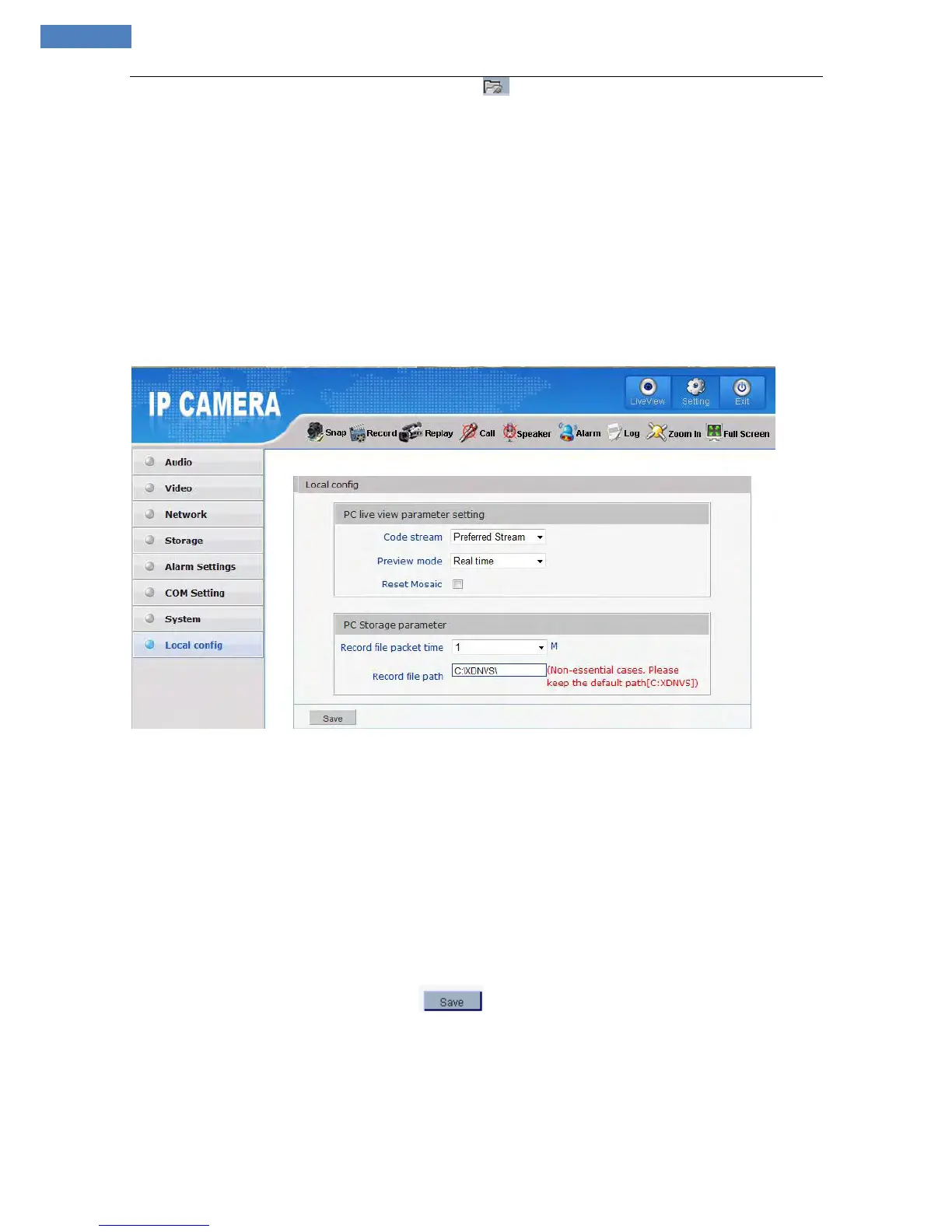
See Figure 13 for the interface of “System Settings”:
Figure 13
[PC live view parameter setting]
Code stream: set video stream for PC live preview, preferred stream and alternate stream are selectable.
The parameters of preferred and alternate stream can be set up in [Video Settings].
Preview mode: users can choose Real time priority or Fluency priority mode according to their needs.
Reset Mosaic: select this option to make image quality better, but CPU usage rate will be higher at the
same time.
[PC storage Parameter]
Record file packing time: set packing time of record files for local PC when it is recording.
Record file path: set the storage directory for local records and snapped files, the default path is
C:\XDNVS.
After you set these parameters, please click to make them valid.



 To Next Page