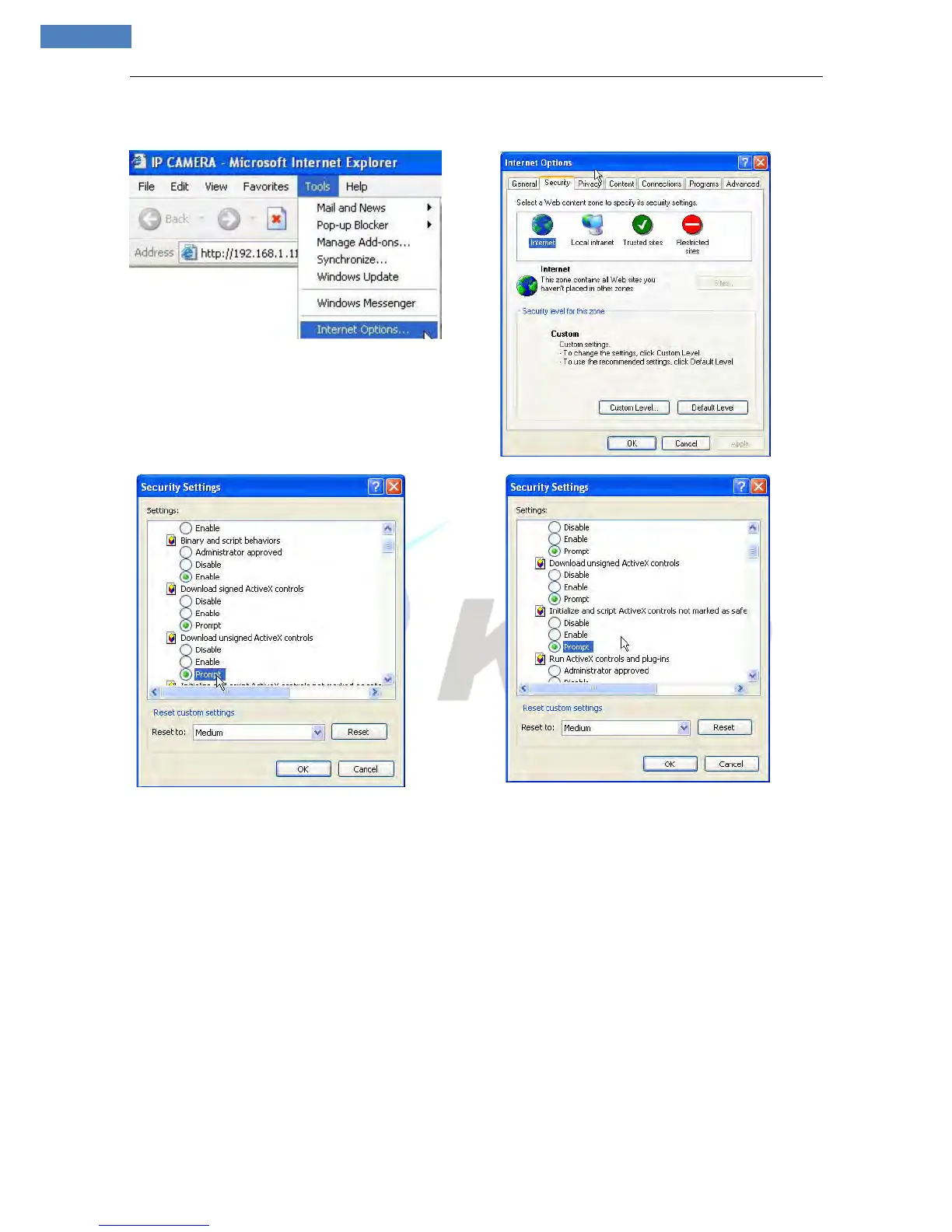
Note: the easiest method is all related settings of ActiveX option to be set”Enable” or “Prompt:
2 Login the device
Re-Start Internet Explorer after ActiveX installation completes, input IP address of the IP camera to turn to
login page, enter username (default setting is admin) and password (default setting is admin), click login to
enter into main interface(see Figure 4):



 To Next Page