7.Download and install ActiveX
You need to install ActiveX Control when you visit IP camera at the first time through IE browser.
How to install ActiveX:
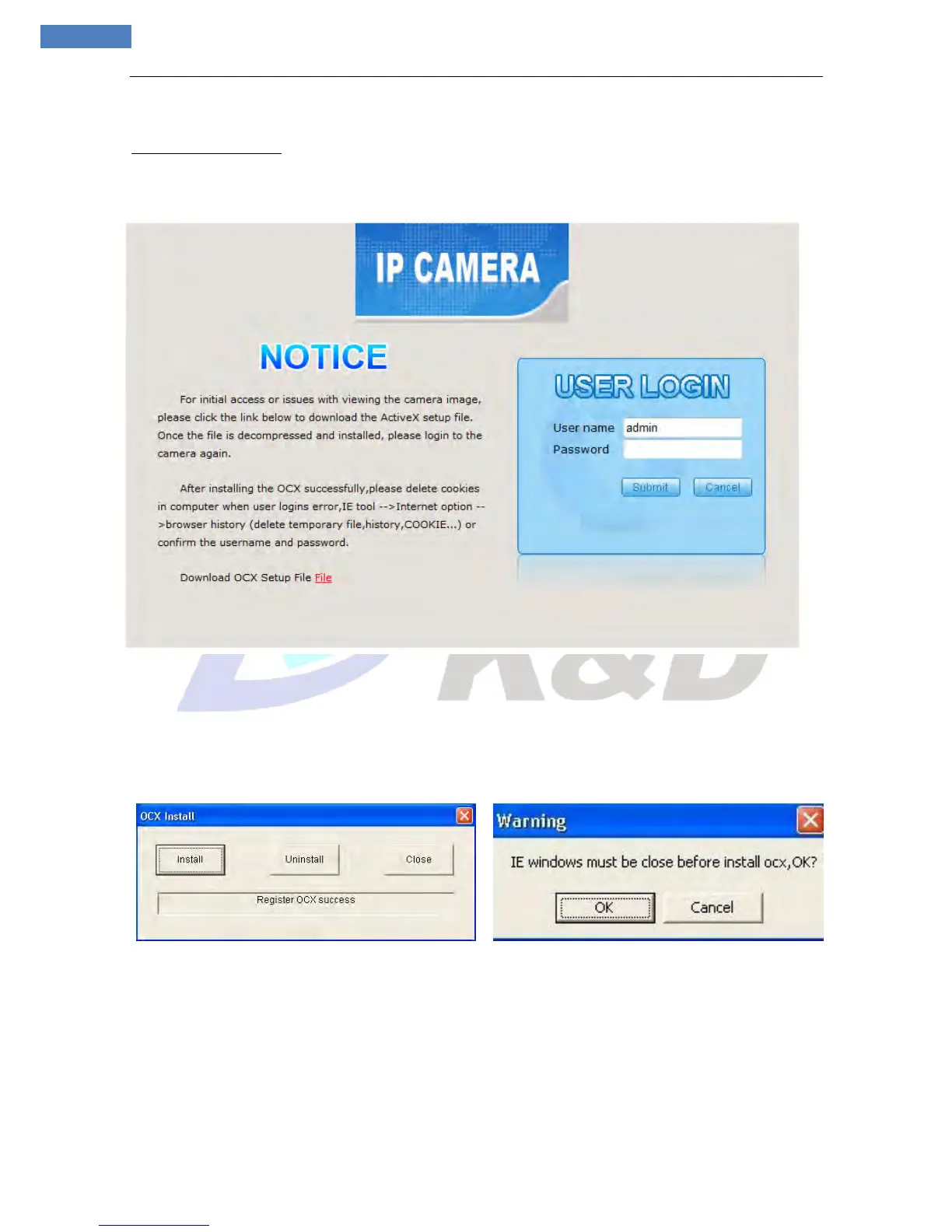
Input the IP address of IP camera in Internet Explore and enter into login page (see Figure 1),
Click [File] to download the ActiveX:
Figure 1
File download dialogue box pops up, click [Run] or [Save] to download ActiveX, after download it;
double-click the downloaded file “xdview.exe” to install it. After installation completes, a message
“Register OCX success!” will appear(see Figure 2 ).
If the IE was opened, there will pop up a dialogue box (see Figure 3), click [ok] then all of the opened IE
will be closed.
Figure 2 Figure 3
If the installation failed, please check the security setting for the IE browser.
i. IE � Tools � Internet Options… � Security Tab � Custom Level… � Security Settings � Download
unsigned ActiveX controls� Select “Enable” or Prompt.
ii. IE � Tools � Internet Options… � Security Tab � Custom Level… �Initialize and script ActiveX
controls not marked as safe � Select “Enable” or “Prompt”.



 To Next Page