Step 5: If DDNS is successfully set in “Network Settings” of IP camera, direct visit to the IP camera can be
realized via entering http://test.mvddns.net:85 into IE browser.
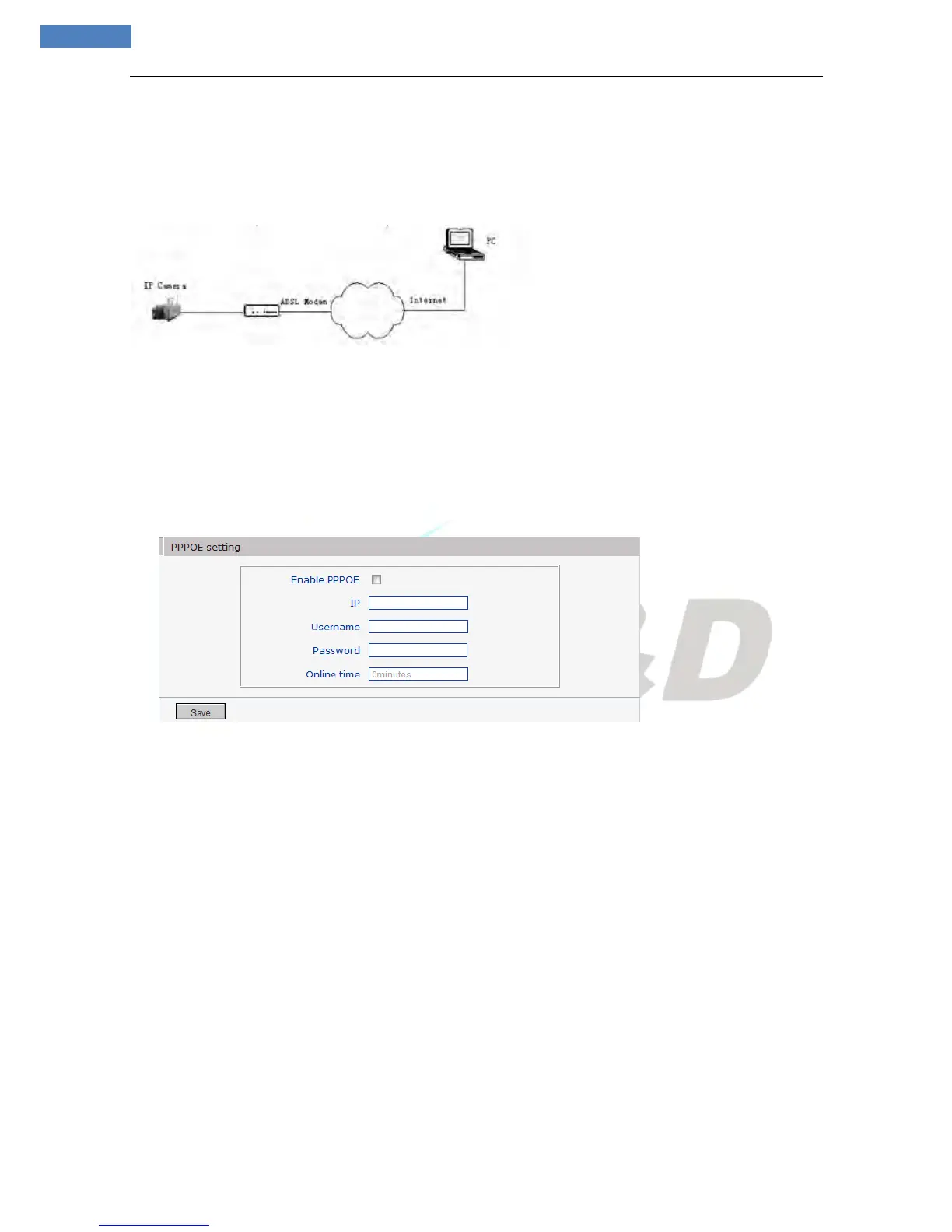
PPPoE dial-up access
For IP camera dial-up access, see below picture for the network topology:
Setup steps:
Step 1: Log in IP camera via crossover cable direct connection. (For details, please refer to [Hardware
Installation])
Step 2: Set PPPoE parameters. (For details, please refer to [PPPOE settings])
Step 3: Connect IP camera to Internet.
Step 4: If DDNS service is successfully set for the device, the device can be visited via entering domain
name into IE browser.
See below picture for PPPoE settings:
Appendix 5 FAQs
1. Forget Password
Solution: There is a [RESET] button on the back panel of the IP camera, press it to restore all default
parameters (Factory Settings), user name and password are both “admin”.
Notice:Please don’t press RESET if you are not a professional operator. After reset, all parameters
will restore factory settings (except for the physical network address).
2. IP camera audio/video function fails after abnormalities or abnormal power cut occur d uring upgrade,
core edition is V4.0.0.0 (Backup file)
Solution: Connect the power cord and network cable of IP camera, press on RESET button and release it
after 10 seconds, system will run the back-up program automatically. After enter into the back-up program,
upgrade system. After upgrade completes, the IP camera will work normally. The back-up program offers
only upgrade and parameter setup functions, audio and video functions are not available.
3. No video image displayed in IE browser
Possible reason: ActiveX not installed
Solution: ActiveX must be installed when visiting IP camera for the first time via Internet Explore.



 To Next Page