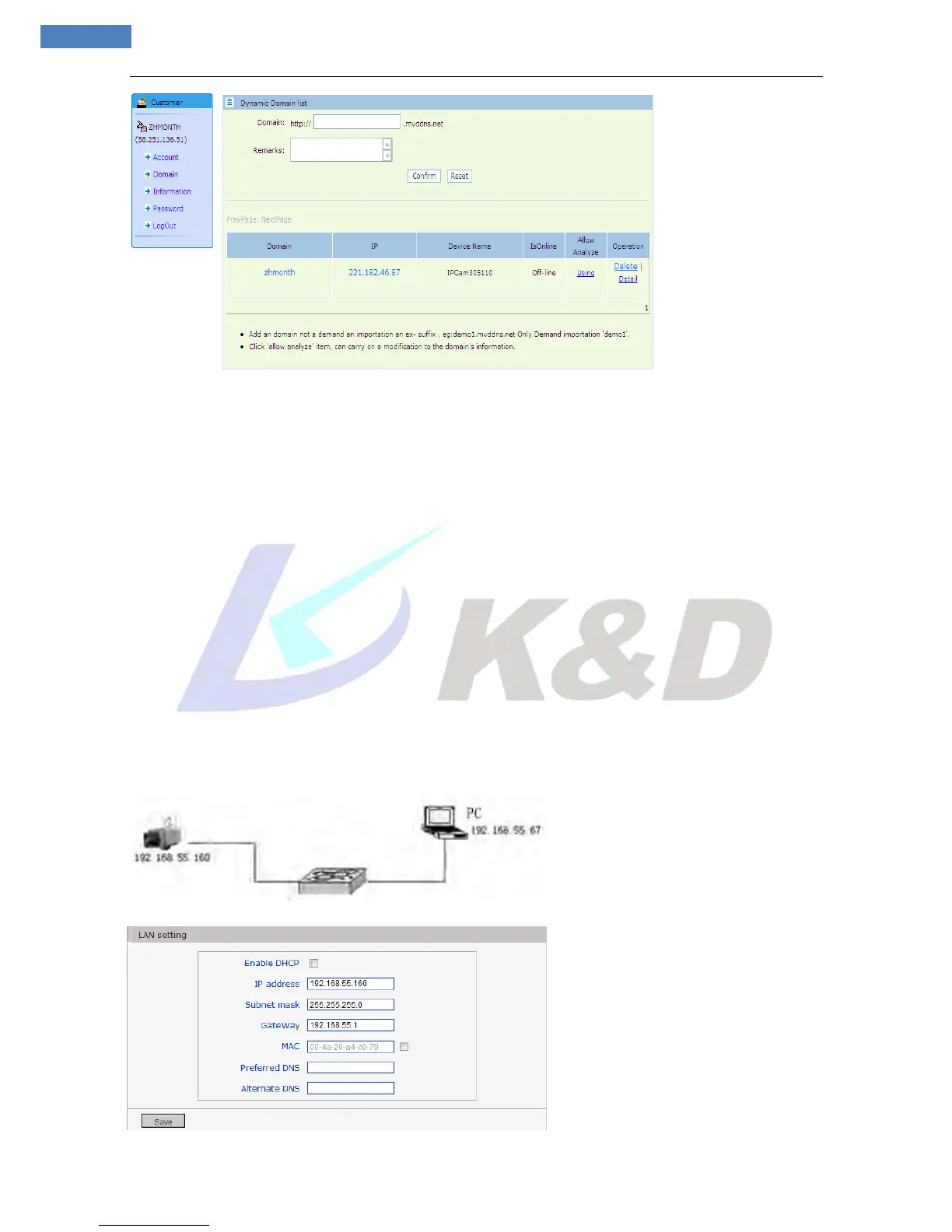
appears as follow:
Register and submit the domain name to be used. For example: “test.mvddns.net”.
Appendix 4 Visit IP camera under different network
environments
You can visit IP camera with your PC via LAN or WAN, the following contents will tell you how to use IP
camera under different network environments.
1. LAN
There are two ways to connect IP camera to LAN: static IP and dynamic IP
Static IP
Static IP means that your network administrator assigns a LAN IP address to IP camera. The IP of your PC
and IP camera must be in the some network segment to make visiting to the camera possible.
See below picture for the network topology:
Please refer to below picture for the network settings:



 To Next Page