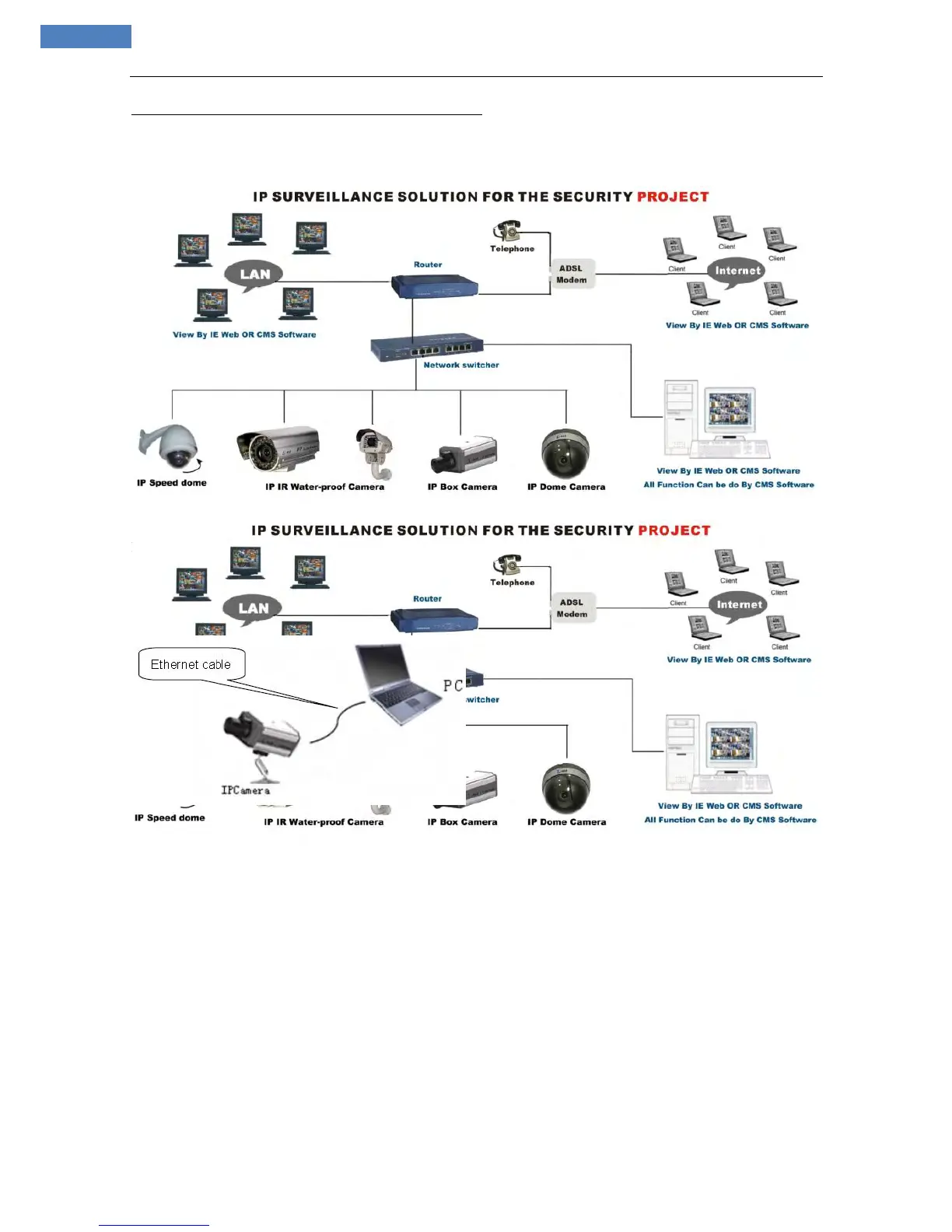
Network connection between IP Camera and computer
Connect IP camera through Router,Network Switch or Hub
The Light of Network Connection turns orange within 5 seconds under the normal network situation after
power on. It indicates that you have finished the physical connection of IP Camera successfully.
Connect IP Camera with PC
The Light of Network Connection turns orange within 5 seconds under the normal network situation after
power on. It indicates that you have finished the physical connection of IP Camera successfully.
IP Searching and Assignment
1. Use “SearchNVS” to search or assign an IP address of IP CAMERA.
The SearchNVS running path is as follows:
A: Find the Search NVS in 【tool software】 directory from the attached CD.
B: Install the NVSCenterV5.7, then follow below path to find SearchNVS: 【Start】---【all programs】--- 【CMS
professional】---【Search NVS】.
Note:“Config” is the tool for selecting language.
“MP6Player” is the video player on local PC.



 To Next Page