32 English
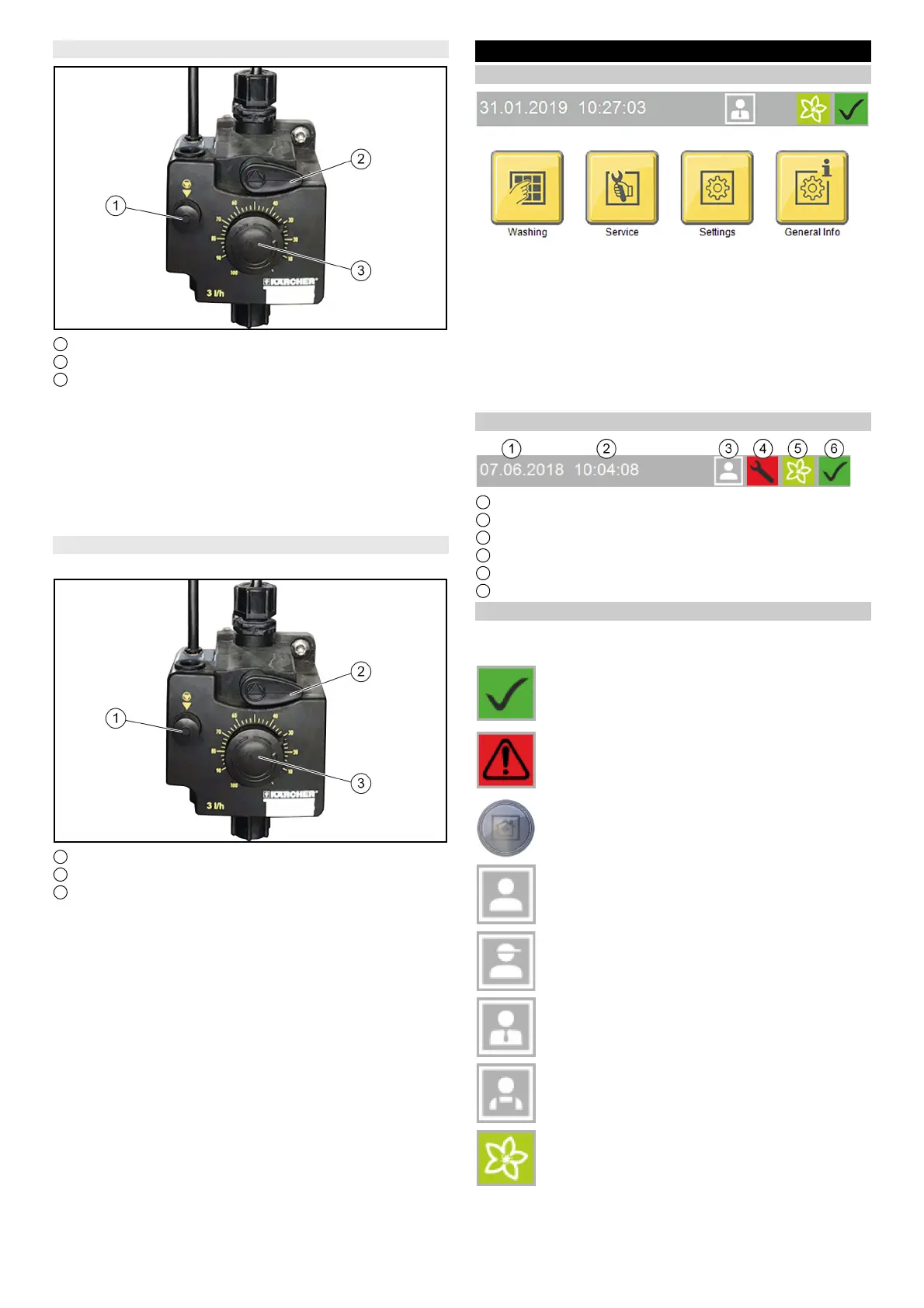
Adjusting the dosing amount
1 Venting button
2 Venting lever
3 Dosing amount adjustment knob
ATTENTION
Damage to the dosing pump due to dry running
Only adjust the dosing amount when the dosing pump is running.
1. Pull out the dosing amount adjustment knob.
2. Alternately press and release the ventilation button while turn-
ing the adjustment knob to the desired setting.
3. Release the ventilation button.
4. Press in the dosing amount adjustment knob.
Vent the dosing pump
The system compressed air supply must be in operation.
1 Venting button
2 Venting lever
3 Dosing amount adjustment knob
1. Turn the venting lever anticlockwise as far as it will go.
2. Set the dosing amount to 100%.
3. Press the ventilation button repeatedly until the detergent
comes out of the venting line on the underside of the dosing
pump without bubbles.
4. To set the dosing amount back to the desired value, see Ad-
justing the dosing amount.
5. Turn the venting lever clockwise as far as it will go.
Display description
Start display
Note
The language is set during initial commissioning and can be
changed via the Settings / General menu.
The display can be used for e.g. making system settings, making
settings for the display and displaying system information.
Status bar
1 Date
2 Time
3 Currently logged-in user
4 Service date is due
5 Current season (if this function is enabled)
6 Current system status
Description of symbols
The following symbols are shown on the display, depending on
the current menu or status of the system
System ready for operation
System malfunction
Home button
The Home button us used to navigate back to the
previous menu from a submenu.
Logged in with normal User access rights
Logged in with Cleaning agent supplier access rights
Logged in with Operator access rights
Logged in with Service access rights
Spring seasonal washing program set



 To Next Page
 Loading...