English 33
Washing
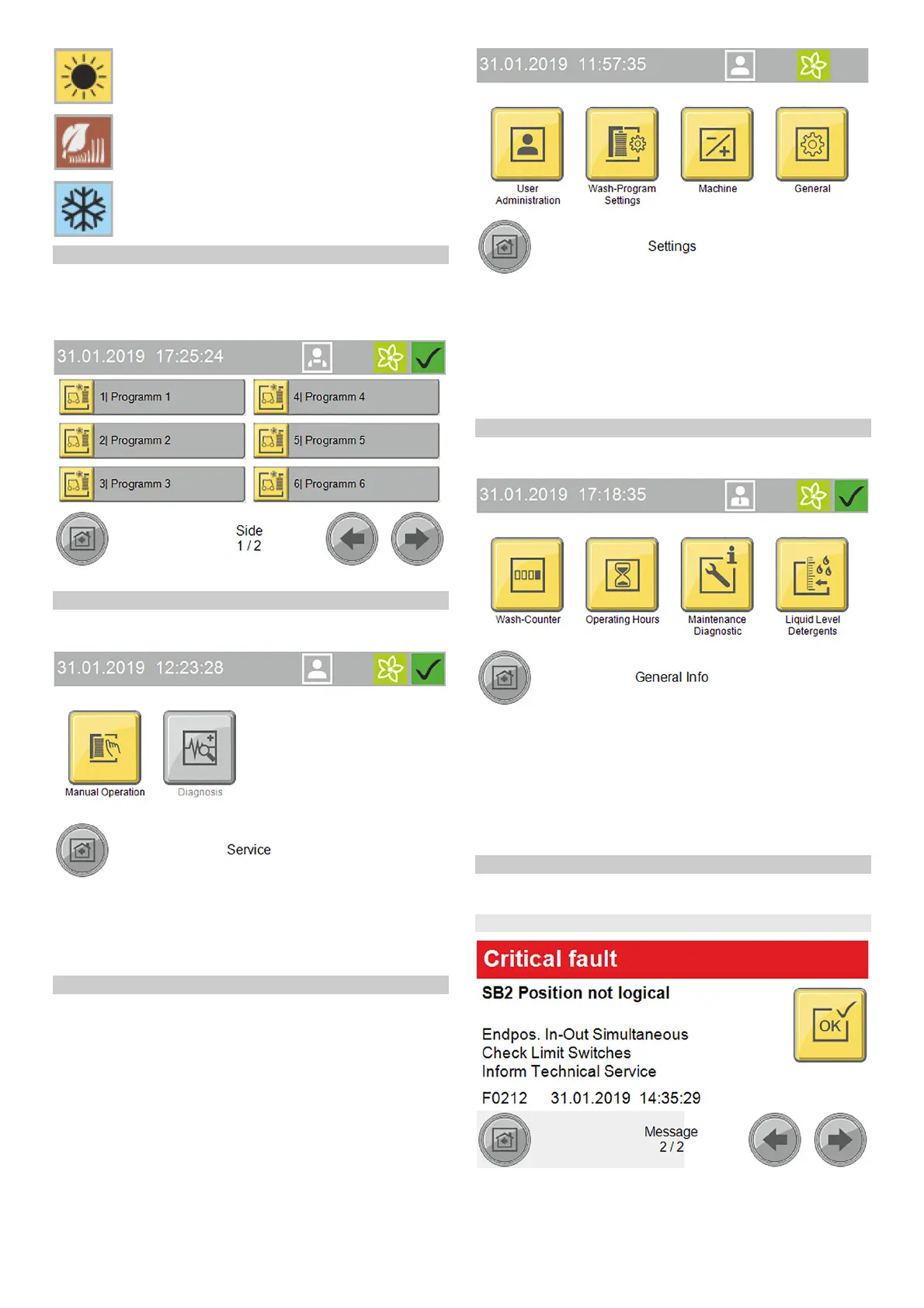
The Washing menu is used for selecting and starting programs
and additional programs.
The currently running program can be interrupted and the pro-
gress in percent can be displayed.
Start washing program, see Start the program on the display.
Service
The Service menu allows manual functions to be executed and
the manual frost protection device to be started.
The Service menu contains the following submenus:
● Manual mode (portal manual functions, manual starting of the
frost protection device, manual water system functions)
● Diagnostics (Operators and Service personnel only)
This calls up self-test functions for the system
Settings
The Settings menu contains the user management functions and
allows system settings to be made.
The Settings menu contains the following submenus:
● User administration
● Wash program settings (pre-cleaning portal speed, brushes,
care and drying, seasonal settings)
● System (cleaning agent, water supply, gate operation, custom-
er text priority display)
● General (set date, time and opening times, select language,
display system information)
General Infos
This menu can be used for displaying system reports and show-
ing the current filling levels of the cleaning agents.
The General Info menu contains the following submenus:
● Wash counter (Operators only) - display of the completed and
interrupted washes
● Operating hours
● Maintenance diagnostics - interval to the next servicing, sys-
tem information, error memory, event memory
● Cleaning agent filling levels - percentage filling levels of the
cleaning agents (option)
Messages on the display
The following push messages can be shown on the display when
the system is in operation.
Critical fault
DANGER
Danger from a critical fault
Switch the system off and notify the Service department.
Summer seasonal washing program set
Autumn seasonal washing program set
Winter seasonal washing program set



 To Next Page
 Loading...