EasyManua.ls Logo

Kärcher CW 3 - Display Fault Messages; Critical Fault Messages and Handling; Positioning Light Signals; Interpreting Light Signals and Remedies

Kärcher CW 3
Print Icon
To Next Page IconTo Next Page
To Previous Page IconTo Previous Page
Loading...
English 43
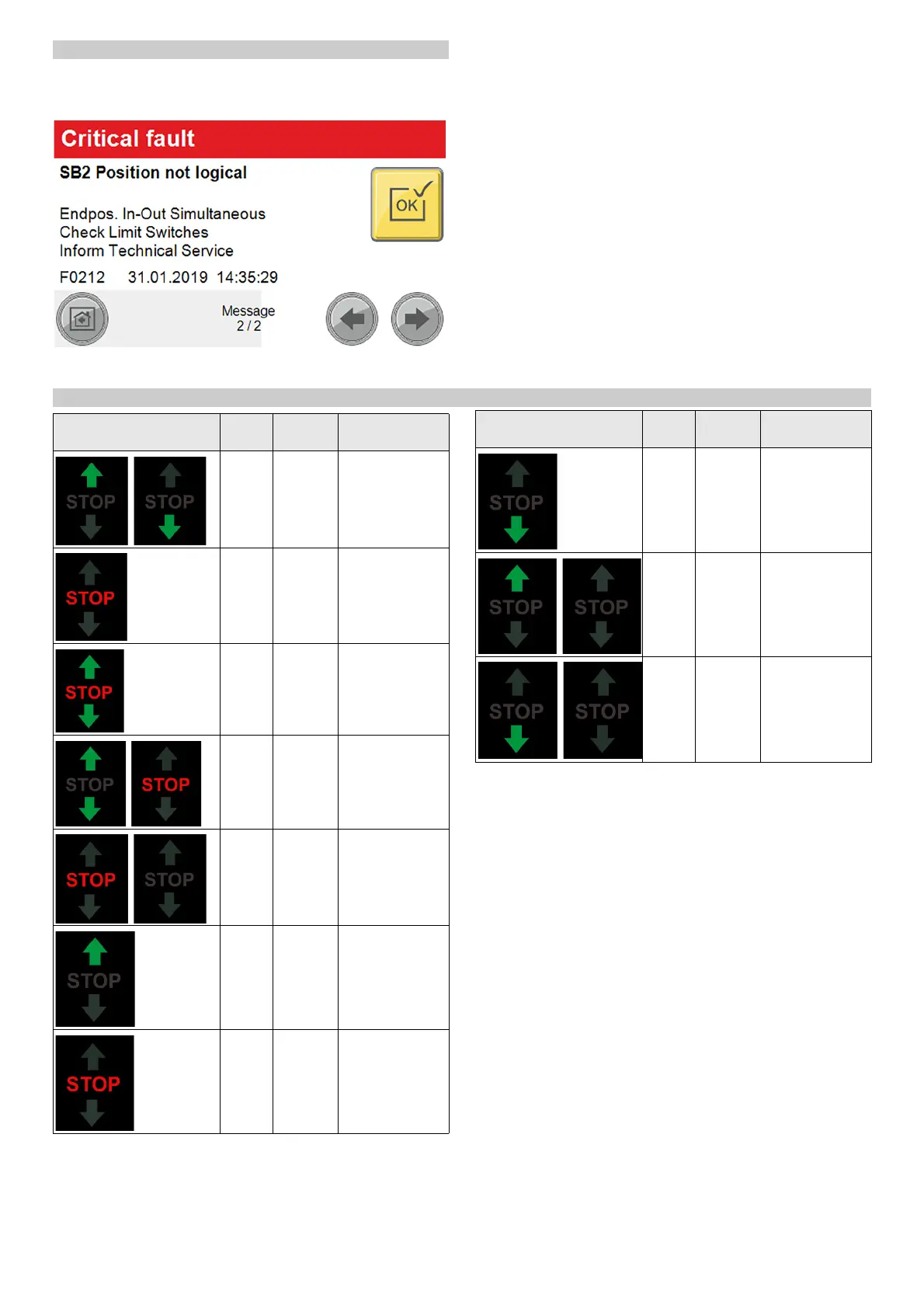
Fault messages on the display
Note
The faults, causes and remedies are shown in plain text on the
display.
Eliminate the malfunction according to the message on the dis-
play and then acknowledge via the OK button.
Displays on the positioning light
Display Blink
code
Cause Remedy
Blink-
ing al-
ternatel
y
Manual
mode ac-
tive
Message
lights
up
Washing
is running
Message
lights
up
Washing
stopped
Message
Blink-
ing al-
ternatel
y
Error ac-
tive
Correct the error
Blink-
ing
briefly
Emergen-
cy-off ac-
tive
Determine the
cause and unlock
the emergency-
off button
lights
up
Move in-
to posi-
tion
Drive the vehicle
into position
lights
up
Stop posi-
tioning
Stop the vehicle
lights
up
Reverse
the posi-
tioning
Reverse the vehi-
cle
Blinking Washing
finished
Drive the vehicle
out forwards
Blinking Washing
finished
Drive the vehicle
out backwards
Display Blink
code
Cause Remedy

Table of Contents

Related product manuals