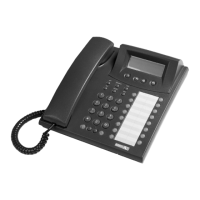
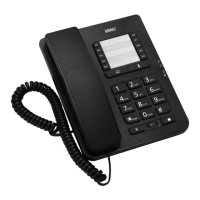
Selection Keys:
They are used for confirming and activating the case indicated right at the top of the
display at that moment. Function of the selection keys change according to the options
prompted on the display.
Navigation Keys:
While in programming mode, the left navigation key provides access to the previous
main menu if it is pressed on main menus, and if it is pressed on submenus, then the
entire options in that submenu are displayed. Starting from the first submenu down to
the last one, the entire options can be easily reached; moreover, one goes back to the
first submenu again after the last one, without exiting to the main menu. However, if the
“Exit” option is confirmed through the selection key, then one goes back to the main
menu, where those options are located. While making changes in the content of the
phone book, as the cursor shifts one digit back, the entry is erased by one character on
each move.
Through the right navigation key, one proceeds to the next option or message from the
entire main menus and submenus (Provided that the character “>” has already
appeared on the display.) The entire main menus starting from the first one down to the
last are displayed and then one returns to the first main menu again, after the last
menu. It is also possible to browse the submenus, once one has a made a selection in
the main menu and has proceeded to the submenus.
SPECIAL FUNCTION KEYS
• “Park” Key: If this key is pressed during an ongoing line call, then that line is
parked. If it is pressed when there is a parked line, on the other hand, then the parked
lines are retrieved one by one.
• “Phone Book” Key: This key activates the phone book and it provides access to
the entire telephone records from that.
• “Menu” Key: This key activates the menus by which the telephone is programmed
and it provides access to the submenus.
• “Flash” Key: It puts an ongoing external or internal call on hold or puts a line on
hold back to conversation mode.
• “Transfer” Key: It functions the same as hanging up and then picking up phone.
While there is a line on hold, it transfers the other ongoing call to the line on hold.
• “Redial” Key: This key dials again the last external number that has been called.
Park:
Line conversation can be parked by pressing this key during the conversation. And also
internal conversation can be parked through this key during the conversation. If it is
pressed when there is a parked line, then it puts the parked line into conversation



 To Next Page