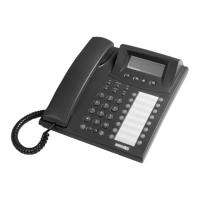
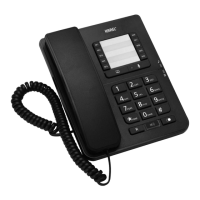
· Extension Number
· Line Number
· Private and Common Pool Number
· Function Services (Services such as Follow Me, Call Back, Do Not Disturb,
Telephone Lock, Conference, Night Mode, Pager Activation)
· Feature codes (DS200 programming and user codes, such as entry to
programming by the code 877777, Do Not Disturb function by the code 831.)
These assignments are done to the first or the second functions of the key during the
program entry done by pressing the “menu” option. Assignment is done to the first
function if the key is pressed for a short time, and it is done to the second one if the key
is pressed for a longer period. Transition of the key to the first or second function is
indicated by a short or a long beep, respectively. Besides, the LED that belongs to the
key lights in green for the first function and lights red for the second one during
programming.
When the keys that have been programmed for extension, line, private or common pool
are pressed, these numbers are called directly.
When the keys that have been programmed for the services such as Follow Me and
Call Back are pressed, these services are activated directly or a necessary input is
prompted. (Such as the extension number, to which the Follow Me action will be carried
out.)
When the keys, to which “User Code” has been numerically assigned, are pressed, the
service that has been determined through the user code is activated directly or the
appropriate code is prompted. The Follow Me service (85) and the extension number to
which the forwarding will be done would constitute an example for that kind of usage.
FUNCTION PROGRAMMING FOR THE SPEED DIAL
KEYS
This feature provides for taking advantage of some functions that have been defined for
ST26 in the exchange properties, by pressing a single key. A user may program for
those keys the features presented by the KAREL telephone branch exchange, which
s/he would use most frequently.
Three different methods can be employed for assigning functions to the programmable
keys of the ST26 telephone sets. These operations are carried out through the
submenus of Feature, Feature Code or Auto Setting in the Phone Settings > Key
Settings option.
By “Function Menu
Features most frequently employed by users are among those options. The
programming can be carried out by assigning desired ones out of the 9 options that
have been presented in the Key Settings > Feature submenu, in order to apply that
programming option. First the key to be used is selected, then the desired one out of
the 9 presented functions is brought to the display through the right/left navigation keys



 To Next Page