Operating Instructions | KBL Tower space 2000
13
KBL Sound 01
KBL Sound 01
• Set your device to a medium volume level and
start the music.
• Adjust the volume level on your device.
• During the tanning session, the volume control has
to be done at the tanning device.
DISCONNECT EXTERNAL PLAYER
An existing connection is disconnected automati-
cally after tanning.
The connection is automatically disconnected if the
tanning session is not started within 6 minutes.
COMPATIBILITY OF BLUETOOTH DEVICES
KBL AG attaches great importance to hardware com-
patibility. Due to the large number of manufacturers,
KBL can not guarantee a 100 % compatibility. In rare
cases, it may happen that a bluetooth connection
can not be established.
CORRECTIVE ACTION
Each unit offers a list of paired devices. Delete the
older entries in this list which have a profile that over-
laps with the ones for which you want to pair your
device.
Start the bluetooth device detection again.
4.8 Connecting the channel
selection
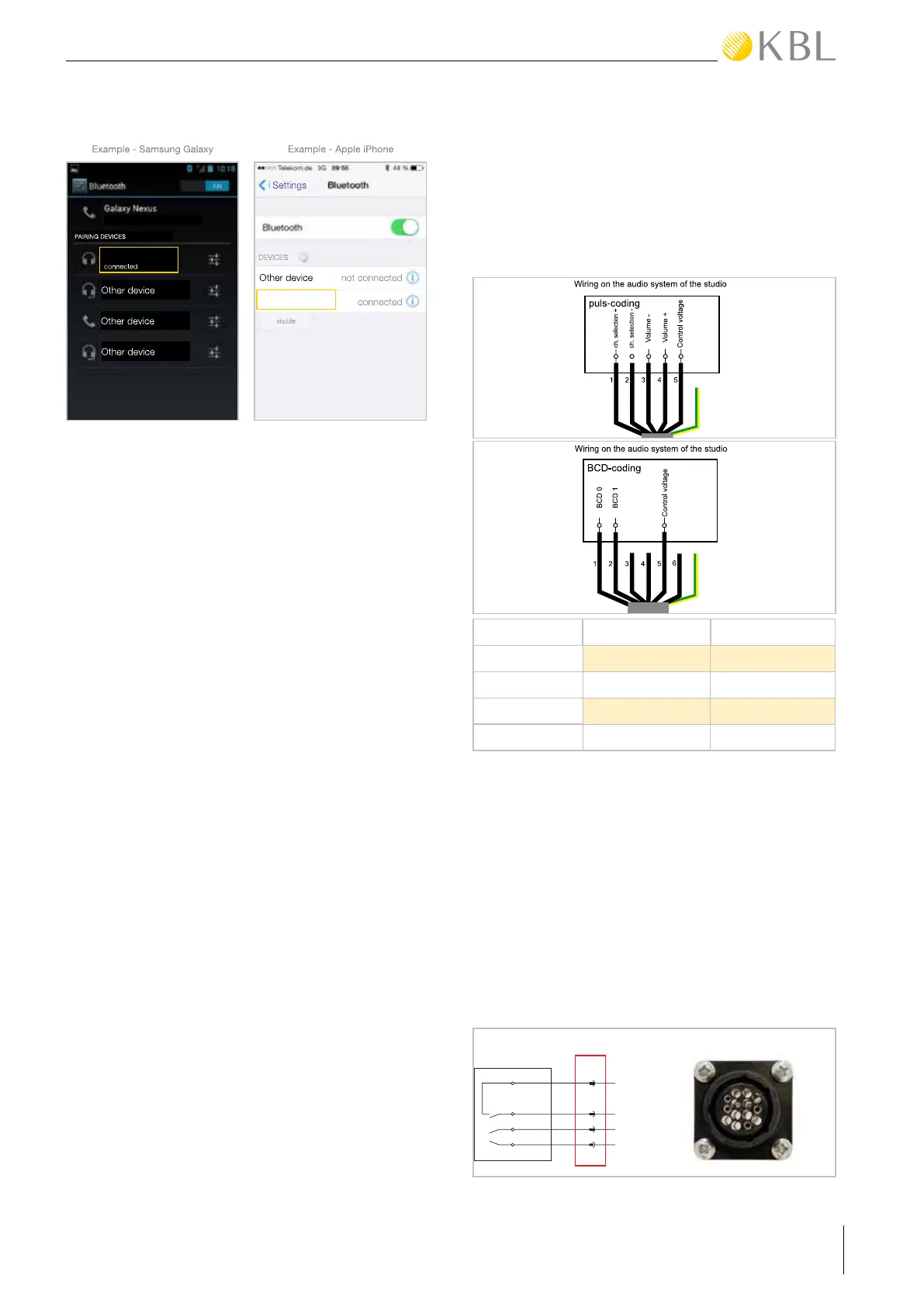
The following diagrams show the wiring of the chan-
nel selection on the audio equipment’s side, for pulse
coding as well as for BCD coding.
CHANNEL BCD 0 BCD 1
1 0 0
2 1 0
3 0 1
4 1 1
4.9 Connecting the external
timer
CONNECTING VIA AMP PLUG (DEFAULT)
Connect the external timer (e.g. coin box, studio
control) according to the instructions supplied with
the timer. The connection is made via the socket
for an AMP plug on the back side of the device.
The following diagram shows the wiring of the timer
connection.


 To Next Page