Operating Instructions | KBL Tower space 2000
23
8.5 Service menu - Basics
In standby mode, the service level is accessed by
entering “161”, followed by PIN “0000”. There is one
additional condition that must be fulfilled:
• No incoming signal from the coin-box system.
SERVICE MENU - STANDARD OPERATING
ELEMENTS
After having entered the service PIN, the service
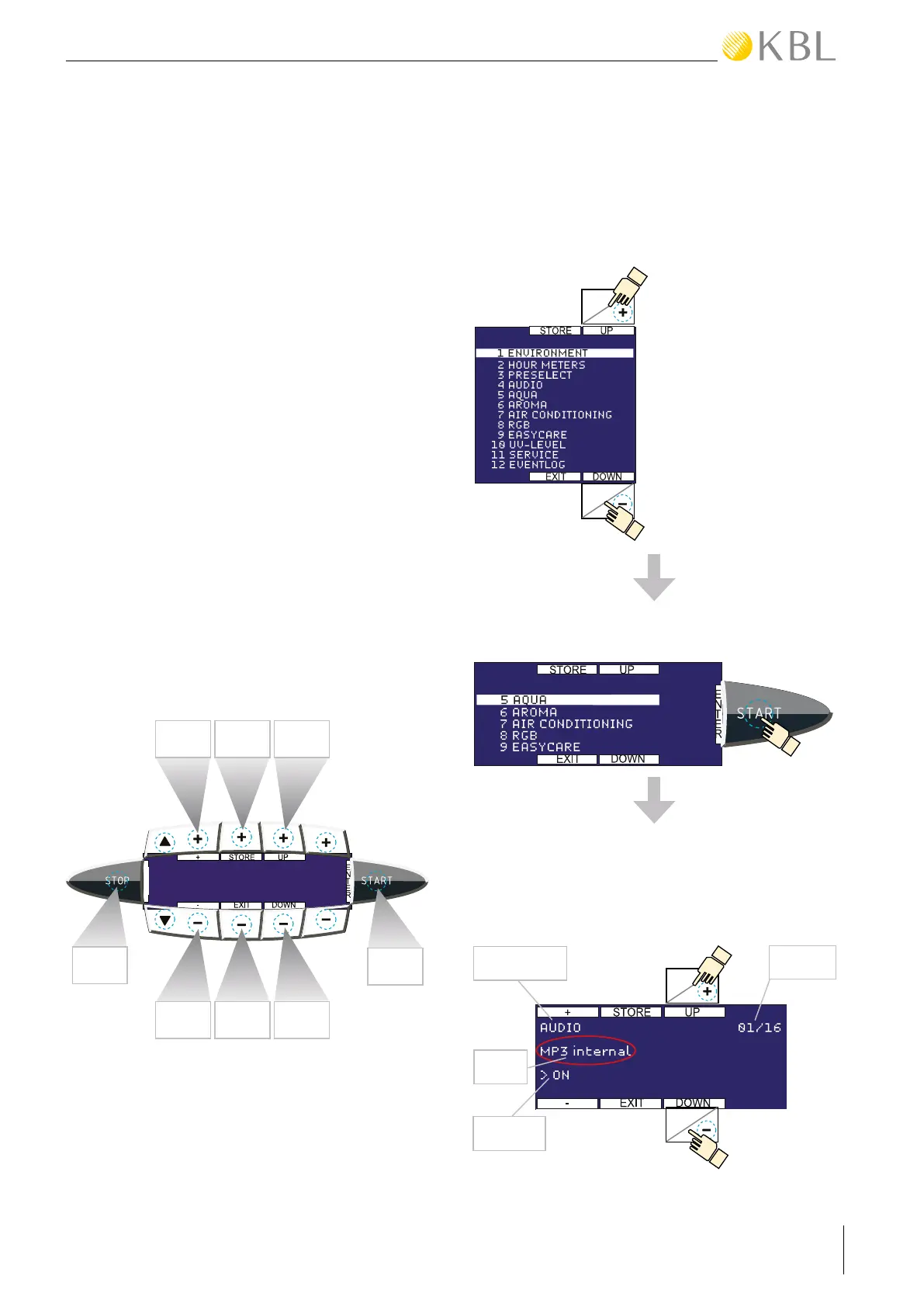
menu is at your disposal. Navigation is made via the
following buttons (see also chapter: Layout of the
interior control panel numbers):
• Use buttons 4 (UP) and 9 (DOWN) to browse
through the individual menu items and functions.
• Press the START/ENTER button to go to the
corresponding submenu.
• Button 2 and 7 are used to switch functions on
and off and to modify values.
• Press 3 (STORE) to save all modifications made in
all menu items.
• Press 8 (EXIT) to go back to the previous menu
level or to exit the service menu.
R
E
S
E
T
+/ON STORE UP
②
③ ④
EXIT
ENTER
⑧
DOWN
⑨
-/OFF
⑦
RESET
SERVICE MENU - BASIC OPERATION
The service menu is divided into the main menu and
subordinate groups of functions.
If you choose a menu item, e.g. “AUDIO”, you will get
access to all functions related to this item.
• Select the desired
function group from the
main menu by pressing
the 4 (UP) or the 9
(DOWN) button. The
currently selected group
is highlighted.
• Press the START/ENTER button to access the
desired group menu.
• The currently active function (circle) is displayed
in the centre line on the left-hand side. You can
invoke further functions of this group by pressing
4 (UP) or 9 (DOWN).
Group
number
Function group
Settings
9
4
Function
4
9
MAIN MENÜ



 To Next Page