24 25
ENEN
KBSOUND
®
STARKBSOUND
®
STAR User ManualUser Manual
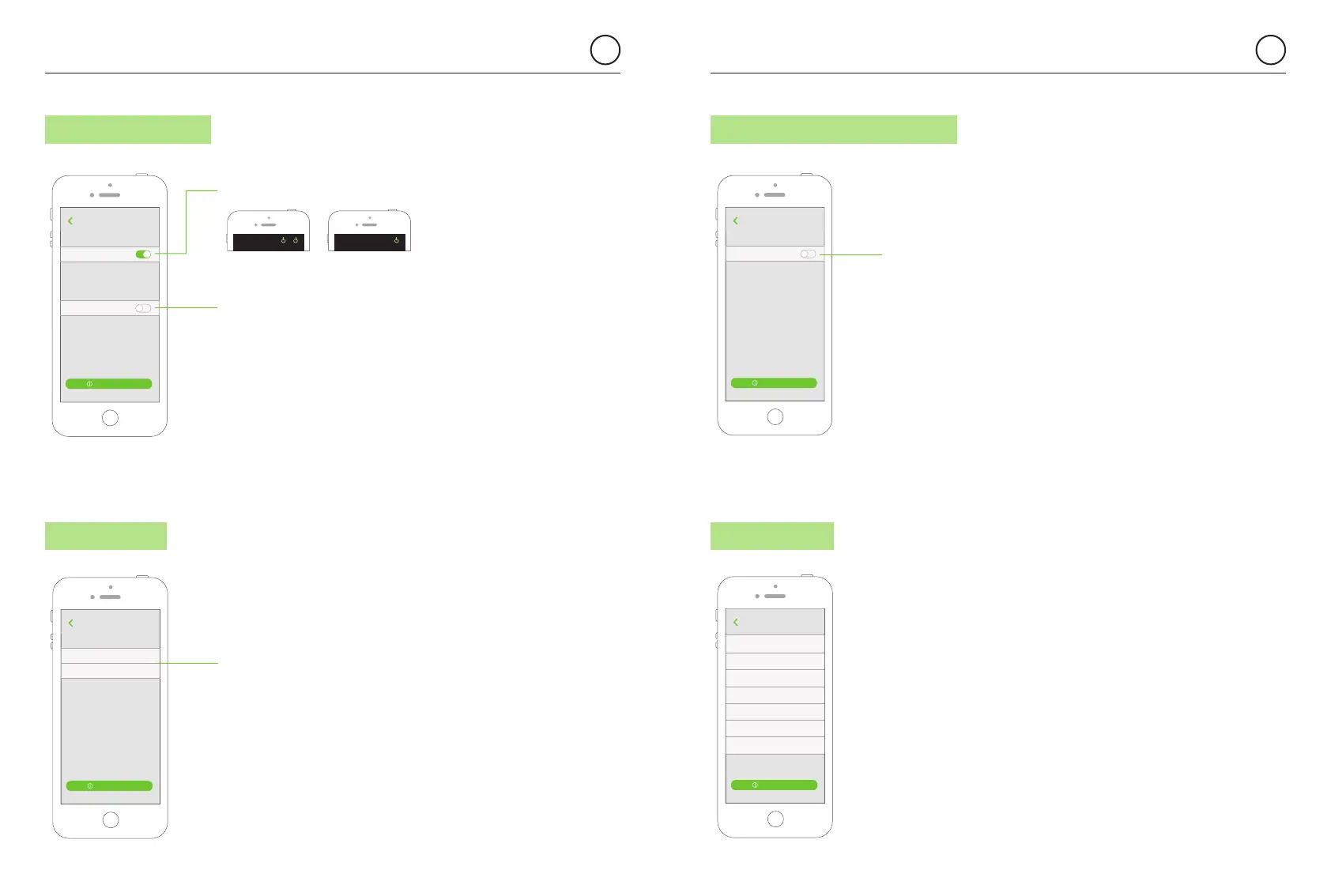
7.7 BLUETOOTH
7.6 LINE OUTPUT (AUX) 7.8 REMOTE CONTROL ACCESSORY
Changing the Bluetooth ID requires that
you “forget the device” and “pair” again from
the Bluetooth Settings Menu with the new name.
Please take note of the password before pressing
“continue” as you will need it to pair again.
(See chapter 8)
The Remote Control Accessory can operate
simultaneously with the App. To enable this option
you need to activate the Remote Control Accessory.
Select the App language desired.
See chapter 12 for more information
when operating with the Remote Control Accessory.
7.9 LANGUAGES
Note: The volume of both MASTER and AUX is controlled
through the App volume bar. MASTER and AUX can have
different sound levels if the volume limitation switches in the AUX
have been previously regulated. (see chapter 11). Please note
that the Bluetooth device only communicates with the MASTER,
so the range must be measured between the location of the
user and the MASTER. It can never be related to the location of
the speakers nor the Auxiliary amplifiers.
RC
Remote Control Accessory
1234 KBSOUND STAR
About
Enable to operate with the Remote Control Unit
Disable when no Remote Control Unit is used,
to avoid interferences
Back
User’s Manual
enable/disable
the Remote Control Accessory
Aux
LINE OUTPUT (AUX)
1234 KBSOUND STAR
About
Active this option when the module has
an amplifier connected to the Line Output (Aux).
When disabled, no Aux on/off button will
be shown in the audio screens
Back
User’s Manual
Master and Aux together
Active this option when the Master speakers will
always be activated together with the Aux speakers
using only one ON/OFF button.
Deactivate this option when the Master and Aux
speakers can be activated separately using two
ON/OFF different buttons.
aux button enabled or disabled in the audio screen
enable this option when
the user wants to turn on
and off the Master and Aux
jointly using only one button
on the audio screen.
KBSOUND
MasterAux
KBSOUND
Master
Deutsch
1234 KBSOUND STAR
About
English
Español
Français
Back
User’s Manual
Nederlandse
Norsk
Polskie
Living room
BLUETOOTH ID
1234 KBSOUND STAR
About
PASSWORD 1234
Changing the Bluetooth identifier may require
that you “forget the device” and “pair” again from
the Bluetooth Settings Menu with the new name.
Please, take note of the password before pressing
“continue” as you will need to pair again.
Back
User’s Manual
MASTER ID
and password
for the Bluetooth
connection


 To Next Page