28 29
ENEN
KBSOUND
®
STARKBSOUND
®
STAR User ManualUser Manual
Note for ANDROID: in some ANDROID
models/versions it is possible to personalize
the Bluetooth ID in the ANDROID Bluetooth settings
menu. However the KBSOUND STAR App cannot
update the KBSOUND STAR Bluetooth ID when it
has been personalized in that way. For this reason, if
the KBSOUND STAR Bluetooth ID is changed from
the ANDROID Bluetooth Settings Menu, take care
to use the same name used in the App to avoid
confusion.
Note: When the KBSOUND STAR Bluetooth ID
has been changed, updating the
iOS/ ANDROID Bluetooth Settings Menu of some
models/versions may require you to disconnect
and connect, while other models/versions need
to be un-paired and paired again.
Warning for ANDROID: take care that some
ANDROID models/versions require a factory reset
when un-paired and paired again. Remember that
for un-pairing and pairing again, it is necessary to
know the password.
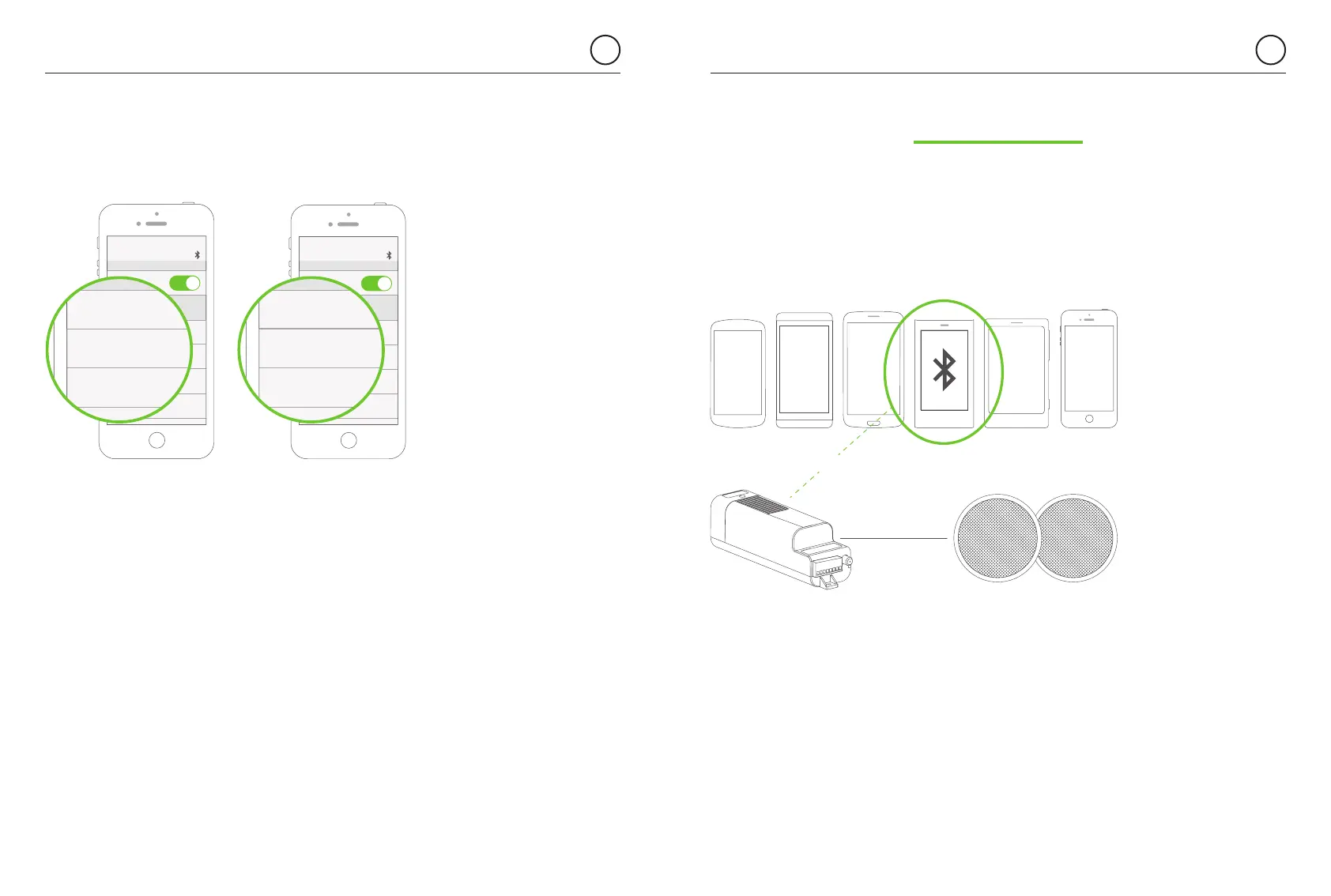
Many users can be paired. However, only one can be connected. While one
user is connected a second user cannot connect with the same MASTER until
the first user disconnects his device. (See chapters 3.1 for Bluetooth Low Energy
Connection and chapters 6.1.1 and 6.1.2 for Bluetooth Audio Streaming)
Many devices paired
Only one connected
Bluetooth
MASTER
9. Multi-User
Bluetooth
5091 KBSOUND BT Not Connected
MY DEVICES
2819 KBSOUND BT Not Connected
0105 KBSOUND BT Not Connected
KINGBT-0014 Not Connected
Bluetooth
5091 KBSOUND STAR Not Connected
MY DEVICES
2819 KBSOUND STAR Not Connected
0105 KBSOUND STAR Not Connected
KINGBT-0014 Not Connected
Bluetooth
KITCHEN Not Connected
MY DEVICES
BEDROOM Not Connected
LIVING ROOM Not Connected
KINGBT-0014 Not Connected
Bluetooth
KITCHEN Not Connected
MY DEVICES
BEDROOM Not Connected
LIVING ROOM Not Connected
KINGBT-0014 Not Connected


 To Next Page