30 31
ENEN
KBSOUND
®
STARKBSOUND
®
STAR User ManualUser Manual
10. Operating Mode
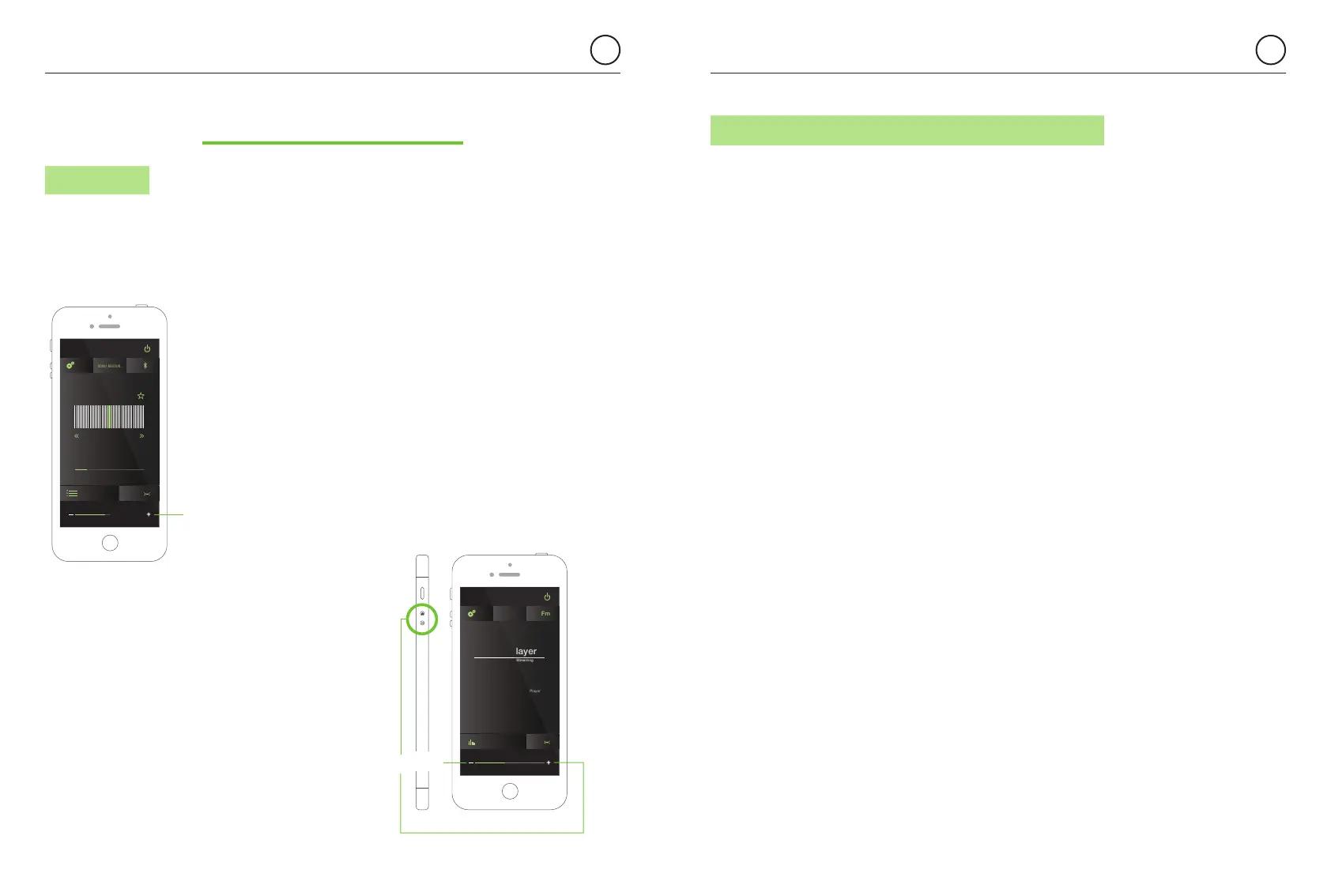
10.1 VOLUME
When Bluetooth streaming audio is selected as
the audio channel you may select either the device
volume buttons, the KBSOUND STAR App volume
bar or the volume bar of the selected streaming audio
source (Music Player, Tune In Radio, Spotify, ...).
If the Bluetooth audio streaming source is a
different device (another smartphone, Computer,
Amazon Alexa devices, etc ...) the volume is
controlled from the device connected.
When FM/DAB is selected as the music source
only the App volume bar will manage
the FM/DAB volume.
KBSOUND
00001 KBSOUN...Settings
Scan level
RNE 1.
100.5
Master
FM volume
KBSOUND
Fm
Bluetooth Audio Streaming
See information in your Music Player
Music Player
00001 KBSOUN...
Master
Bluetooth volume
10.2 NOTIFICATIONS AND PHONE CALLS WHILE OPERATING
When the device receives a phone call while a Bluetooth A2DP
(audio streaming) is connected with the MASTER, the ring tone will be heard
in the smartphone. The phone call will be managed only from the smartphone
and never through the speakers.
When the device receives a notification (email, sms, WhatsApp, ...) while
a Bluetooth device A2DP (audio streaming) is connected with the MASTER,
the smartphone sends this sound to the Bluetooth audio streaming. If Bluetooth
audio streaming is selected in the MASTER as audio source, the notifications
will be heard through the speakers. However if the MASTER is OFF or FM is
selected as audio source, the notification will not be heard through the speakers.
Warning: take note that notifications depend on
iOS/ANDROID Notification Settings Menu and also
may depend on each particular App Settings
(for example Whatsapp Settings).
Note: Take care that the sound level depends
on the device, the track, etc. Different devices
(iOS, ANDROID, Alexa, computers, etc.) perform
in different ways. Is advisable to set the volume
at 60-80% in the Bluetooth device and then
manage the volume by the App volume bar.


 To Next Page