32 33
ENEN
KBSOUND
®
STARKBSOUND
®
STAR User ManualUser Manual
120/230V
N
F
120/230V
antenna
(76 cm.)
master
SPEAKER
OUTPUT
LINE
OUTPUT
62
4
6566
L+R-R+ L-
aux
8 ohm / 5W
120/230V
N
F
120/230V
LINE
OUTPUT
62
4
6566
SPEAKER
OUTPUT
L+R-R+ L-
8 ohm / 5W
120/230V
N
F
120/230V
LINE
OUTPUT
62
4
6566
SPEAKER
OUTPUT
L+R-R+ L-
8 ohm / 5W
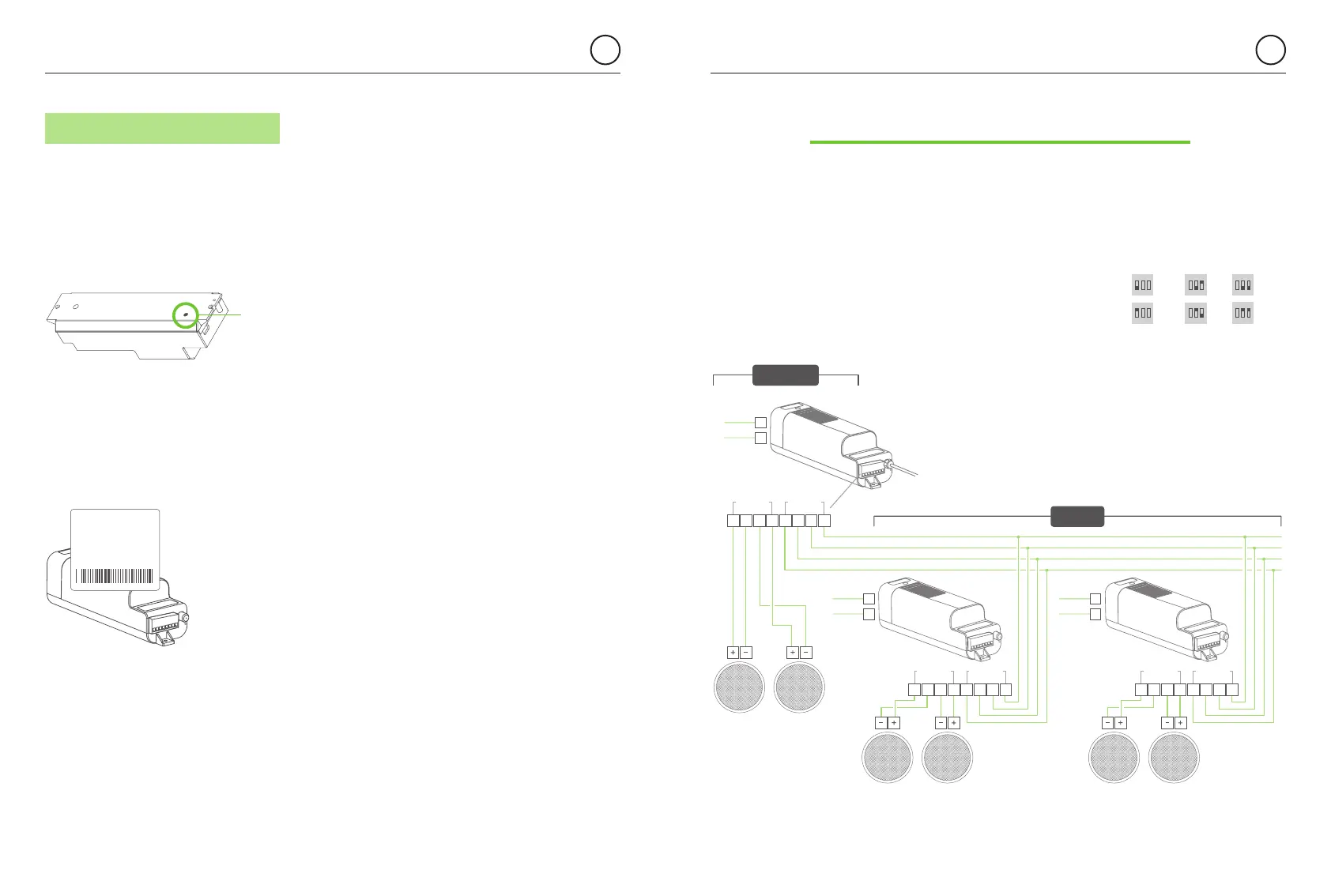
10.3 RESET TO FACTORY DEFAULT
1. Close the KBSOUND STAR App. (important: not in background).
2. Turn OFF the Bluetooth within the iOS/ANDROID Bluetooth Settings Menu.
3. Reset the MASTER.
4. Turn ON the Bluetooth within the iOS/ANDROID Bluetooth Settings Menu.
5. Pair and connect (see chapter 3).
Warning: resetting the MASTER with factory default will
clear all the settings and all the pairings with the different
devices. The KBSOUND STAR Bluetooth ID and pasword
can be found on the label on the MASTER.
hold the button
pressed for 10”
to reset to factory
default
BLUETOOTH ID:
0001 KBSOUND STAR
PASSWORD:
4582
MAC address:
00 : 00 : 00 : 00 : 00 : 00
The MASTER module has a line output (AUX) where amplifiers can be connected.
It is necessary to use the Auxiliary Amplifier (ref. 13204) to expand the system to a maximum
of 4 amplifiers. AUXILIARY and MASTER can be turned ON jointly or separately using the settings
menu (see chapter 7.6).
The volume of both MASTER and AUXILIARY is controlled
simultaneously through the App volume bar.
If necessary you can regulate the sound output level of the amplifiers
by setting the volume limitation switches at the time of installation.
Warning: Please note that the Bluetooth
device only communicates with the MASTER,
so the range must be measured between the
location of the user and the MASTER. It can
never be related to the location of the speakers
nor the Auxiliary amplifiers.
11. Auxiliary Amplifier Option
STEREO
ON
1 2 3
MONO
ON
1 2 3
MAX
ON
1 2 3
MID
HIGH
ON
1 2 3
MID
LOW
ON
1 2 3
MIN
ON
1 2 3


 To Next Page