6 7
ENEN
KBSOUND
®
STARKBSOUND
®
STAR User ManualUser Manual
5
4
2
1
3
6
7
EQ
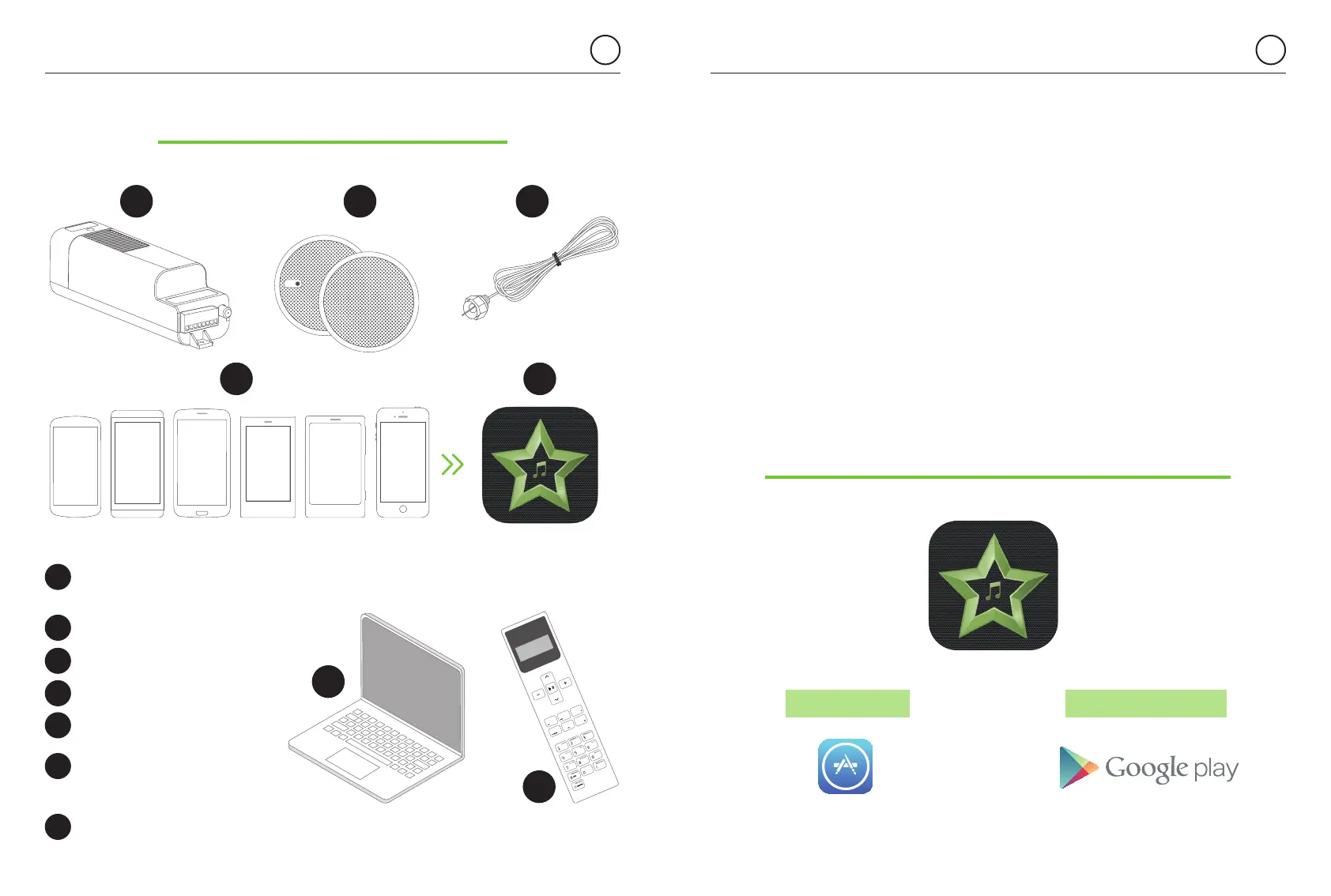
1. Components & Features
Bluetooth Audio
Receiver+FM Radio+DAB
(MASTER)
Speakers
FM/DAB Antenna
iOS/Android devices
KBSOUND STAR App
External Bluetooth devices
(Computer, Amazon Alexa
devices, etc.)
Remote Control Accessory
(If purchased as an
accessory)
2
4
5
6
7
3
1
The MASTER (1) is an electronic module installed in the ceiling that
allows you to enjoy three music channels: Bluetooth audio streaming,
FM Radio and DAB Radio.
The device (4) is any smartphone or tablet based on iOS or ANDROID
with Bluetooth Low Energy (BLE) and the following Bluetooth profiles:
A2DP, AVRCP (for sending audio).
The KBSOUND STAR App (5) is the App for managing the MASTER (1).
It can be downloaded from Apple App Store (for iOS devices) or Google
Play Store (for ANDROID devices). The KBSOUND STAR App is
compatible with iOS 10.0 and higher and ANDROID 4.4 and higher.
The external device (6) is any Bluetooth device (A2DP, AVRCP profiles)
from which you wish to stream Audio.
See also chapter 12 for management when using the Remote Control
Accessory if purchase separately.
Warning: The KBSOUND STAR
App runs on different releases
from different operating systems,
using different devices from
different brands.
As a result, its functioning
may present some differences
between devices.
2. KBSOUND STAR App Installation
2.1 iOS DEVICES
2.2 ANDROID DEVICES
Tap the Apple App Store on the iOS device to
download the KBSOUND STAR App.
Tap the Google Play Store on the ANDROID
device to download the KBSOUND STAR App.


 To Next Page