Power on/off
To turn the LED TV on:
Press the “POWER” button.
To turn the LED TV off:
Press the “POWER” button on the LED TV.
To turn on/off by remote control:
Press the “POWER” button of the remote control.
You can select between the TV signal and the input signal of other
equipments connected to the TV.
Connect an RF cable from the TV’s input called “RF-In” and to your TV Aerial socket.
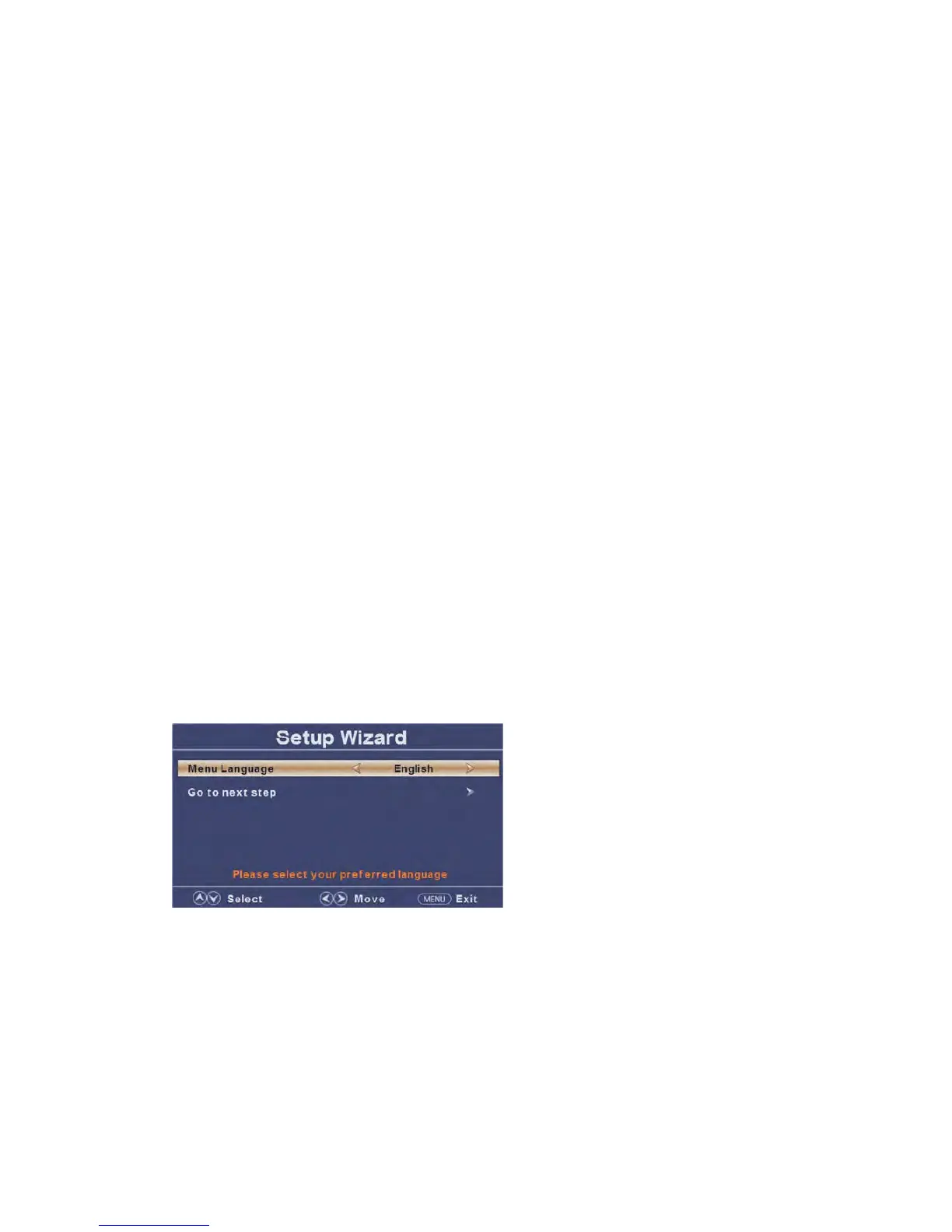
Select Language
Press ◄/► buttons to select the language to be used for menu and message.
Press ▲/▼ buttons to select go to next step and press ENTER/► button to go.
Select Time
Press ▲/▼ buttons to select the time zone, daylight saving time and time format you
want to.
Press ◄/► buttons on the remote control to adjust.
Press ▲/▼ buttons on the remote control to select go to next step and press ENTER/►
button to go.


 To Next Page