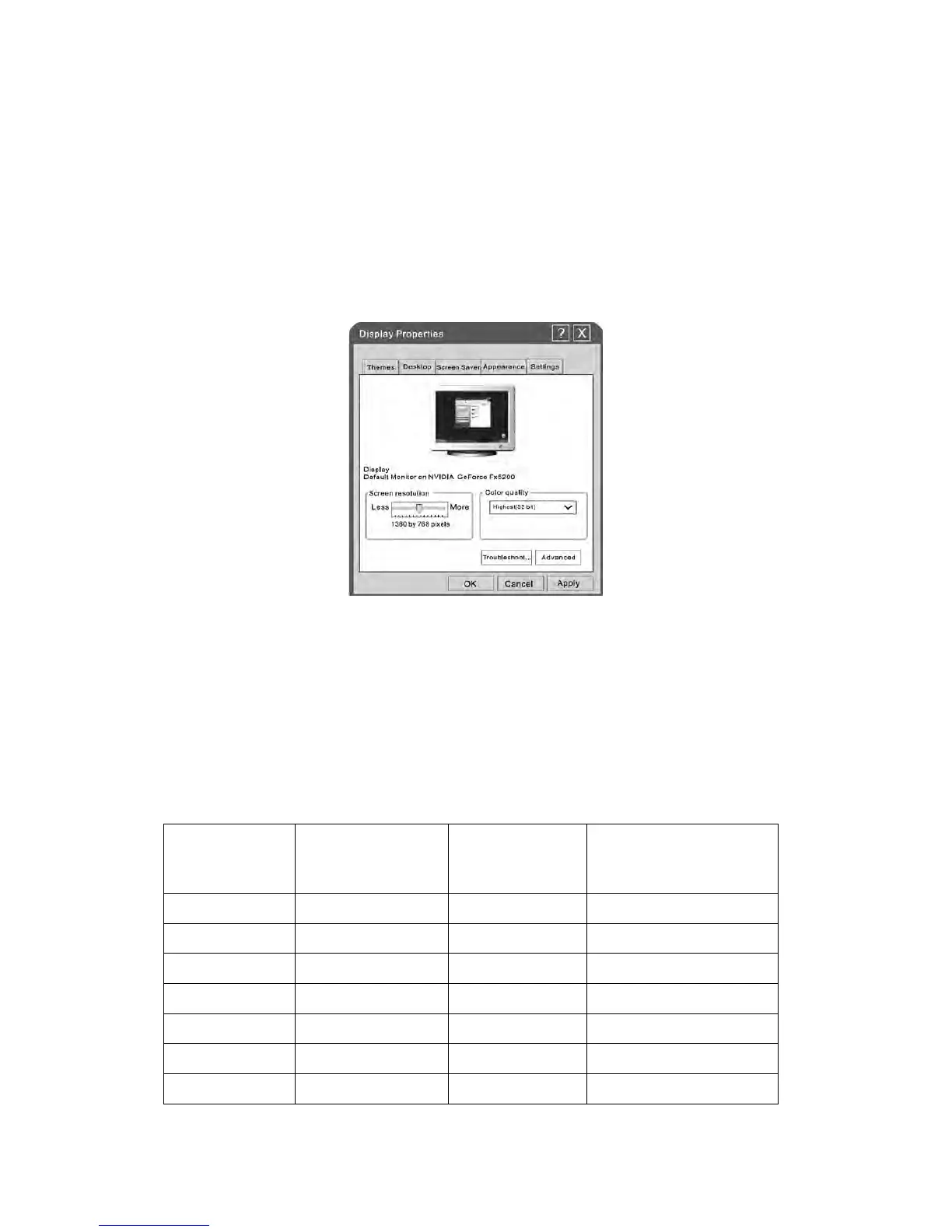
The Windows display-settings for a typical computer are shown below. The actual
screen on your PC may be different, depending upon your particular version of
Windows and your particular video card. Regardless of your operating system or video
card, the same, basic set-up information will apply in almost all cases.
1. First, click on “Control Panel” on the Windows start menu.
2. When the control panel window appears, click on “Appearance and Themes” and a
display dialog-box will appear.
3. When the control panel window appears, click on “Display” and a display
dialog-box will appear.
4. Navigate to the “Setting” tab on the display dialog-box. The correct size setting
(resolution) Optimum: 1920*1080.
If a vertical-frequency option exists on your display settings dialog box, the correct
value is “60Hz”. Otherwise, just click “Enter” and exit the dialog box.


 To Next Page