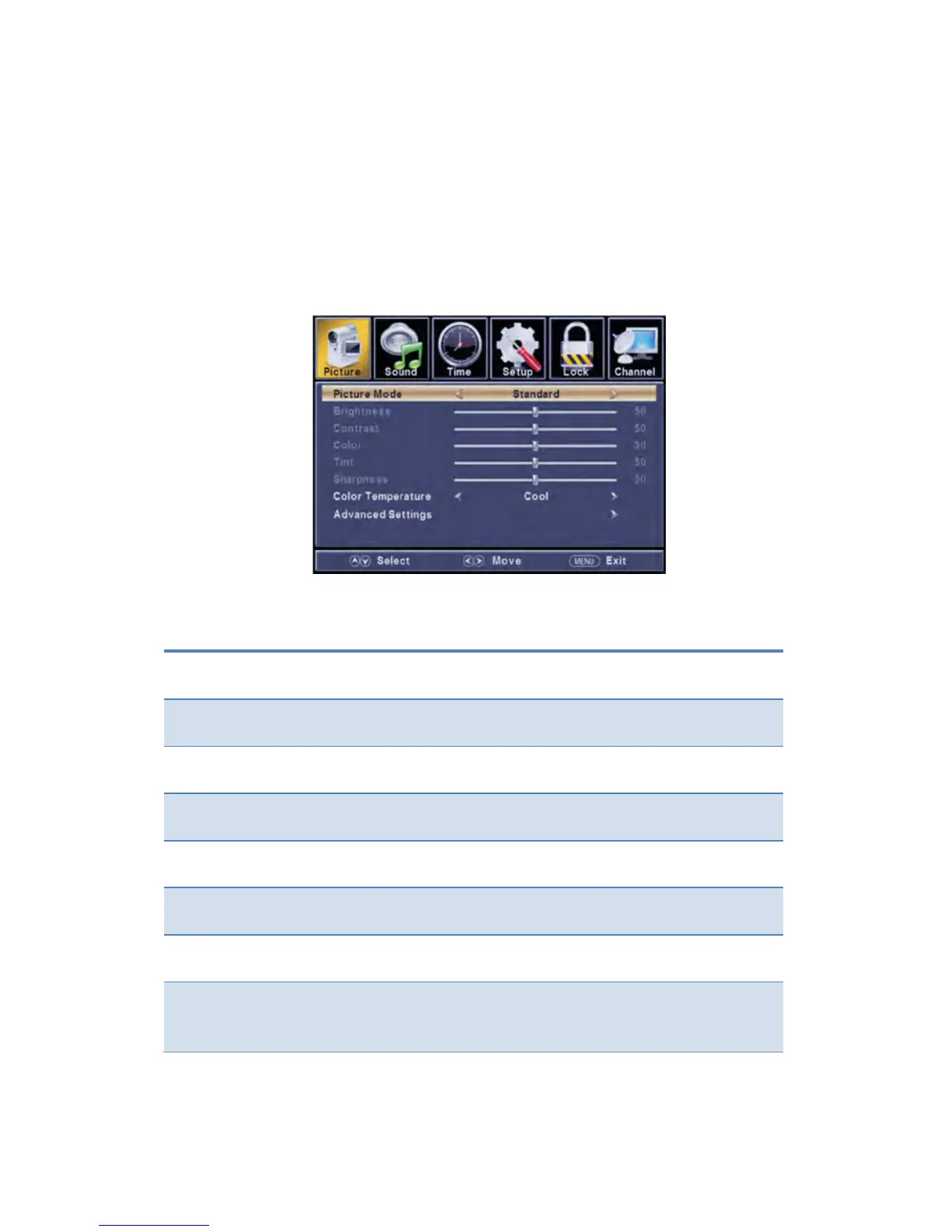
Customizing the Picture Settings
Select TV source for example. (Press SOURCE button to select TV mode)
1. Press the POWER button to turn the LED TV on.
2. Press the MENU button on the remote control to display the Main menu, and use
the ◄/► buttons to select the PICTURE.
3. Use the ▲/▼ buttons to highlight an individual PICTURE option, use the ◄/►
buttons to change the setting, and press the MENU button to exit the menu.
The PICTURE menu includes the following options:
Cycle among picture display modes: Standard, Dynamic, Soft, User,
Control the overall brightness of the picture.
Control the difference between the brightness and darkest regions of
the picture.
Increase this setting to see crisp edges in the picture; decrease it for
Cycles among color modes: Normal, Cool, Warm.
Adjust advanced video features to fine tune the picture.
Press ► button to enter sub-menu.


 To Next Page