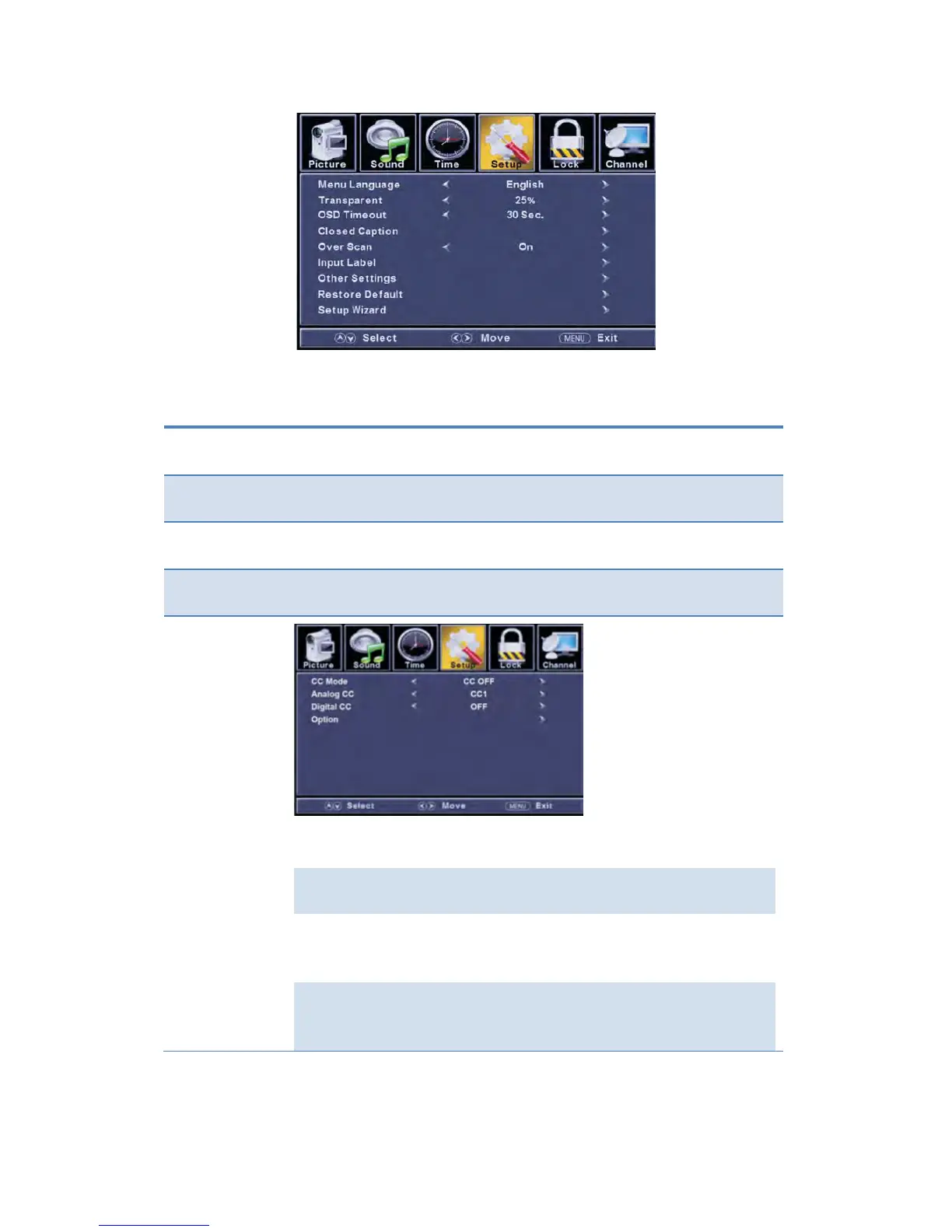
The TIMER menu includes the following options:
Allow you to select menu language among: English, Français and
Español.
Allow you to use the ◄/► buttons to select:0%, 25%, 50%, 75%.
buttons to select: 5Sec., 15Sec., 30Sec.,
45Sec., 60Sec..
Use the ▼ button to highlight the Close Caption item, and then press
the ► button to enter into the following menu.
Allow you to select the CC Mode among: CC On,
CC Off and CC Mute.
Allow you to select the basic selection among:
CC1, CC2, CC3, CC4, Text1, Text2, Text3 and Text4.
Digital CC
Allow you to select the advanced selection
among: OFF, Service1, Service2, Service3, Service4,
Service 5 and Service6.
Option
button to highlight the “Option” item,
and then press the ► button to enter into the
following menu.



 To Next Page