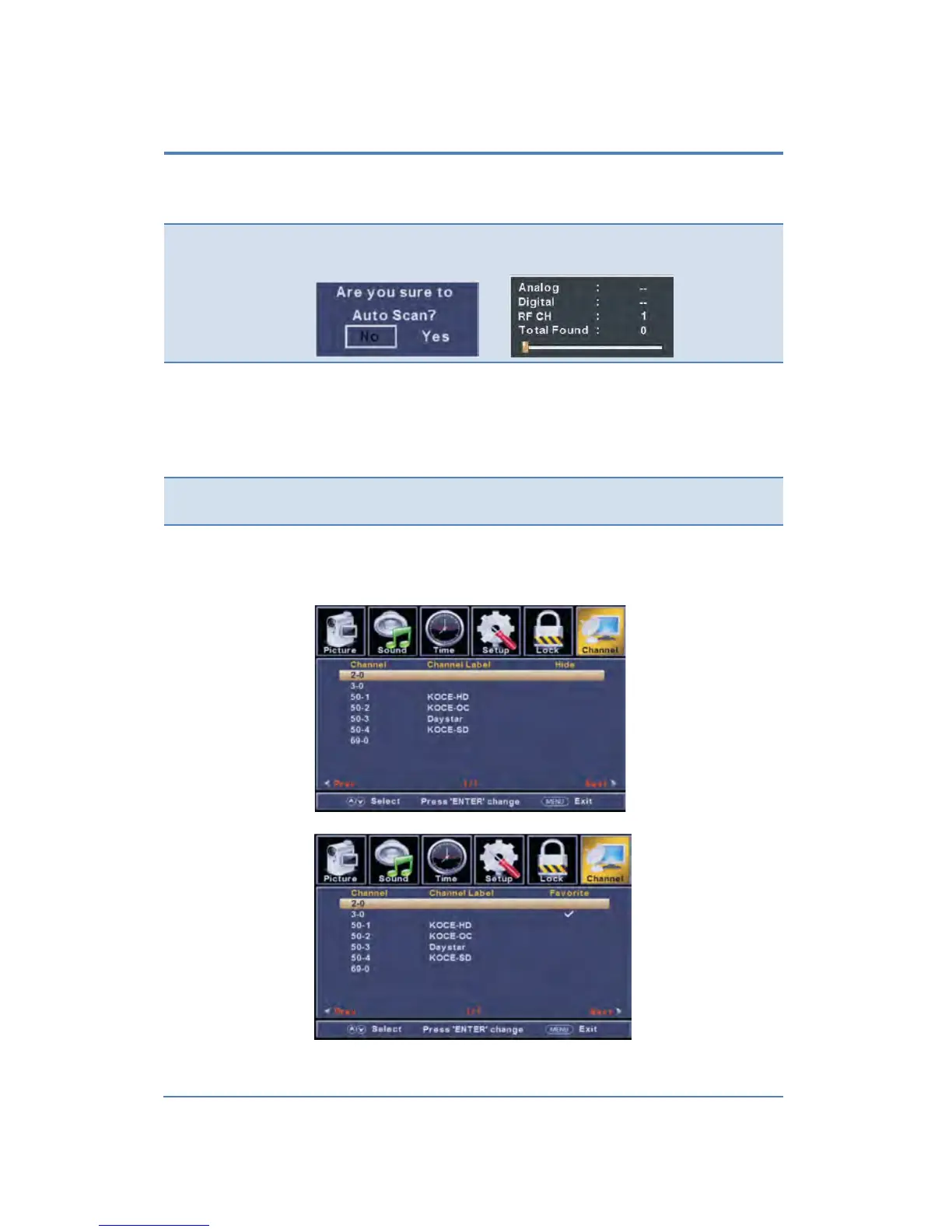
The CHANNEL menu includes the following options:
Allows you to select antenna between Air and Cable.
If you select “Cable”, the following items (Favorite, Show/Hide,
Channel NO., Channel Label and DTV Signal) are unable to use.
▼ button to highlight the “Auto Scan” item, then press ►
button to enter into the following menu.
Allow you t add these channels which you desired as the favorite
channels. Use the ▲/▼ buttons to highlight the “Favorite” item.
buttons to highlight the desired item, then press
ENTER button to add or remove the highlighted channel as
Display your program list.
Allow you to show or hide the channels.
Use the ▲/▼
buttons to highlight the “Show/Hide” item, then
button to enter into the following menu.
Use the ▲/▼ buttons to highlight
the desired item, then press
ENTER button to show or hide the highlighted channel.


 To Next Page