-5 5 kV Power Supply User's Manual Section 3:
2290-5-900-01 Rev. A/December 2013 3-5
When the VOLTAGE switch is in the SET position, the REAR (rear panel) LED is on, and the output
voltage is controlled by the rear panel signal and displayed on the center display when in the
VOLTAGE SET mode. The voltage limit is still active, and the unit does not allow the rear panel
voltage to set the output value above the voltage limit.
If the VOLTAGE switch position is changed while the high voltage is on, the unit will turn off the high
voltage.
Voltage Monitor: When the VOLTAGE switch is in the MON position, the SET/MON jack is a monitor
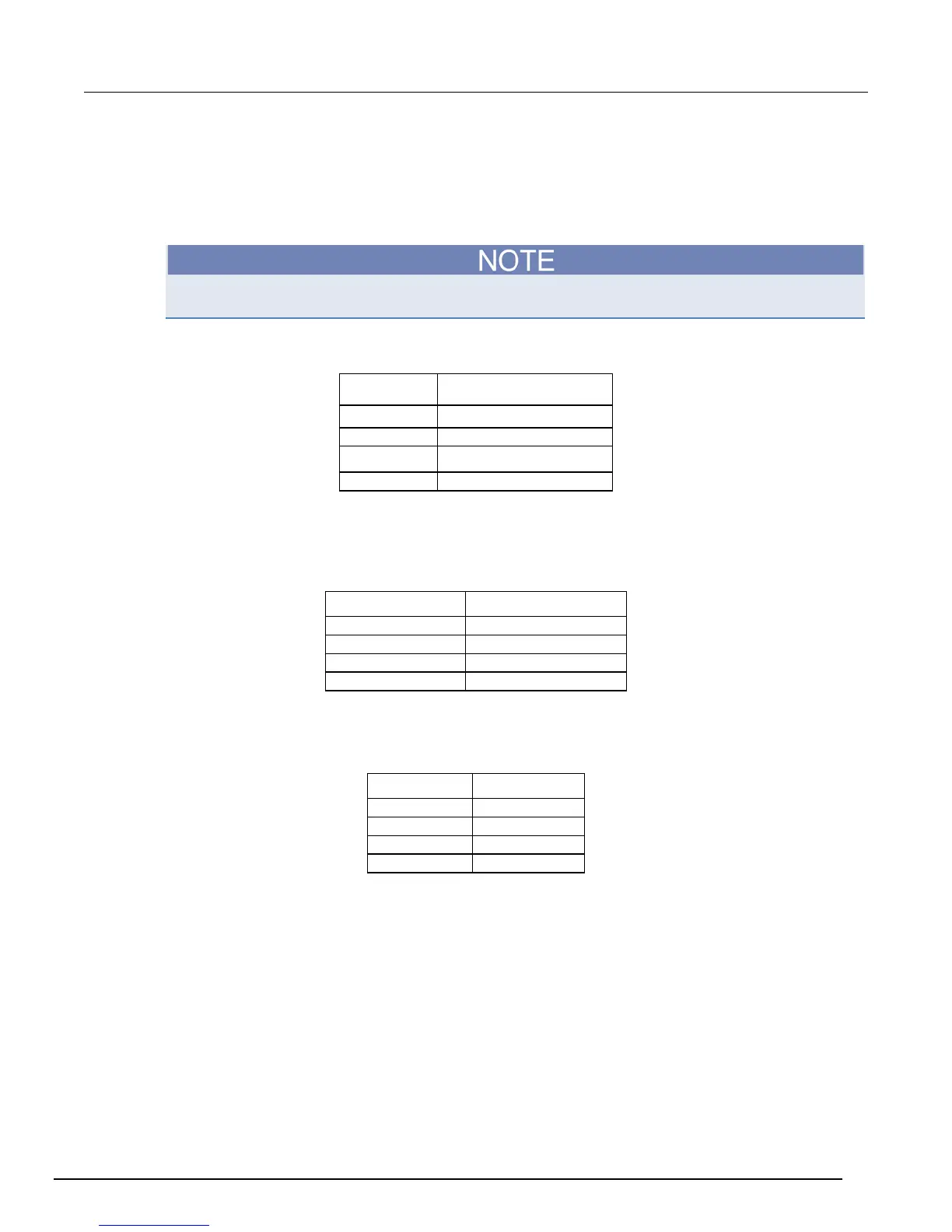
output providing 0 to +10V for 0 to full-scale output. The next table lists the voltage monitor examples.
Output voltage
Analog monitor examples
1 kV 2 V
2.5 kV 5 V
Voltage Set: When the switch is in the SET position, this BNC jack becomes an input over the same
range. An input of 0 V to +10 V will set the output voltage from 0 V to full scale. The next table
summarizes the analog input voltage examples.
Analog input voltage High voltage output
Current Monitor: The I MON jack provides a 0 to +10V signal for 0 to full-scale current output. The
next table summarizes the current monitor output examples.
Current output Current monitor




 To Next Page