16 PROFILER STAGE QUICKSTART
MORPH PEDAL
Morphing allows you to change any number of continuous parameters like Gain level, Delay Mix or Delay Feedback
simultaneously – all with a single expression pedal. Moving the pedal is equivalent to turning all those knobs at the
same time to move between one sound and another. We distinguish between these two sounds with the terms “Base
Sound” and “Morph Sound”. Here’s a simple application:
Remember – the expression pedal used to control wah eects (as described in the previous paragraph) is already
primed to control Morphing as well.
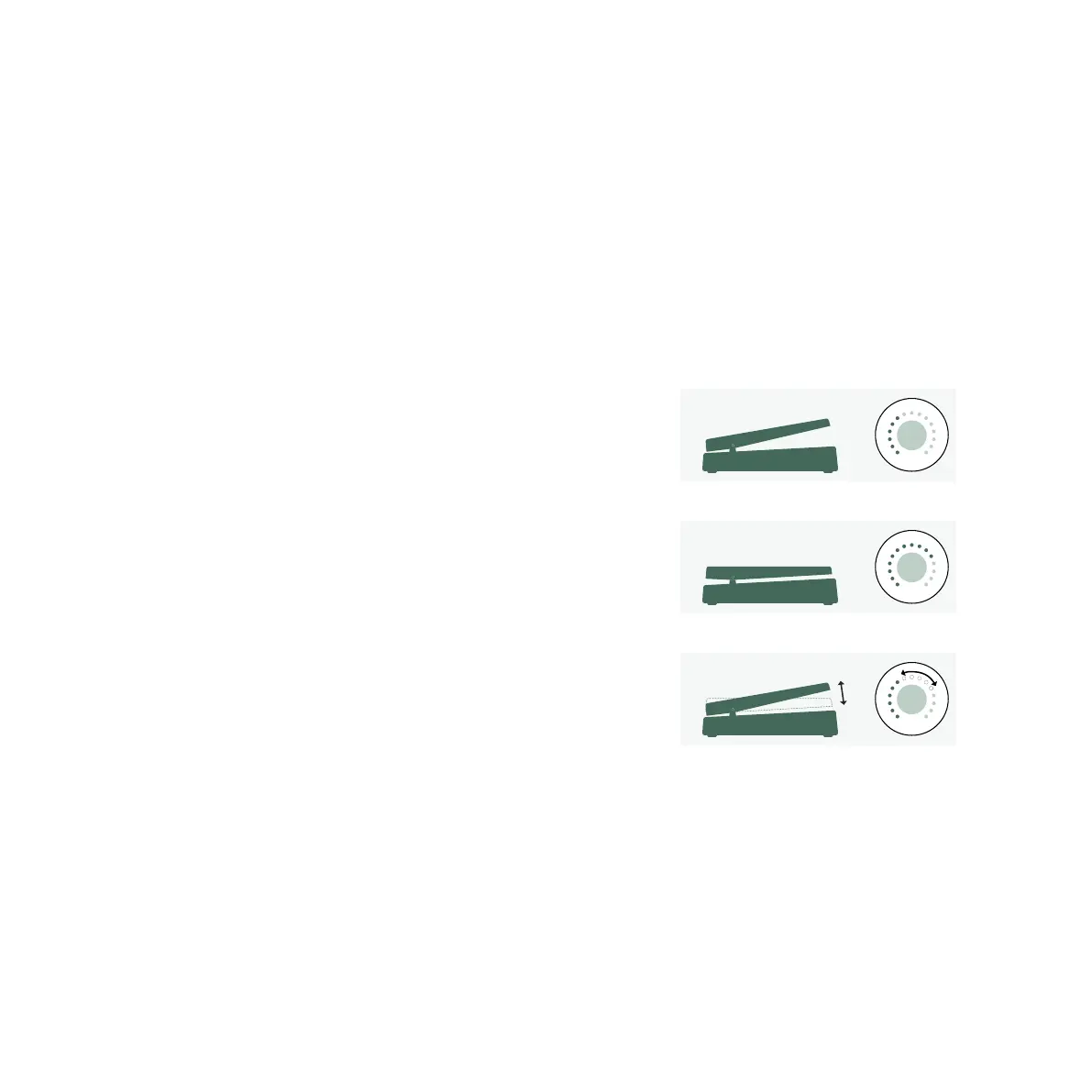
First, move the pedal to heel position. Turn the GAIN knob to
select the intended level for your Base Sound.
Move the pedal to toe position. Turn the GAIN knob and select the
intended level for your Morph Sound.
Now, your Morph Pedal changes the gain continuously between
the values associated with the Base and the Morph Sounds.
To continue, add the next continuous parameter you’d like to
morph. Don’t forget to store the Rig to keep all the changes you’ve
made!
Morphing is explained in detail in the Main Manual plus there are
also Video Tutorials dedicated to this subject available on:
www.kemper-amps.com/video


 To Next Page