75PROFILER STAGE – INICIO RÁPIDO
CONFIGURACIÓN DEL KEMPER POWER
KABINET
Usa el cable suministrado para conectar el
KEMPER Power Kabinet™ a una toma de
corriente. El Power Kabinet está diseñado para
tensiones desde 100V hasta 240V.
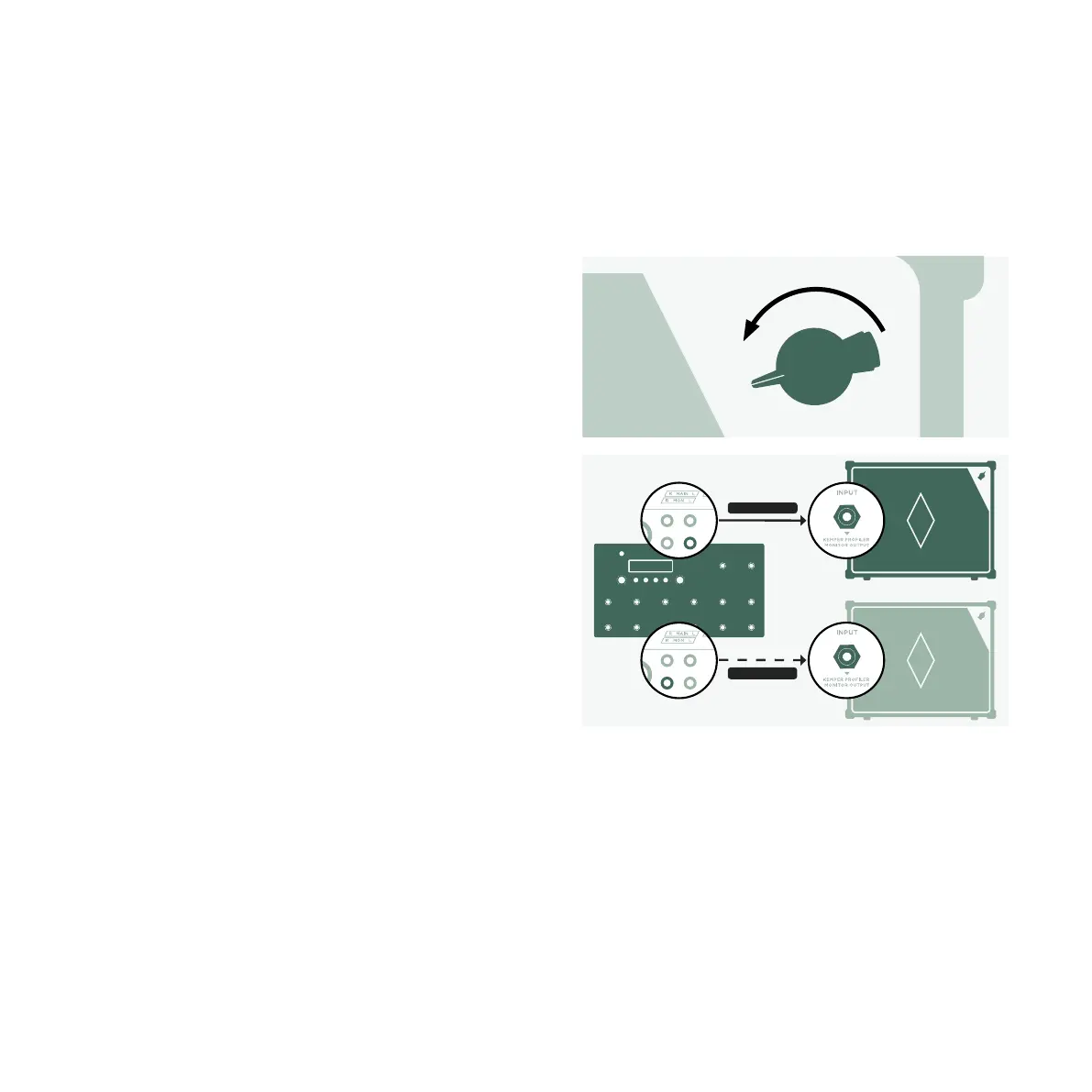
Gira VOLUME en el Power Kabinet al mínimo.
Usa un cable de instrumento para conectar la
entrada del KEMPER Power Kabinet a uno de
los conectores MONITOR OUTPUTS de la
parte posterior del Stage.
Enciende el Kabinet y ve subiendo
progresivamente el VOLUME en el Power
Kabinet.
Si quieres conectar un segundo KEMPER
Power Kabinet para conseguir sonido en
estéreo, repite estos pasos y conecta el
segundo Power Kabinet a la otra toma
MONITOR OUTPUT.
InstrumentCable
InstrumentCable


 To Next Page