8 PROFILER STAGE QUICKSTART
MAKING CONNECTIONS
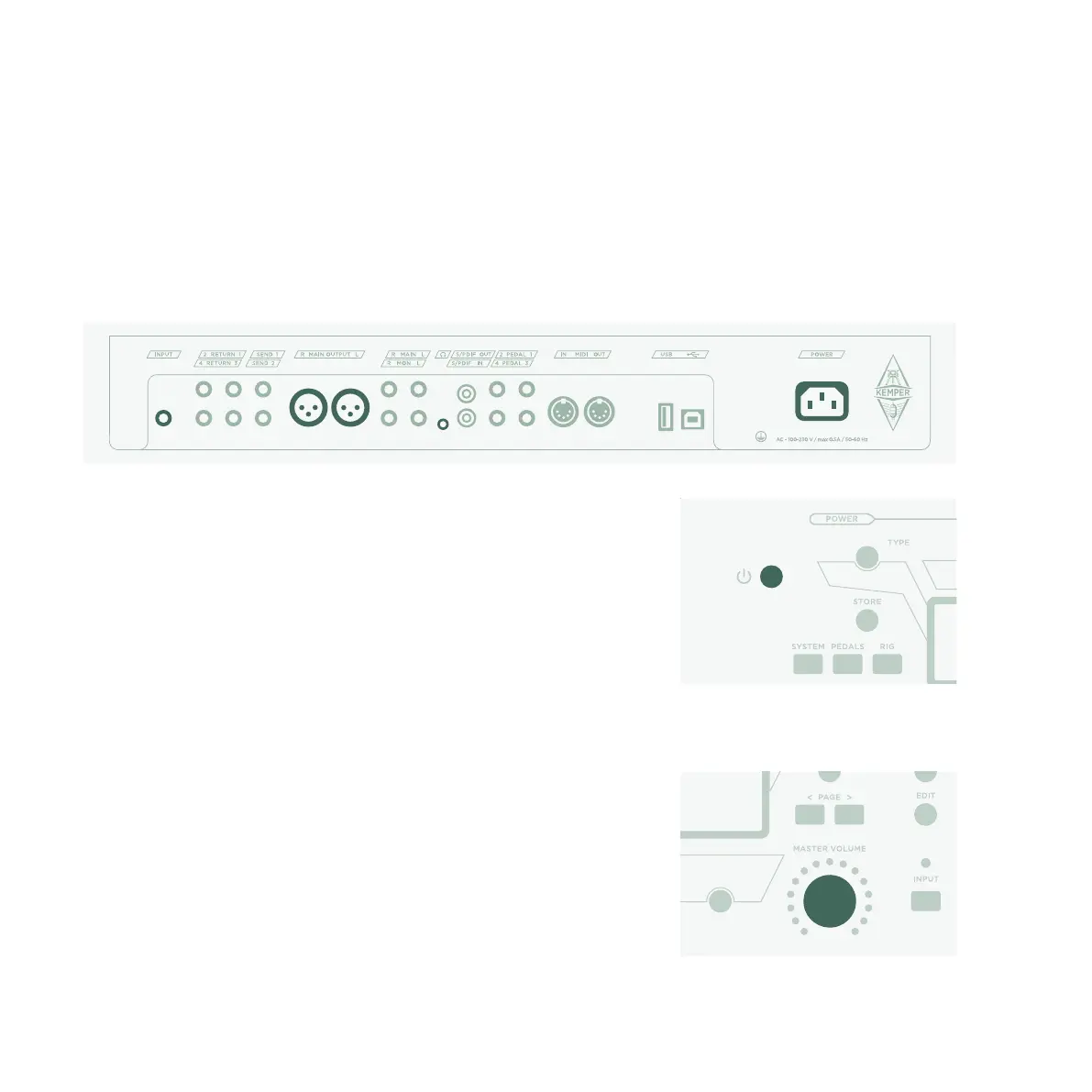
Connect your guitar to the INPUT on the left side of the rear panel.
If you want to use headphones, plug them into the HEADPHONE
output in the middle of the rear panel.
If you are going to play through a mixing desk, computer audio
interface or powered monitor speakers, then connect the MAIN
OUTPUT (either XLR or TS) to the inputs of the receiving device.
Do not forget to connect the power cable to a power outlet. The
PROFILER Stage is designed for voltages between 100 and 230
Volts!
Power the unit on by pressing the On/O Button in the upper left
corner of the front panel. Wait until the unit completes the boot
sequence, at which point the home screen of the Browser Mode
will appear.
Play your guitar.
Control the volume of the PROFILER with the MASTER VOLUME
knob in the middle of the unit.



 To Next Page