19PROFILER STAGE QUICKSTART
SETTING UP KEMPER POWER KABINET
Use the supplied cable to connect the KEMPER
Power Kabinet™ to a power outlet. The Power
Kabinet is designed for voltages between 100
and 240 Volts!
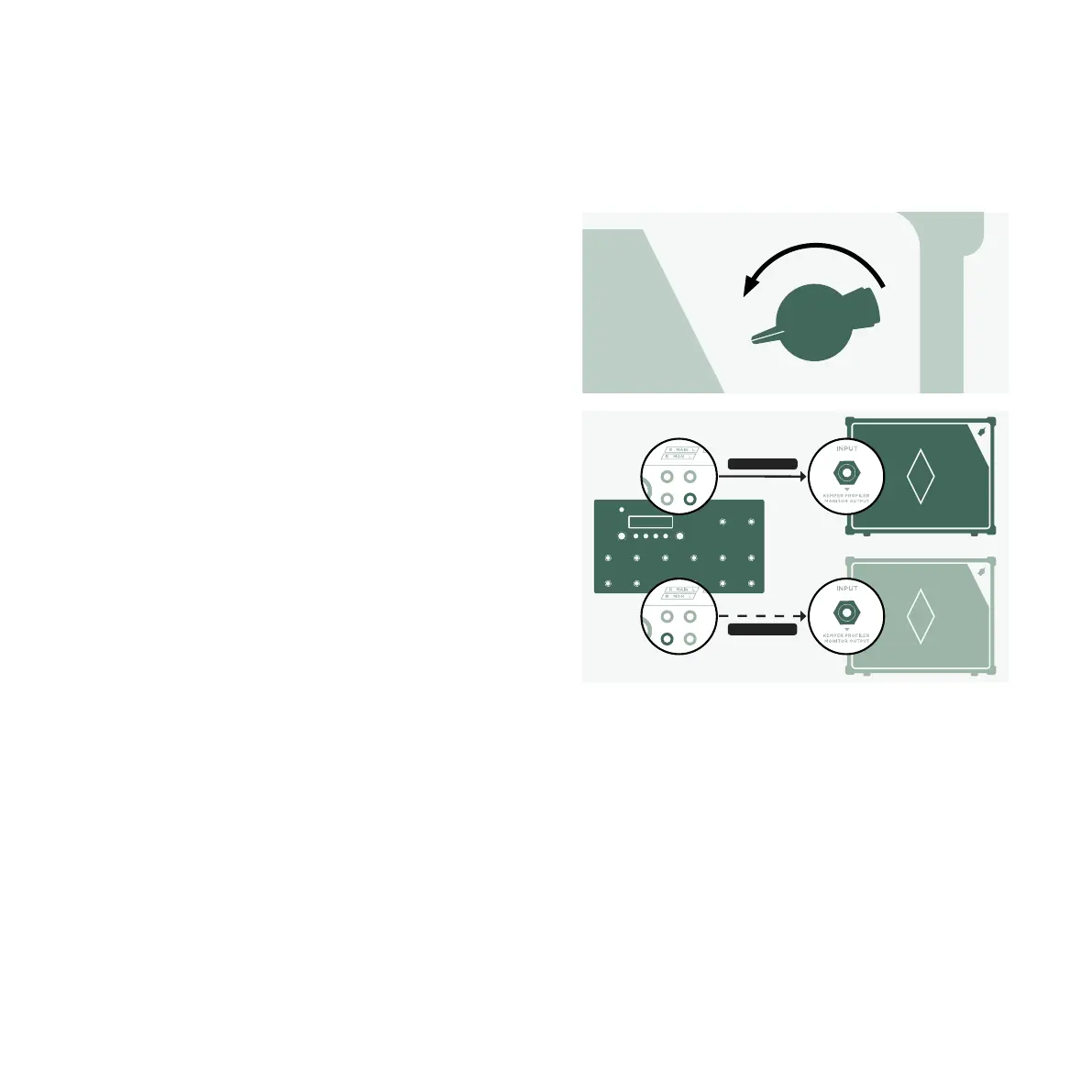
Turn VOLUME on the Power Kabinet all the
way down.
Use an instrument cable to connect the input
of the KEMPER Power Kabinet with one of the
MONITOR OUTPUTS on the rear side of your
Stage.
Power on the Kabinet and gently crank up
VOLUME on the Power Kabinet.
If you intend to connect a second KEMPER
Power Kabinet for stereo sound, repeat these
steps and connect the second Power Kabinet
to the other MONITOR OUTPUT socket.
InstrumentCable
InstrumentCable


 To Next Page