EasyManua.ls Logo

Kenmore 1350 - Page 24

Kenmore 1350
48 pages
Print Icon
To Next Page IconTo Next Page
To Previous Page IconTo Previous Page
Loading...
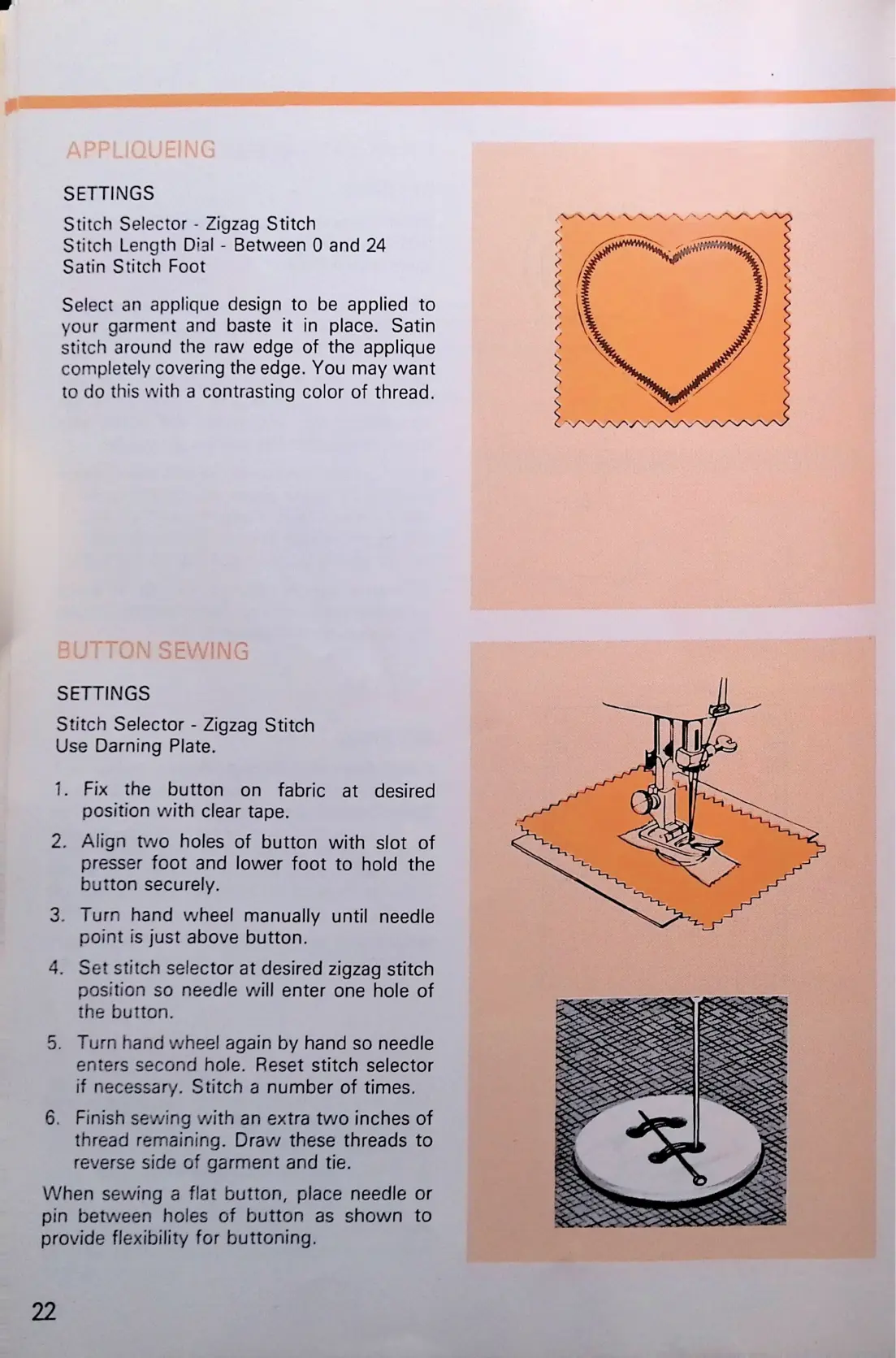
SETTINGS
Stitch
Selector
-
Zigzag
Stitch
Stitch
Length
Dial
-
Between
0
and
24
Satin
Stitch
Foot
Select
an
applique
design
to
be
applied
to
your
garment
and
baste
it
in
place.
Satin
stitch
around
the
raw
edge
of
the
applique
completely
covering
the
edge.
You
may
want
to
do
this
with
a
contrasting
color
of
thread.
SETTINGS
Stitch
Selector
-
Zigzag
Stitch
Use
Darning
Plate.
1.
Fix
the
button
on
fabric
at
desired
position
with
clear
tape.
2.
Align
two
holes
of
button
with
slot
of
presser
foot
and
lower
foot
to
hold
the
button
securely.
3.
Turn
hand
wheel
manually
until
needle
point
is
just
above
button.
4.
Set
stitch
selector
at
desired
zigzag
stitch
position
so
needle
will
enter
one
hole
of
the
button.
5.
Turn
hand
wheel
again
by
hand
so
needle
enters
second
hole.
Reset
stitch
selector
if
necessary.
Stitch
a
number
of
times.
6.
Finish
sewing
with
an
extra
two
inches
of
thread
remaining.
Draw
these
threads
to
reverse
side
of
garment
and
tie.
When
sewing
a
flat
button,
place
needle
or
pin
between
holes
of
button
as
shown
to
provide
flexibility
for
buttoning.

Related product manuals