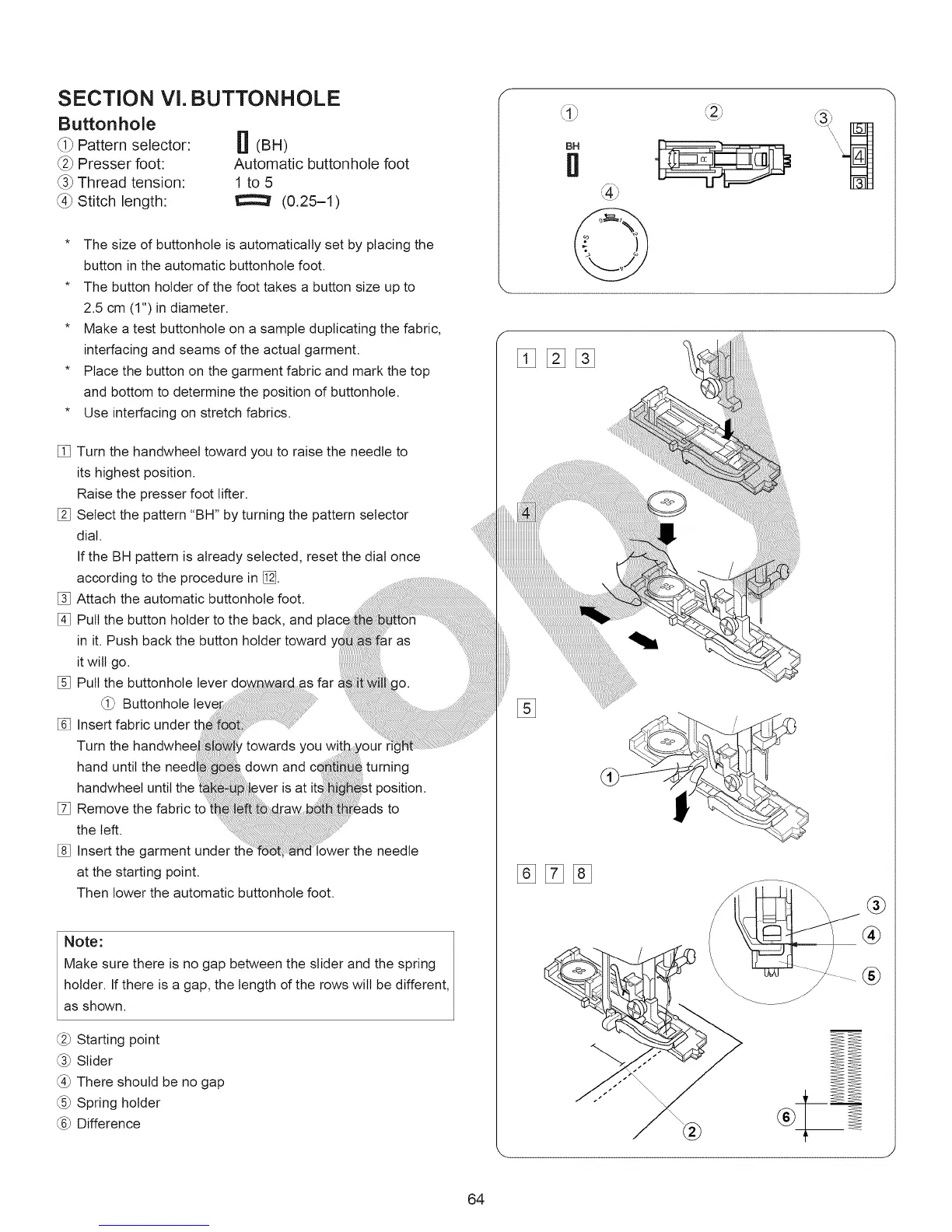
SECTION Vl. BUTTONHOLE
Buttonhole
_i_ Pattern selector:
_2_Presser foot:
_3_Thread tension:
_4_Stitch length:
[! (BH)
Automatic buttonhole foot
1 to5
(0.25-1)
* The size of buttonhole is automatically set by placing the
button in the automatic buttonhole foot.
* The button holder of the foot takes a button size up to
2.5 cm (1") in diameter.
* Make a test buttonhole on a sample duplicating the fabric,
interfacing and seams of the actual garment.
* Place the button on the garment fabric and mark the top
and bottom to determine the position of buttonhole.
* Use interfacing on stretch fabrics.
[] Turn the handwheel toward you to raise the needle to
its highest position.
Raise the presser foot lifter.
[] Select the pattern "BH" by turning the pattern selector
dial.
If the BH pattern is already selected, reset the dial once
according to the procedure in/_.
[] Attach the automatic buttonhole foot.
[] Pull the button holder to the back, and
in it. Push back the button holder toward
it will go.
[] Pull the buttonhole lever
Buttonhole
[] Insert fabric
Turn the
hand until the
handwheet until the
[] Remove the fabric to
the left.
[] Insert the garment under
at the starting point.
Then lower the automatic buttonhole foot.
0Ur
turning
st position.
_ads to
the needle
Note:
Make sure there is no gap between the slider and the spring
holder. If there is a gap, the length of the rows will be different,
as shown.
(:_ Starting point
(:_ Slider
There should be no gap
Spring holder
Difference
_\1 jJ
BH
II
[]%%
%[]%
®
®
®
64



 To Next Page