30
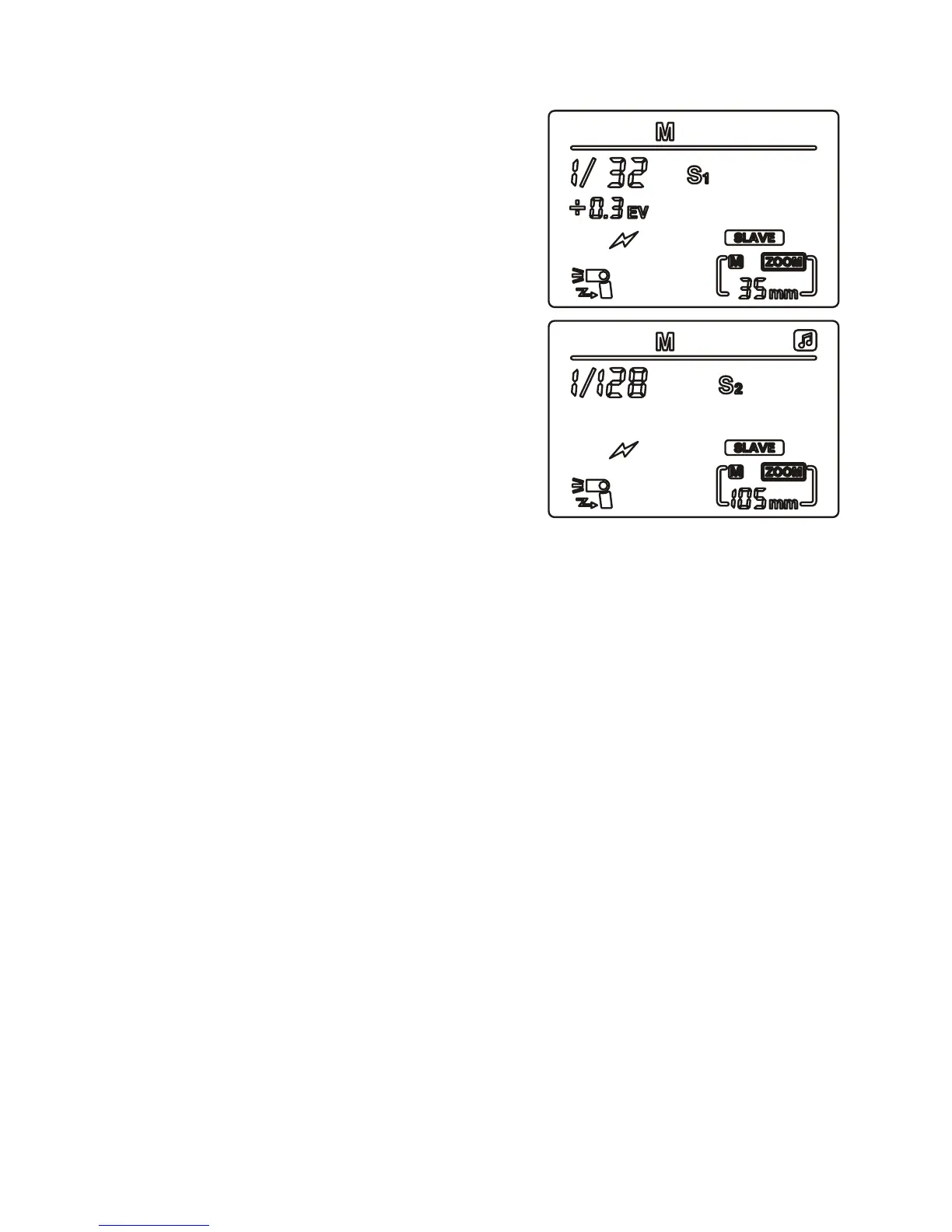
Wireless optical ash mode (S1, S2)
Press ‘left clear’ until S1 or S2 mode
shows on the LCD display. These two
modes can be used to create a variety
of lighting effects, and are suitable for
use in manual and TTL modes.
In both of these modes, the power
setting on the SLAVE unit is the same
as on the MASTER unit.
S1 mode
In this mode, the ash synchronises
with the traditional single ash system.
S2 mode
In this mode, the ash synchronises
with a pre-ash system (e.g. red eye
reduction).
To avoid issues, make sure of the following:
• Ensure red eye reduction or other pre-ash systems are switched
off when using S1 mode.
• Ensure that any modelling lamps on the MASTER ash are off.
• Avoid using the wireless functions of Nikon and Canon cameras,
as they have no effect on the ring of the SLAVE ash in S1 or
S2, because these SLAVE modes are purely optical, in that the
speedash needs to detect light in order to trigger – it is not
being operated wirelessly.
• Avoid using wireless transmitters as the MASTER unit.
Note: If your Canon camera does not have a built-in ash (such
as the Canon 5D, 5D II or 5D III), you will be unable to use this
speedash as a separate SLAVE unit. In order to use this feature, you
will need to purchase a Canon original ash, or the ST-E2 wireless
transmitter.
If you are using the speedash as a SLAVE in S1 or S2 mode in
bright conditions and it does not re, try turning it around so that
the sensor faces the MASTER ash, then rotate the speedash’s ash
head back to the desired direction.


 To Next Page