Date: 8/31/2012
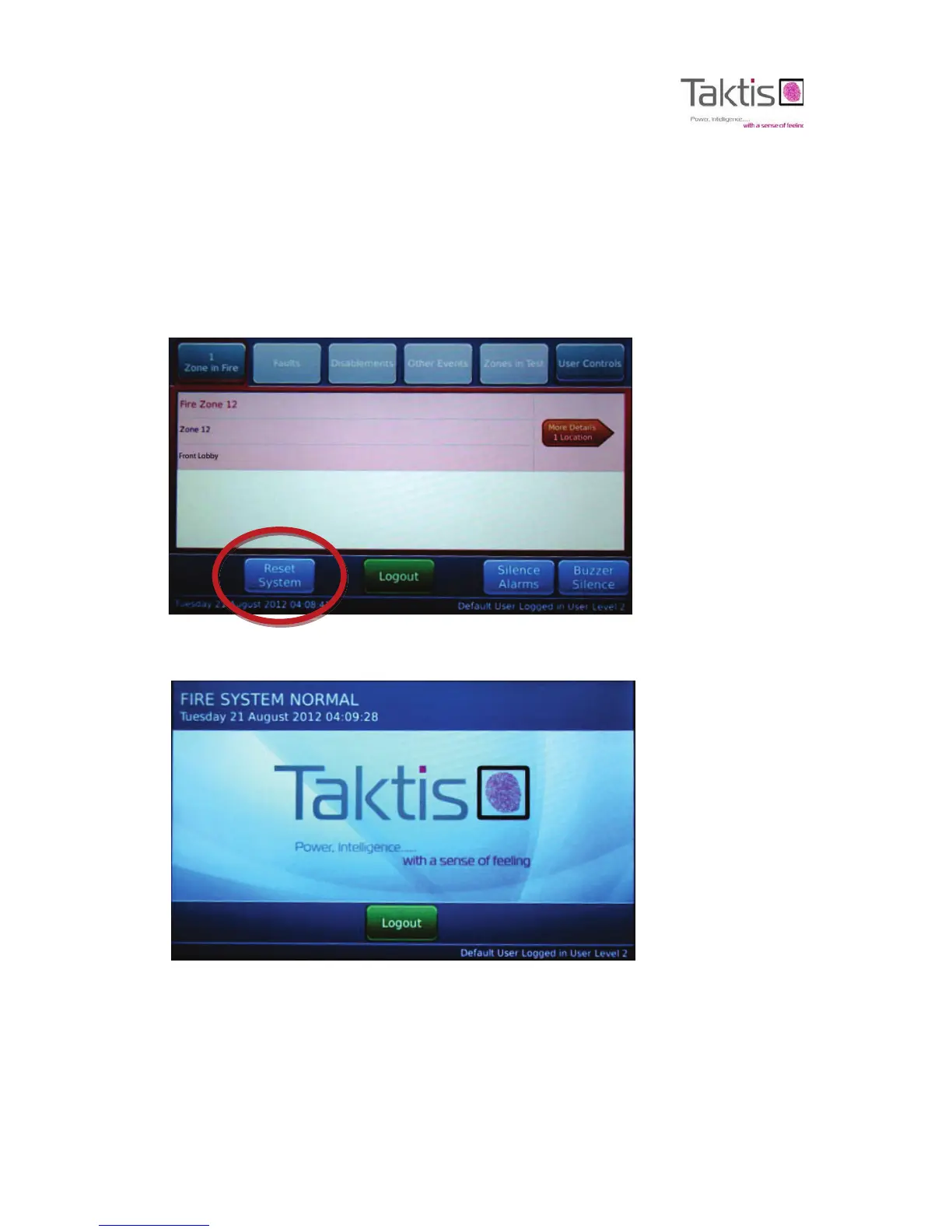
Reset System
A latching input remains active after clearing the alarm event from the input device. The Reset System
command clears latching inputs and restores operation of the fire control panel to the Fire System Normal
condition.
Non-latching inputs do not require the Reset System command. Non-latching inputs clear on the fire control panel
after clearing the alarm condition from the external input device.
8 Press Reset System to “Reset” latching inputs and restore the fire control panel to the Normal Standby Condition.
The Fire System Normal window is displayed with Logout control:
The internal buzzer of the fire control panel is silent. External sounders of the fire control panel are silent.
Zone 12 and Fire Routing On LED indicators are no longer illuminated on the fascia. The Power On LED is illuminated
continuously.



 To Next Page