Date: 8/31/2012
Perform a Buzzer Silence, Login, Silence Alarms, Re-sound Alarms, Reset System and a Logout during a
fire condition.
Complete steps 1 and 2 before initiating the Buzzer Silence:
1 Determine the cause of the fire alarm.
2 Clear the condition from the device causing the alarm.
Buzzer Silence
The Buzzer Silence command silences the internal buzzer of the Taktis Fire Control Panel. No other sounder
outputs are silenced by this command. The Buzzer Silence command can be operated without using the
User Level 2 password.
The User Level 2 password is necessary for operating other control functions of the Taktis Fire Control Panel.
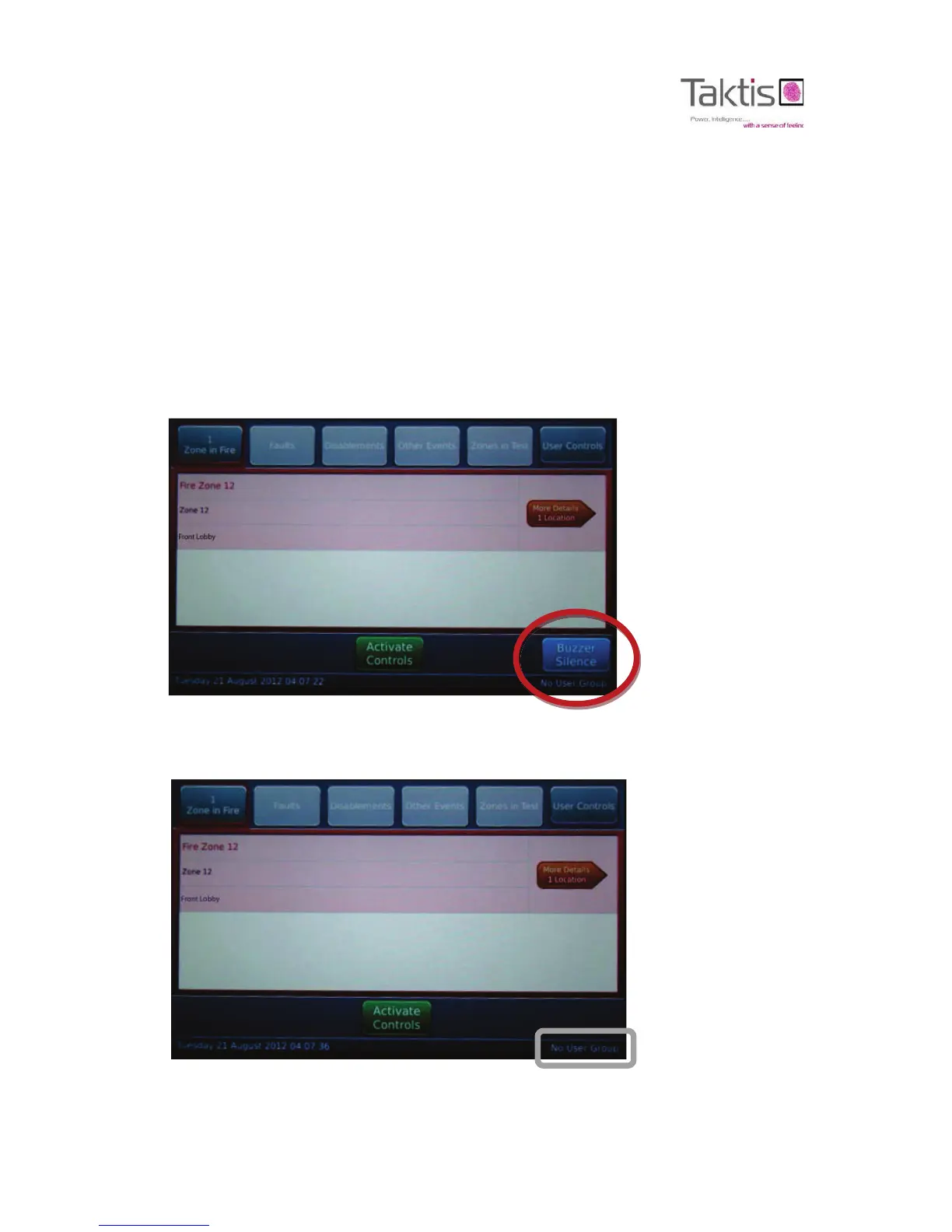
3 Press Buzzer Silence on the touch-panel-display to quite the internal buzzer of fire control panel.
The internal buzzer of the fire control panel is silent and the Fire in Zone window is displayed.
LED indicators are lit continuously for Fire Routing On and Power On. The LED indicator for
Zone 12 is flashing.
Menu authorization is shown above in grey as “No User Group”.



 To Next Page